


You know when you’re browsing the net and come across something you love, like a pair of designer sunglasses or a sleek new briefcase…
And then log in to Facebook and see an ad for that exact item?
Is it a sign that you should purchase those shades or treat yourself to a new bag?
Maybe.
Is this retargeting in action?
Absolutely.
But, how does this work for real estate?
Obviously buying or selling a home isn’t the same as a $60 impulse buy online.
However, there’s a lot you can do to keep your listing top of mind and more effectively reach your audience through retargeting.
Here’s how –
According to AdRoll, just 2% of visitors will convert the first time they land on your site.
So, what happens to the other 98% and how can you recapture their attention?
As Kelvin said in the video above, retargeting, or remarketing, allows you to show your ads to potential leads who didn’t opt-in after they visited your site.
Once they’ve left the site, the goal is to drive those people back to your website by targeting them with ads on sites like Facebook.
The people who see these ads are already going to be primed to take action because you know what they’re interested in and can now nurture them as a lead through personalized ad content.
This audience is 3x more likely to click on the ad than any cold lead.
How it Works
Very simply put, a pixel (piece of code on your website) allows your site to communicate with other platforms such as Facebook.
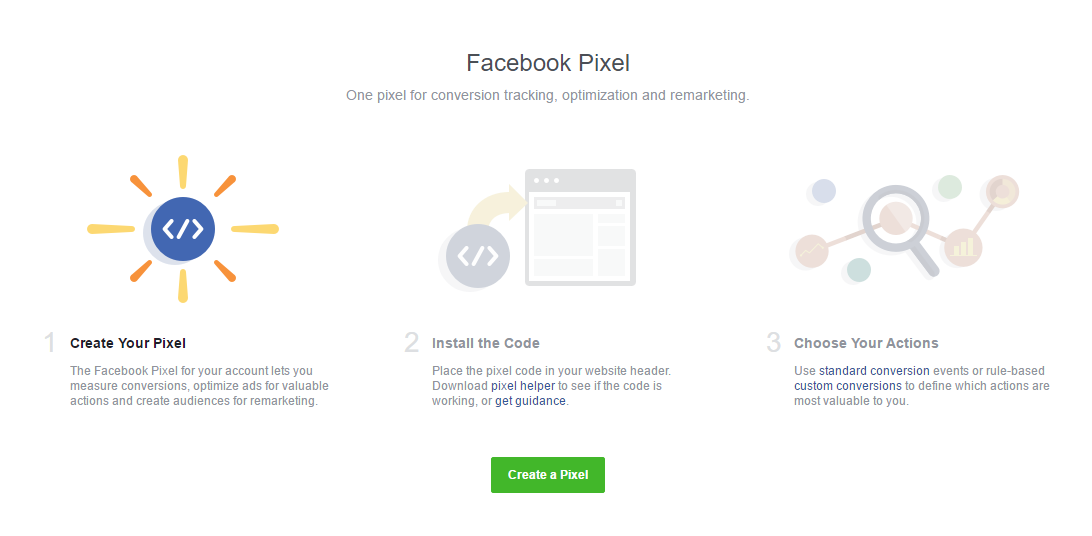
The goal –
To reach someone multiple times and increase their chance of converting.
And this all happens through the use of cookies.
We have built-in apps on LeadSites to make this otherwise sticky process super easy for you.
See, Cookies shows you exactly what your leads are interested.
And Pixels is the place where your retargeting pixels can be added in less than a minute.
Oh, and it’s also the easiest way to follow people with Facebook ads.
Who should you target?
The three big areas you want to cover with your ads are:
- Sellers
- Buyers
- Listings
To do this, you’re going to need to segment your audience.
Because there’s no need to try and retarget every single visitors.
And when you know exactly who you’re talking to, you can personalize their experience even more by directing them to a landing page that will give them more information on what they’re looking for.
So, if you’re targeting sellers who visited a blog you wrote about home staging tips, you can then create a free e-book guide or video series all about home staging and put it behind a landing page.
Remarket to these sellers on Facebook and link them to the page.
When they click through they’ll need to provide their details in exchange for your free content.
Read This Post to see how to setup a landing page that will capture leads instantly.
LeadSite users can use Squeeze to create custom landing pages in seconds.
Otherwise, you can use Lead Pages, or any landing pages software to set this up.
And you can repeat this for each remarketing ad campaign you run for buyers and listings as well.
However you make it happen, make sure you’ve got a clear Call To Action.
Up for the challenge?
Here’s how to set up a retargeted video ad in 60 seconds:
Need Results?
If you don’t get the results you want the first time around don’t let it discourage you.
Like most worthwhile and successful marketing activities, you’ve got to take action repeatedly on this strategy until you find the perfect the equation for your unique audience.
Continue to try, retry and fine-tune your retargeting ads.
Keep track of your results through Facebook analytics.
Let each ad run its course for 3-4 weeks and then sit down and figure out what’s working or not working.
Put up a new image, shoot a different video and change up the ad copy to keep things fresh and relevant for your audience.
For a more in-depth look at advanced Facebook ad tactics, check out our article on how to setup conversions and target buyers or sellers.