The 5 Things I Did To Rank On Page 1 Of Google In One Day With Demo IDX Data
Want a case study on how agents can show up on Google? We talk through a step-by-step method of how to get ranked!

Want a case study on how agents can show up on Google? We talk through a step-by-step method of how to get ranked!
Fact:
Most agents want to be on Page 1 of Google.
Fact #2:
Most agents aren’t on Page 1 of Google.
Everyone believes those facts, right?
…but what if I told you this?
Fact #3:
I got our Demo LeadSite ranked on Google yesterday within the first hour…For Keywords like:
Want a downloadable FREE PDF that shows how I did it? Click Here
Most people probably don’t believe me.
Because they think showing up on Google is hard.
Specifically the following:
Now:
You do have to know some of that stuff if you want to show up for “New York Real Estate.”
But I’m about to show you some super simple stuff to get results in 1 day.
And how I got to Page 1 of Google with demo IDX data.
::::::::::::::Keyword #1) Luxury Condos Auburn CA:::::::::::::
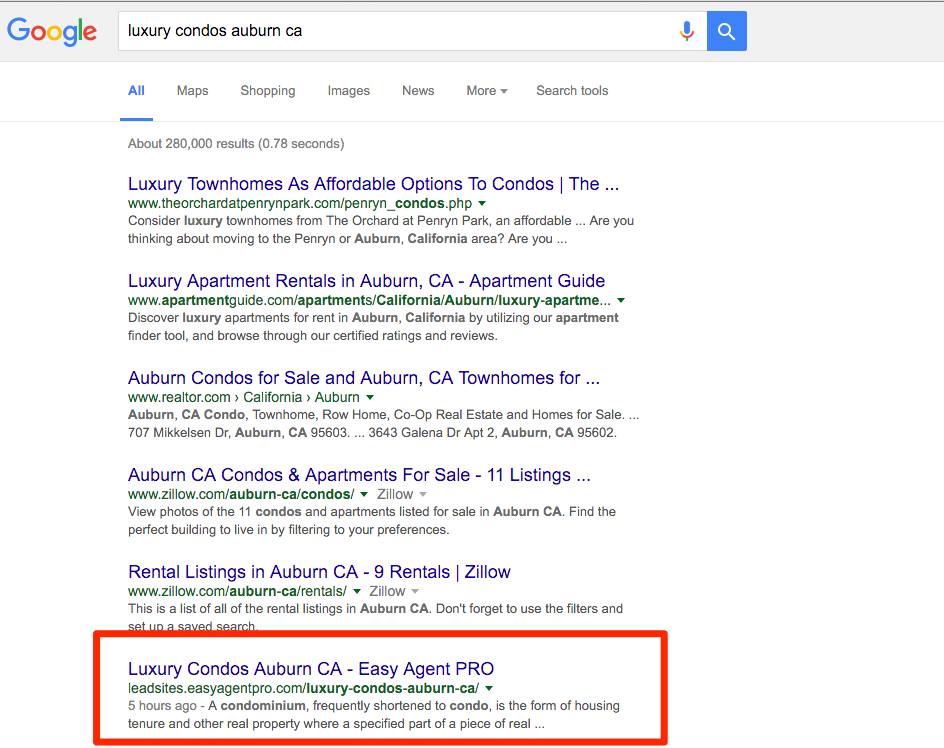
::::::::::::::Demo IDX Data Ranking On Page 1:::::::::::::
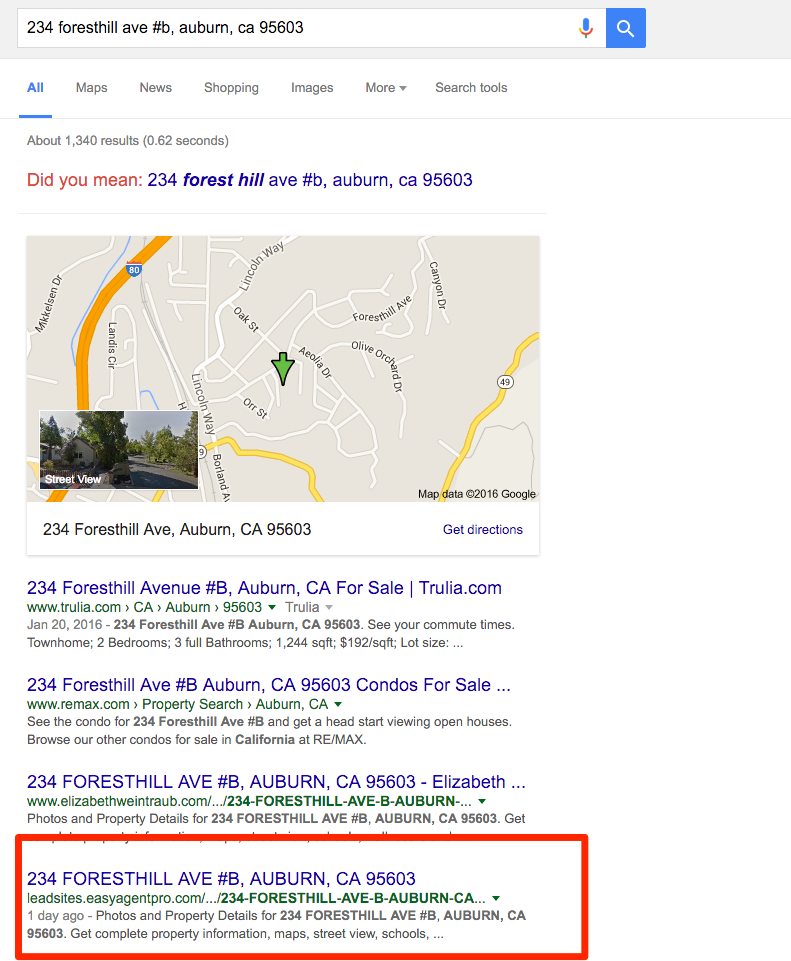
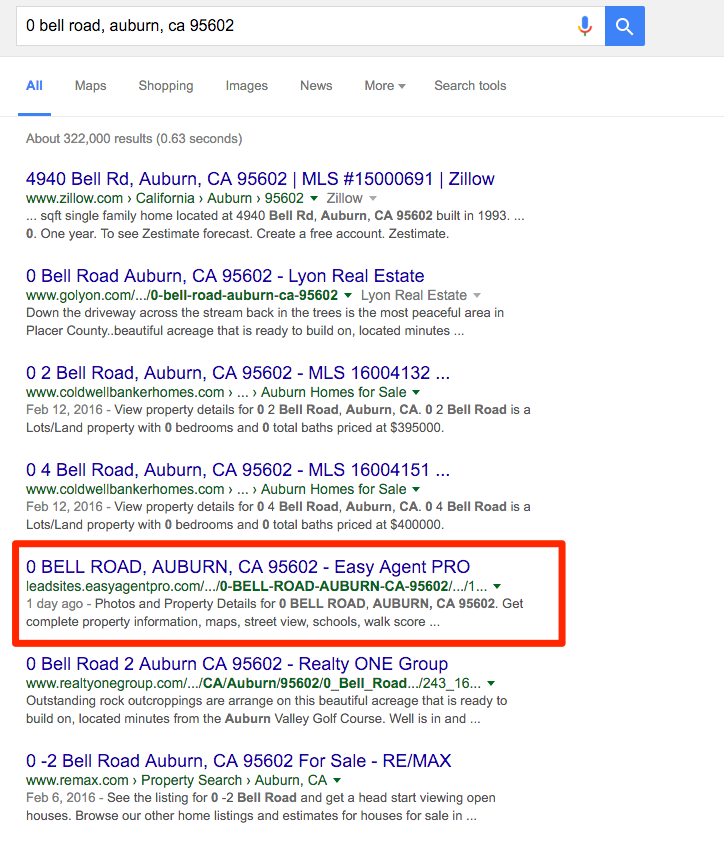
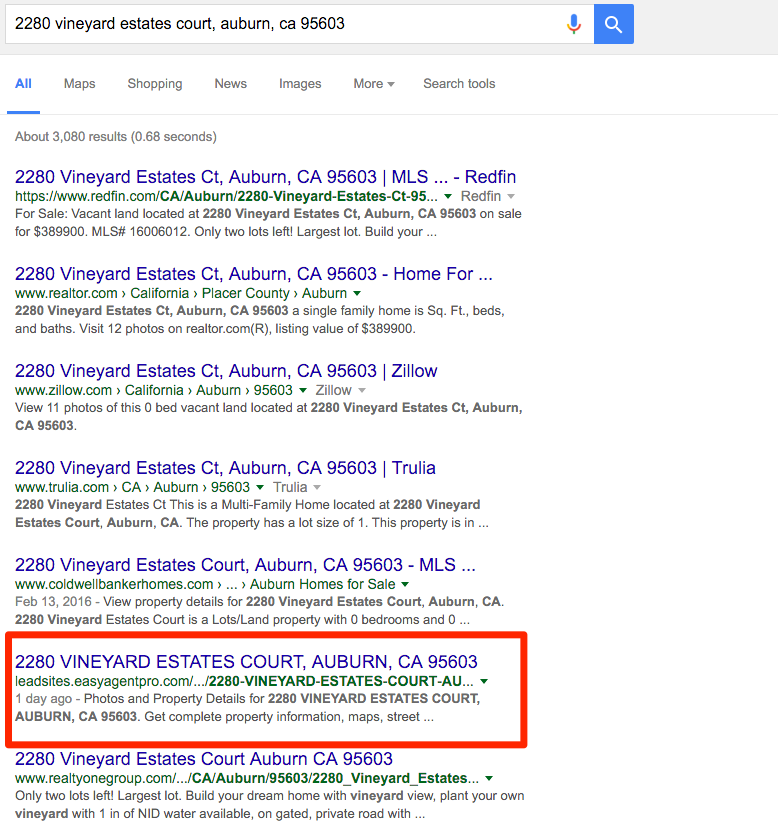
But how did I rank my demo IDX page on the first page of Google in 1 day?
Here are the 5 things you need to know:
The first step in getting quick results like this is being setup correctly.
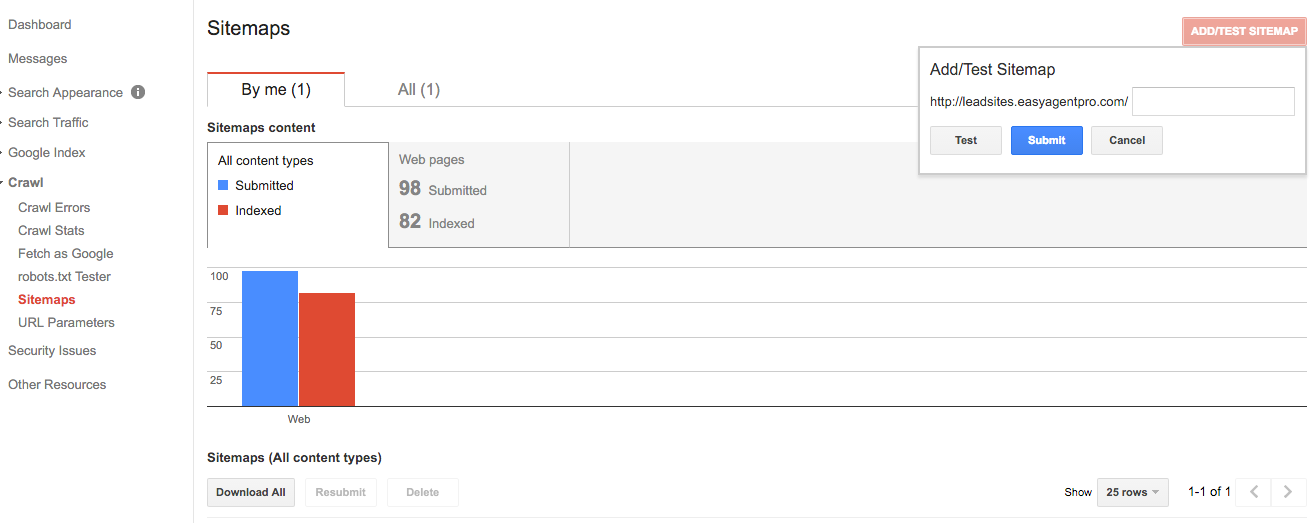
To do this I setup the demo LeadSite with Google Webmasters.
You can do this with the Find Me app.
Simply verify your domain with Webmasters:

And then submit your site map:
The next trick is to create crossing links to your listings.
Here’s what I mean:
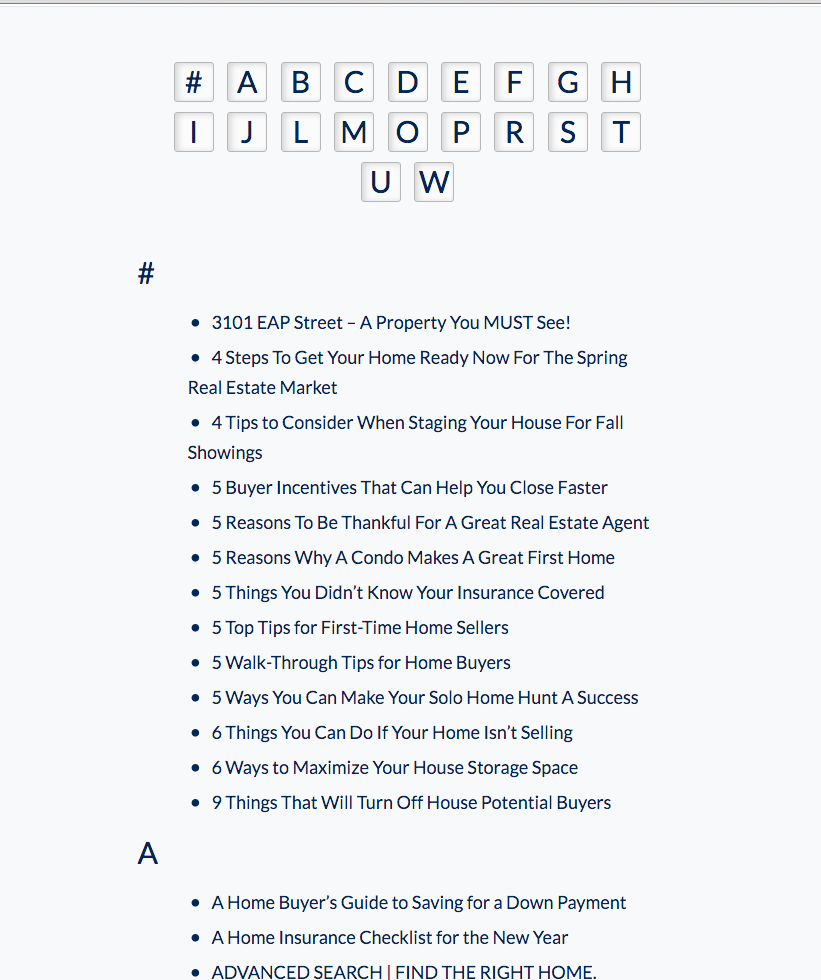
Find Me helps get your listings in Google faster!
It creates a sitemap that crosslinks to all your listings. This helps Google find all of your listings MUCH faster than on most real estate websites.
It looks like this:
These two things really help with getting on Google quickly.
The second aspect of setting up your site for success is time.
This demo domain has been active for 6 months. Google pretty much trusts it at this point. The longer your website is on the same domain…the better success you’ll have.
…ok, onto the cool tactics:
You’ll notice our demo site showed up on Google within a few hours.
And that the page only had copy/paste content from Wikipedia.
And some DEMO ONLY IDX data.
At this point you’re probably asking…”How’d you do that?”
The key here is to stack your keywords.
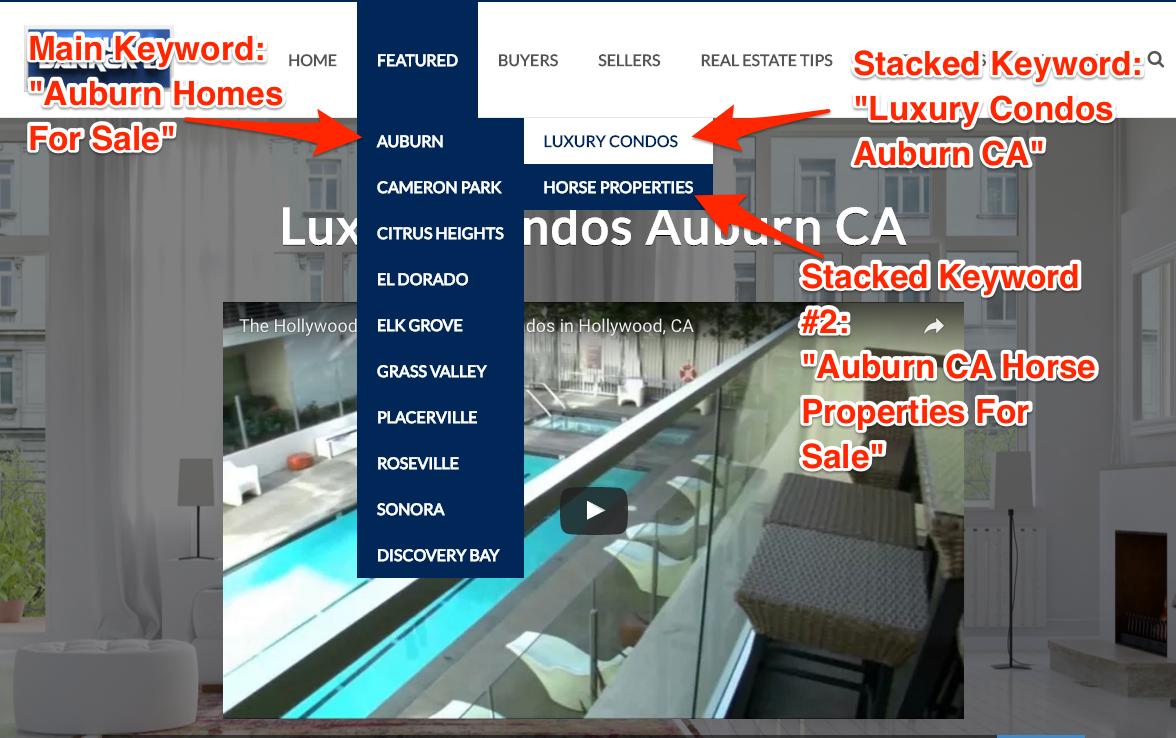
The trick to getting on Google is stacking smaller keywords under your main keyword.
You see above I’ve created three pages.
The key with stacked pages is creating 3+ pages around one topic.
My topic is Auburn, CA.
And then I create 1 main page with several “stacked pages” underneath it.
When you combine this technique with tools like “Find Me by Easy Agent Pro” and InstaFarm, you get great results!
Let’s look at what I put on these pages…
So far we’ve talked about:
But what do you put on those pages?
Here’s what you need:
For this experiement, I was feeling rather lazy.
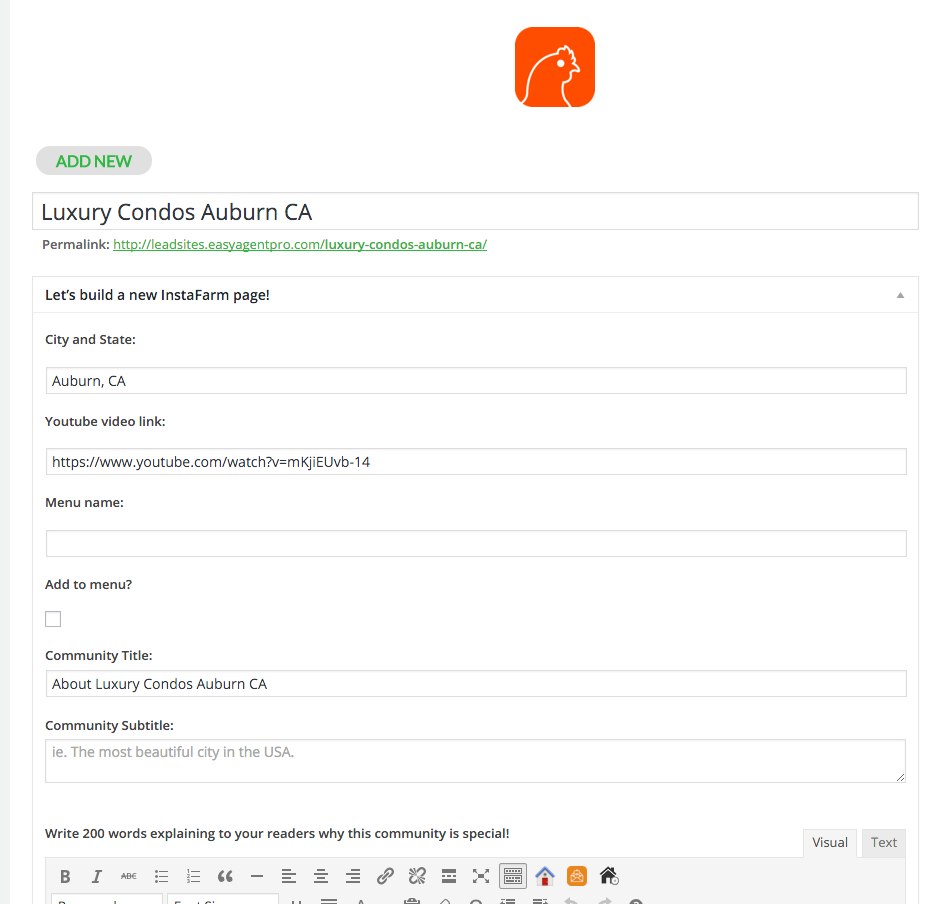
So, I just copied some text from Wikipedia and a video URL from YouTube. And put it on my page.
With InstaFarm, I just had to paste this information into the fields and it builds me the optimized page:
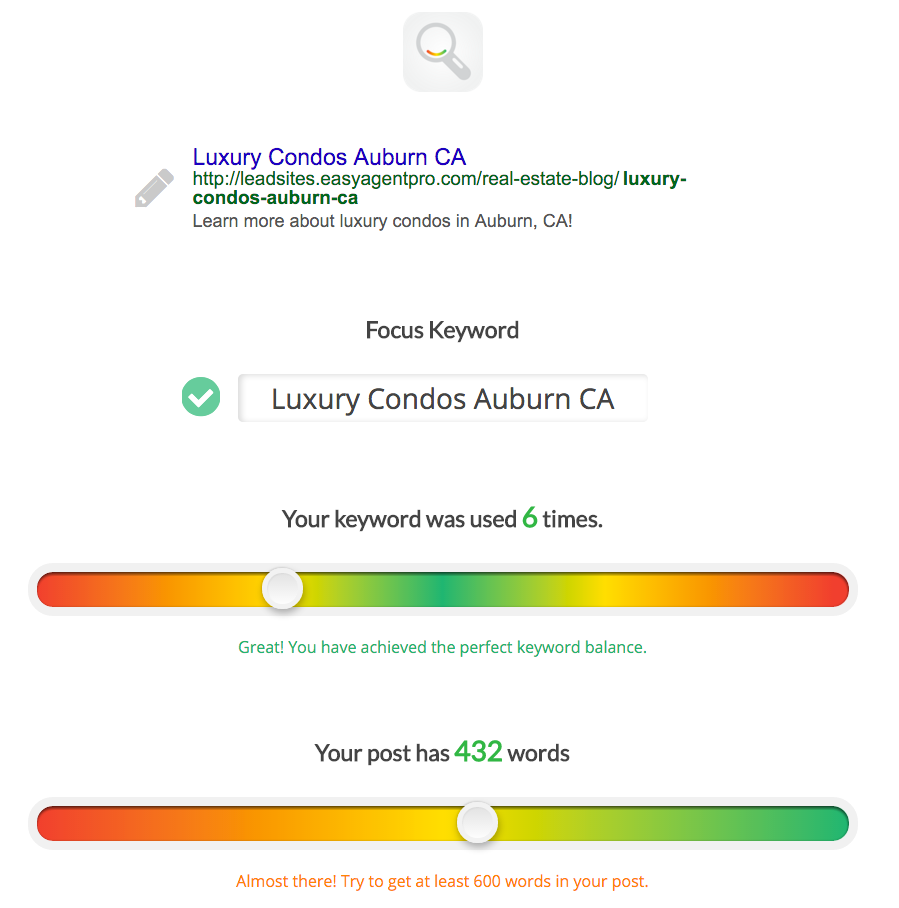
Next, I used the Find Me app to make sure I met some minimum Google requirements for ranking.
It looks like this:
That’s all I did in this case to rank on the first page.
My next goal is to rank for Auburn Homes For Sale. I’ll most likely use over 1,500 words of text for that harder keyword. But for “Luxury Condos Auburn CA” I didn’t use much text at all!
The next step here is relatively simple.
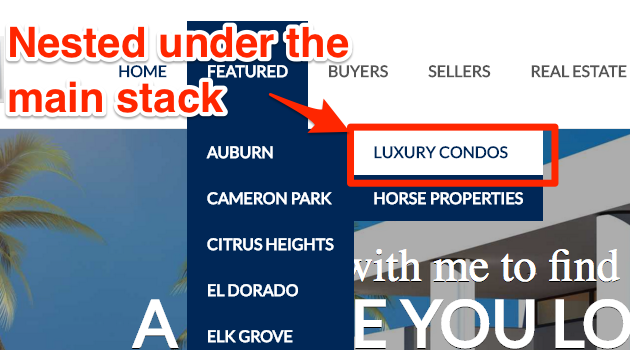
You need to attach this page to your menu.
You’ll notice I nested it under the main page for the stack:
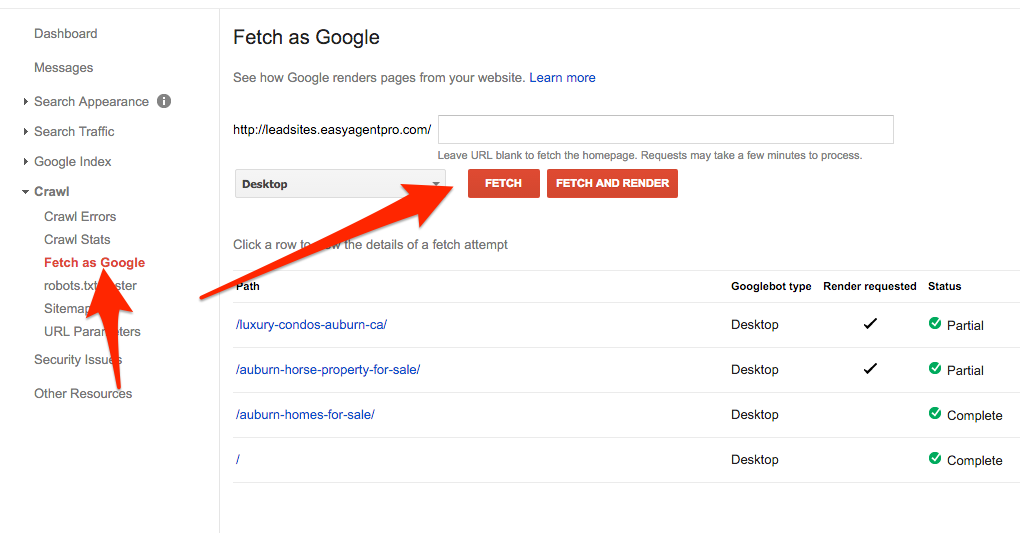
Finally, the last thing I did was submit my page and sitemap to Google again.
The Find Me app makes this super simple.
You simply copy the URL and paste it into Google:
This helps Google index your page faster. In fact, moments after I submitted these pages I got an email from Google like this:
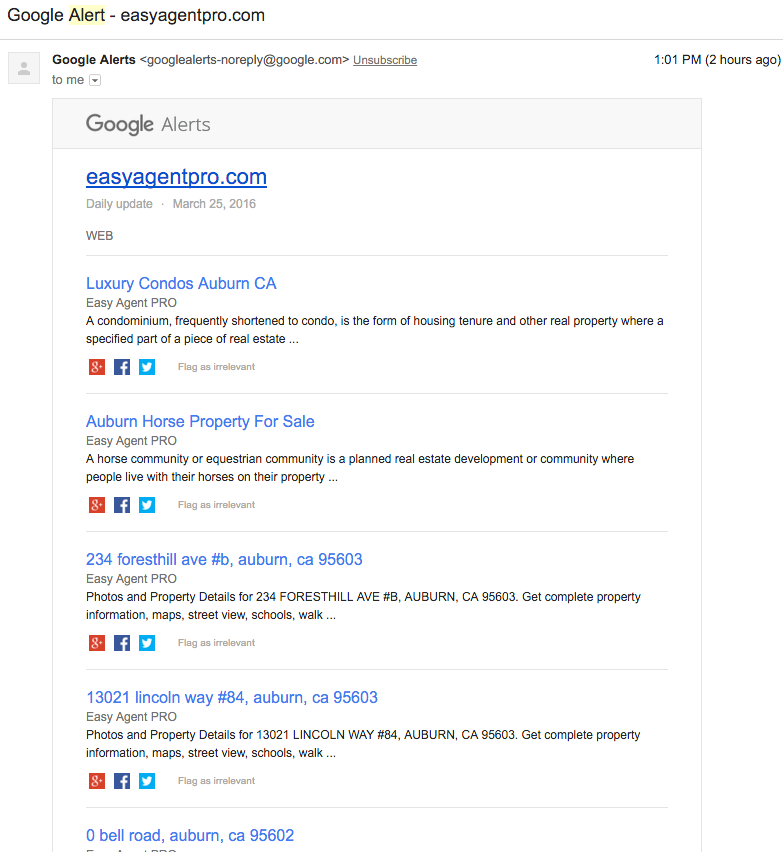
This shows me what IDX listings Google has indexed for my website.
The cool thing about EAP’s Find Me app is that it auto-optimizes all these listings for Google.
Look at this
The demo site is showing up for “234 foresthill ave #b, auburn, ca 95603”
Here’s the code that Find Me has added to that page:

You can see that the page is clearly optimized for the address.
Between this additional code to the IDX listing page, and how I included it on our new InstaFarm page about Auburn Condos, the page is just going to rank well on Google.
This post about Google was all around doing the LEAST amount of work possible and getting the most results.
I don’t recommend trying to rank your entire website with Wikipedia text.
I don’t recommend trying to rank without writing blogs or making your own YouTube videos.
I just mean to point out that a lot of the things you’ll read online are simply OVERKILL for getting solid results from Google.
Additional Sources for quality Google ranking Information:

Let’s boost your lead gen.