Are you tired Trulia and Zillow trying to take over your business? Do you want more high quality leads without having to deal with those two entities?
I’m about to teach you how to steal seller leads from Trulia. But before I do, let’s get rid of all the questions & excuses not to implement this today.
You don’t need to be techy, know how to code, have fancy drip sequences, or even have a CRM.
What you’ll need:
- Your LeadSite’s Seller Magnet Page – We’re going to setup a landing page with our LeadSite that EXACTLY matches Trulia’s seller landing page. I use it exclusively and have a collection well over 10,000 leads with it.
- A Facebook Page – We’re going to copy Trulia’s ads and run them to a targeted audience on Facebook. Why do ads often fail? Because people don’t actually research what they should say first!
Trulia has already done the research. And split tested their ad campaigns. We’re going to build off of that to successfully launch our own personal campaign.
Part 1 – Trulia gets seller leads; Let’s copy what they’re doing to get our own leads:
Estimated time: 2 min setup
The worst part of advertising on Facebook is making a winning landing page.
You can spend hours with a software that promises high lead conversion…and then be left with a page that simply doesn’t work.
At Easy Agent Pro, we took this problem and gave agents a solid solution.
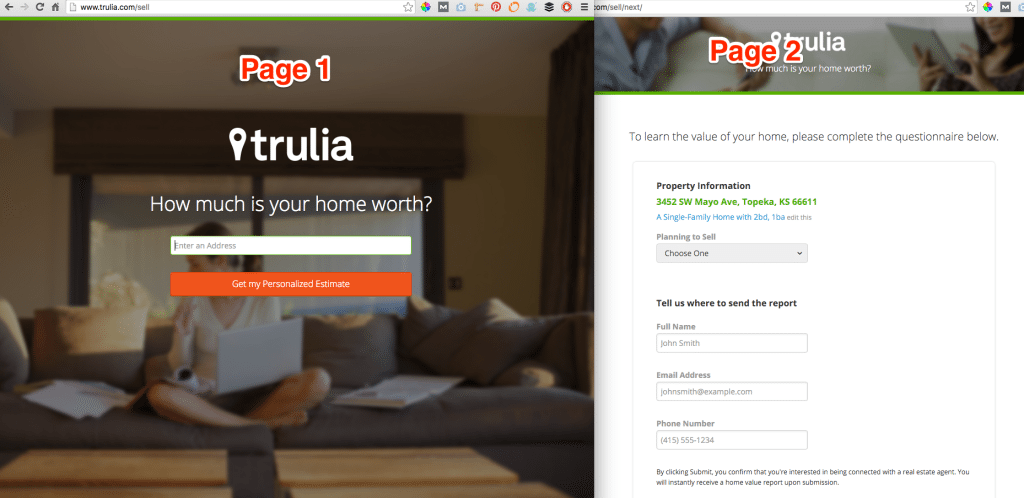
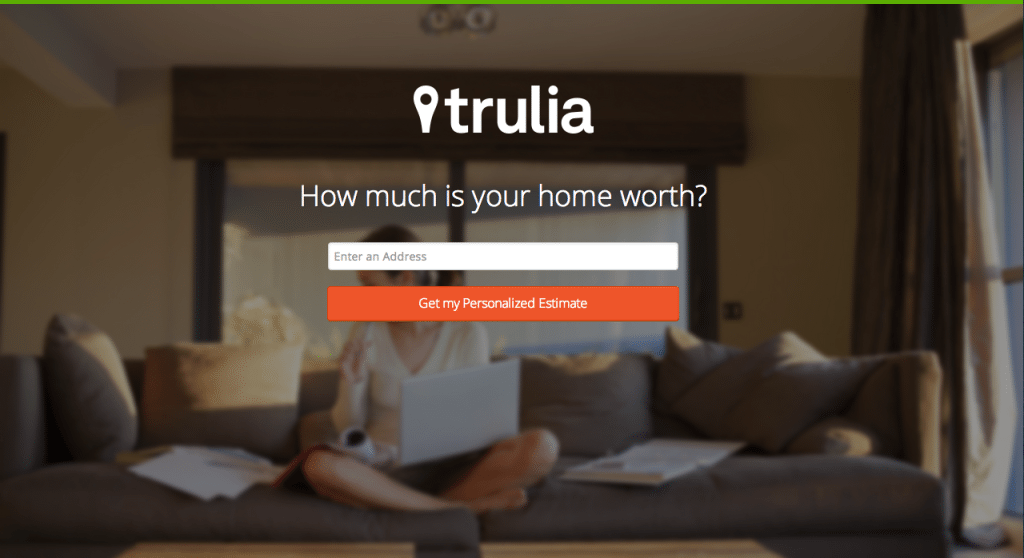
Trulia generates hundreds of thousands of seller leads. And their landing page looks like this:

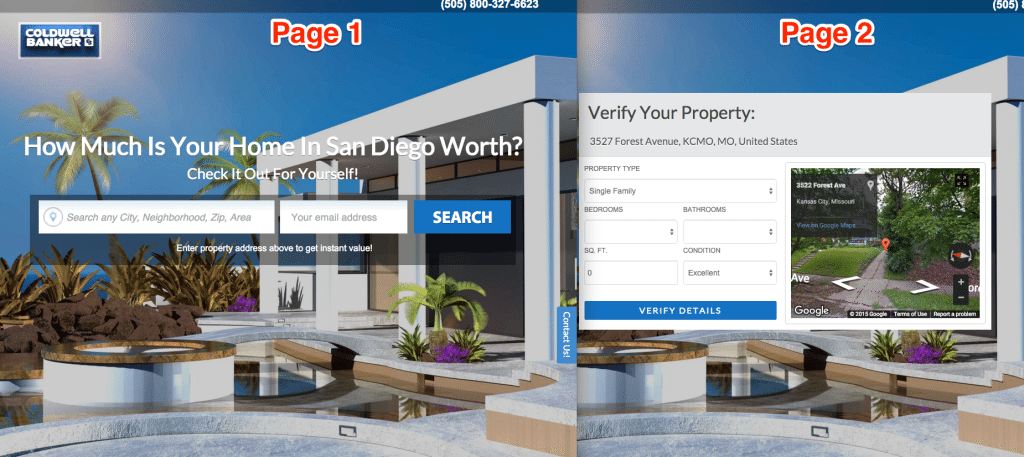
We’ve made a close copy of this for you and give it to every LeadSites customer:
(PS: For those of you that don’t know, LeadSites are complete real estate websites with 10+ custom lead capture apps. They get leads better than 98% of real estate websites out there. Learn about them here)

You get this page 100% built for you day #1 with LeadSites. What does that mean?
You can start Stealing Leads From Trulia the first day with your LeadSite.
You don’t have to design anything. Or buy additional confusing landing page software.
Trulia’s spend Millions of Dollars on ads. And tested their landing page. We give you as close of a tool as possible to theirs (without being illegal) in order to help you generate leads.
Part 2 – Setting Up Facebook Ads To Get Leads From Trulia:

Are you going to take action?
Setup your ads to your LeadSite’s Seller Magnet today!
Want more ad ideas? Check this out:
This is the old (more complicated) version of the post that was written on 12/31/2014
What you need:
1. A Leadpage subscription –You’re about to see me use Leadpages in this demo.
Click here to sign up – It takes less that 2 minutes. Below we’ll be setting up a funnel that takes less than 10 minutes. 15 min = consistent leads every month. Click here to sign up.
2. A Facebook Page – No surprises here.
3. Access to the internet – Haha
Part 1 – Trulia, let’s steal some motivated home seller leads:
Estimated time: 2 min
What’s the hardest part of writing an ad that is profitable?
It is almost always getting the correct angle and headline copy. If you take the wrong angle or pain point with your audience, you’re almost certainly going to fail. The good news is Trulia has spent millions of dollars figuring out what works and what doesn’t. Now, you just get to copy them!
Trulia has spent millions of dollars on advertising. Part of their marketing team has been charged with finding the best page that converts seller leads.
And guess what? You can see it right here:

That’s it! It’s super easy, and you don’t have to know anything about complex copywriting or internet marketing. You just get to build off of the success of Trulia.
Part 2 – Re-making that page in LeadPages
Grab Leadpage’s here. I use it exclusive and am about to show you how to recoup your first year in 15 min.
So, we’re going to login to LeadPages and navigate to “templates.” Then you’ll sort by “Optin” and “Conversion”. Next select the template that looks like this:
First, we need to find an open source image that looks similar to the one Trulia uses. You can find one here:
Next, we are going to change all the text on the page.
This is really easy, because we are just copying the text Trulia uses. Don’t get cute here. These pages have been tested and every word matters. Changing just the littlest thing can dramatically increase or decrease your results.
Be sure to customize your button and add your logo like we show in the finished page below. In Leadpages, you simply click on the pre-existing logo and then upload the one you want there instead. It’s really easy and anyone can do it.
Here is what your page should look like:
To make this even easier for you, we’ve made an exact template for your to purchase. It makes it super easy to get the page you see above setup quickly! You can then start collecting motivated home seller leads.
Here’s what it looks like:
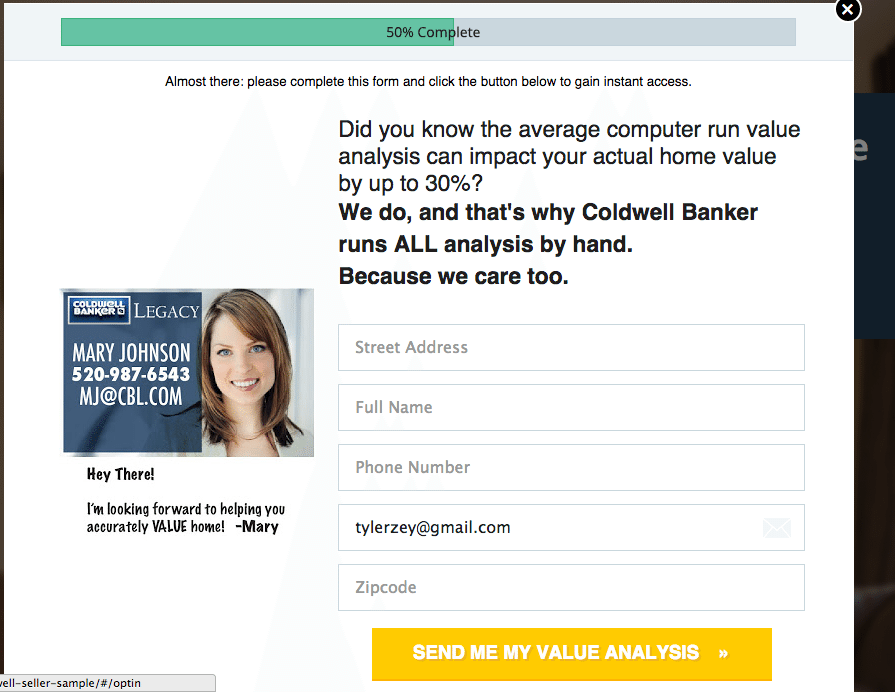
Next, we have to customize the offer. This will be slightly different than the Trulia offer because we are offering a custom quote. Another cool aspect of Leadpages is we can throw our business card or image next to the optin. This means the person will have seen our face several times before we meet in person. Be sure to use your professional headshot as it helps increase your face recognition.
Here’s an image of the finalized Optin popup:
Part 3 – Setting Up The Ads
I highly recommend setting up Facebook Ads to drive traffic to your new page. Here’s how I do it:
Place your Leadpages.net url for the page we created above in the “clicks to website” category for Leadpages.
Then, add some images from the stock photo gallery Facebook has built in.
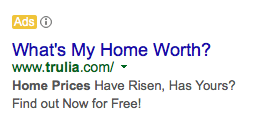
Next, I would use this ad copy that Trulia is running currently for your ad. Here’s a screenshot of it:

Why would we copy this? Well, Trulia has tested this. They probably have a digital marketing ad team running these days and managing them for 10’s of thousands of dollars a month. You can probably learn something from the way they set everything up.
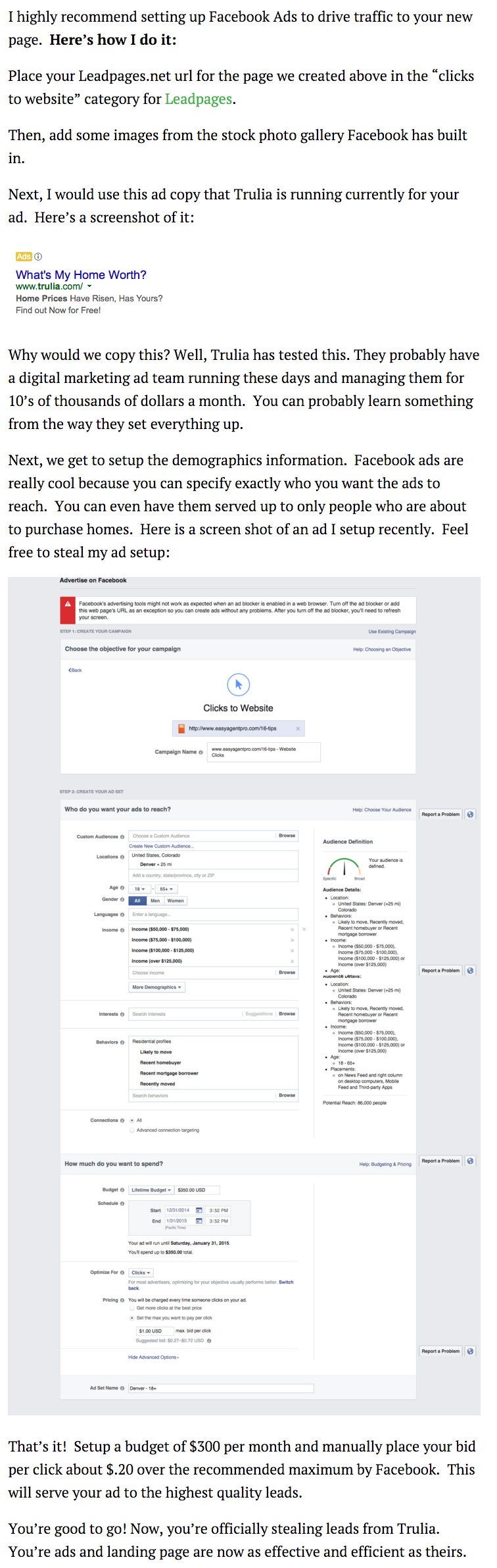
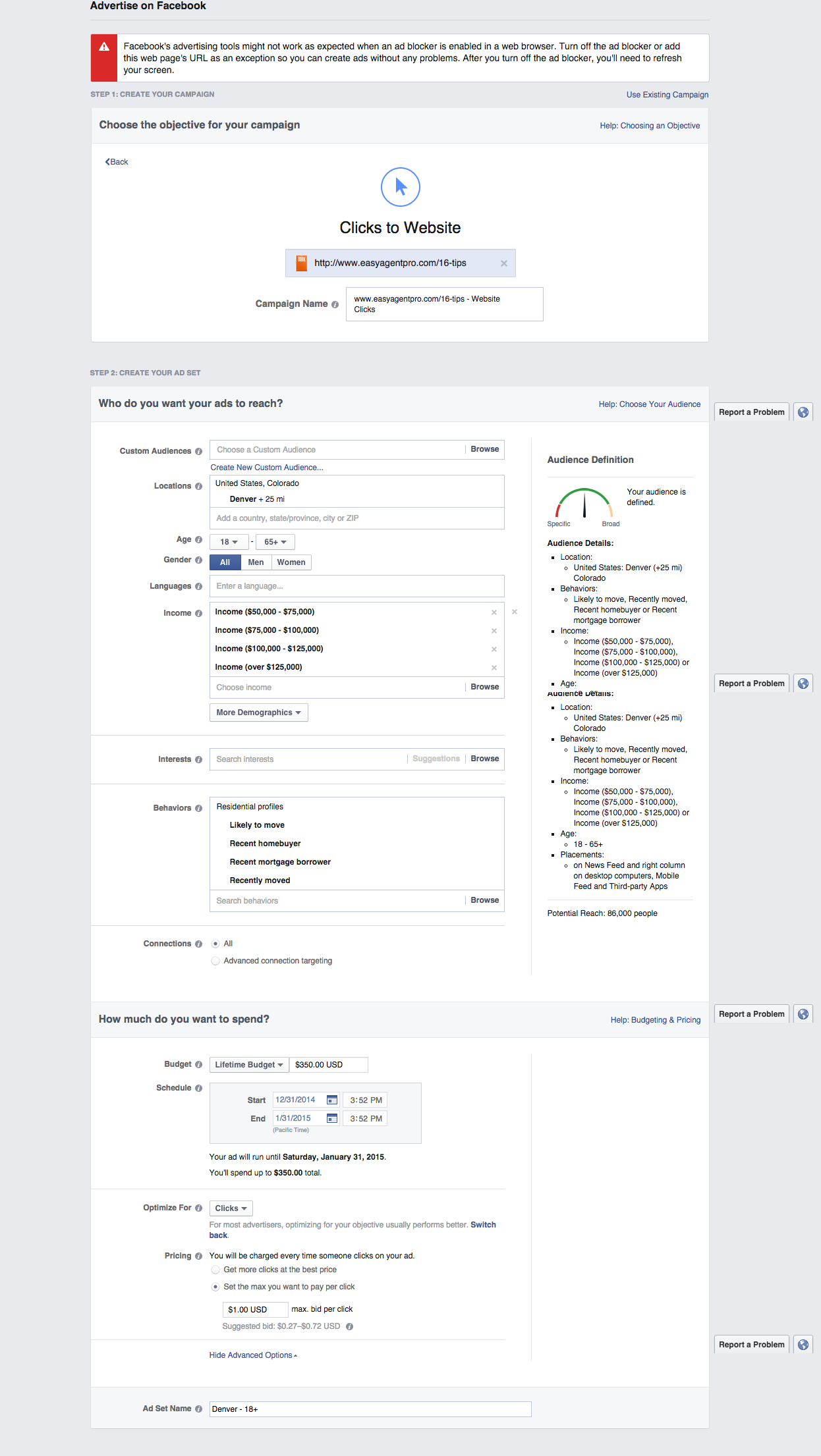
Next, we get to setup the demographics information. Facebook ads are really cool because you can specify exactly who you want the ads to reach. You can even have them served up to only people who are about to purchase homes. Here is a screen shot of an ad I setup recently. Feel free to steal my ad setup:

That’s it! Setup a budget of $300 per month and manually place your bid per click about $.20 over the recommended maximum by Facebook. This will serve your ad to the highest quality leads.
You’re good to go! Now, you’re officially stealing leads from Trulia. Your ads and landing pages are now as effective and efficient as theirs.
Here’s another awesome video of use showing you how to find more motivated home seller leads:
For those of you who aren’t familiar, these ads can be setup so that they are just displayed to potential home sellers. That’s a great way to create more leads as a Realtor.
What do you think?
Do you have questions about how to setup these ads for home listing leads?
Feel free to ask some questions below in the comment section.