


I just discovered a cool new way to make real estate videos.
As cool as it is, it also might actually annoy you because once we get into it, you won’t have any more excuses for not publishing videos daily.
It’s that easy.
Make A Video
In 6 Minutes Or Less
As much as I rant about agents’ biggest issues being taking action on time-tested marketing strategies, I am also totally empathetic to the fact that recording videos can be a pain in the…neck.
As you’re thinking about your topic, you’re also probably thinking about all of the things you’ll need to do to get your video online.
Video things like…
- Creating a script
- Recording
- Editing
- Rendering
- Uploading…and more
There’s got to be an easier way right?
I mean, we’re living in a time where you can land killer leads on Facebook just by using the Messenger app to connect with someone who comments on one of your posts.
So, let’s do it!
No more excuses. Make better real estate video’s today.
I recently came across a new app by Google called Youtube Director for iOS.
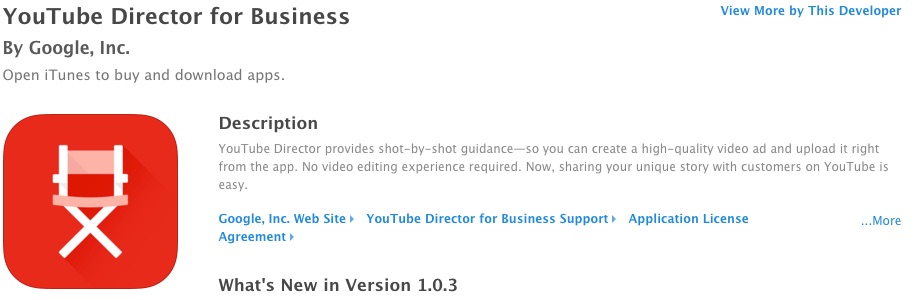
Yes, Google created an app that can only be used on iOS devices, but stick with me here even if you’re an android users. They’ll soon be releasing it for Android.
With Youtube Director you can create and publish awesome videos straight from the app.
You’ll also get shot-by-shot tips for making the best possible video.
How To Make A Real Estate Video Fast
Step #1)
Download the app from the iOS app store, open it up and click on New Project.
Step #2)
From there, you’ll see a list of projects and you and find real estate-specific ones as well.
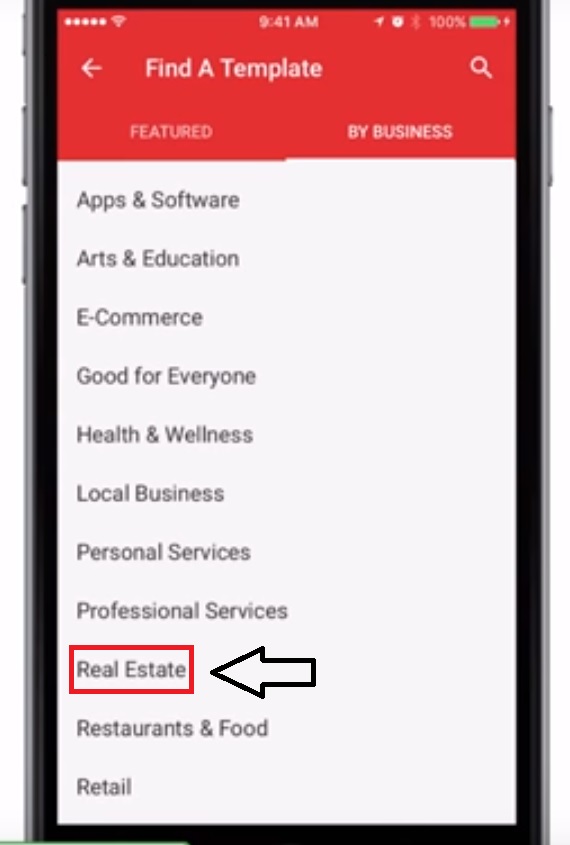
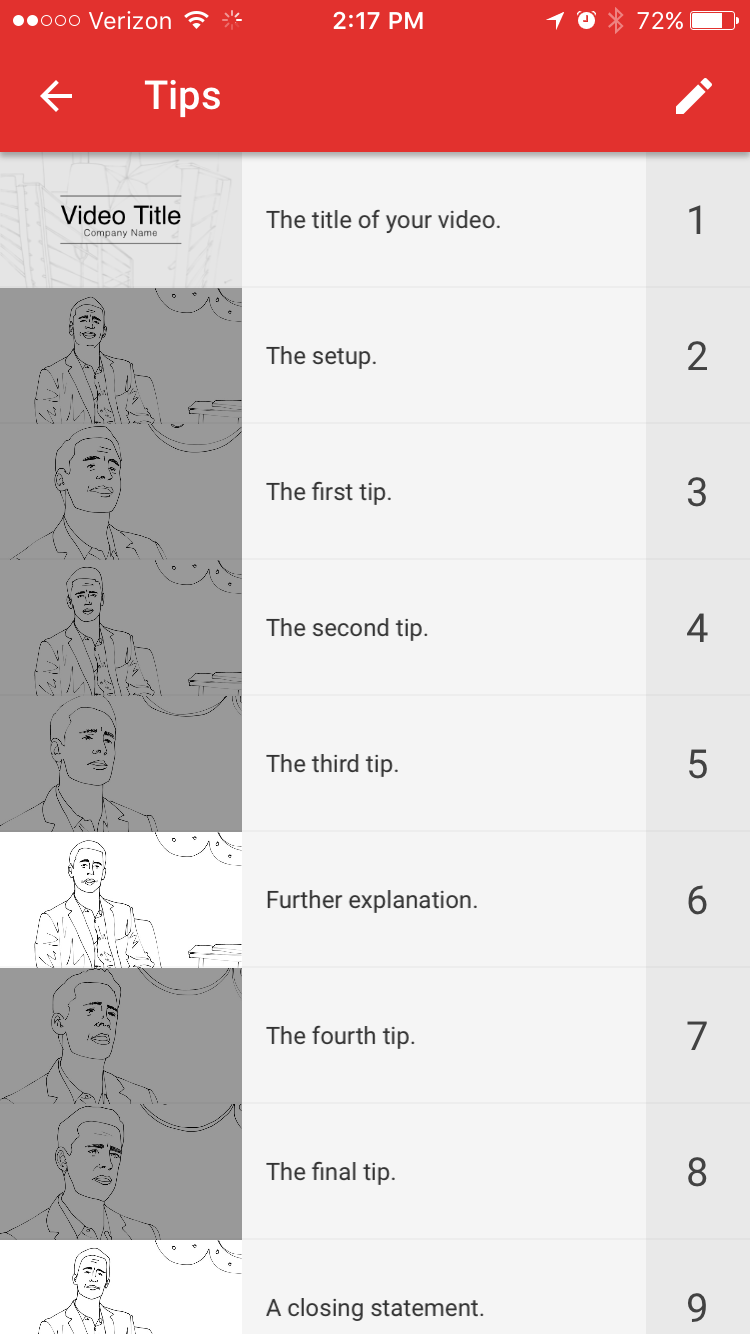
You can then select a template and edit the segments.
It looks like this…
And you can even watch finished videos before hand…
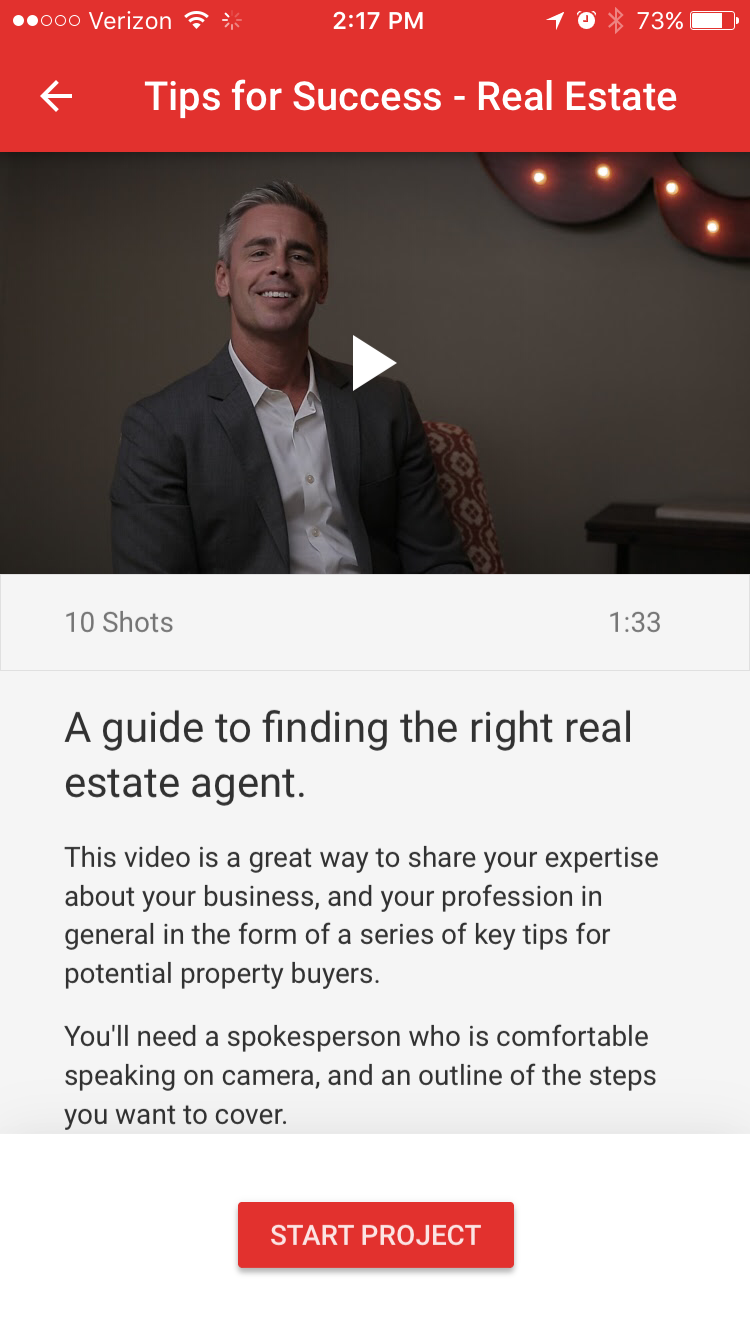
As you’ll see when you’re doing this for the video you’re going to put up today, the app will guide you through each step and give you pointers on what you should be doing to make the best possible video.
After you edit the segments, go ahead and change the text.
Now it’s time to record the video. Just flip to selfie angle and go for it.
Starting with something like 5 Things You Should Look For In A Buyer’s Agent or 5 Reasons Why You Should Refer Your Friend To Do Business with me would be great.
Oh, and if you’ve been looking for a reason to purchase a selfie stick now’s the time.
And it’s technically a business expense.
You’re welcome.

When you’re done recording you can swap out the music and then preview your new video.
Once you’re satisfied, go ahead and post it directly to Youtube.
But why stop now?
It’s no secret that multi-channel marketing is the new normal.
Just a few weeks ago Tech.co did a great writeup about the rapidly changing landscape of video marketing and what this means for businesses.
They pointed out that although the first video was uploaded to Youtube just over a decade ago, video is the future of advertising.
Look at this graph from Facebook’s recent blog post…
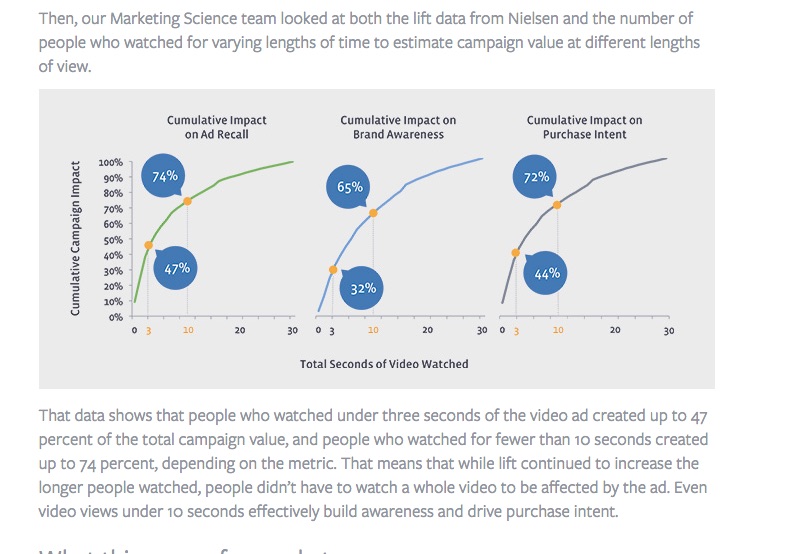
Video goes goes far beyond Youtube.
Facebook and Ad tracking companies like Nielsen are seeing very high percentage of ad recall from Video.
Facebook knows this is where advertising is going.
That’s why they’re working even harder to put out algorithms designed to create more and more visibility for video content.
After you post your video to Youtube, you can also publish it on Facebook, Twitter, embed it on your blog and basically distribute it as widely as possible.
Login to the backend on Youtube from your computer and from there you can actually download your video file.
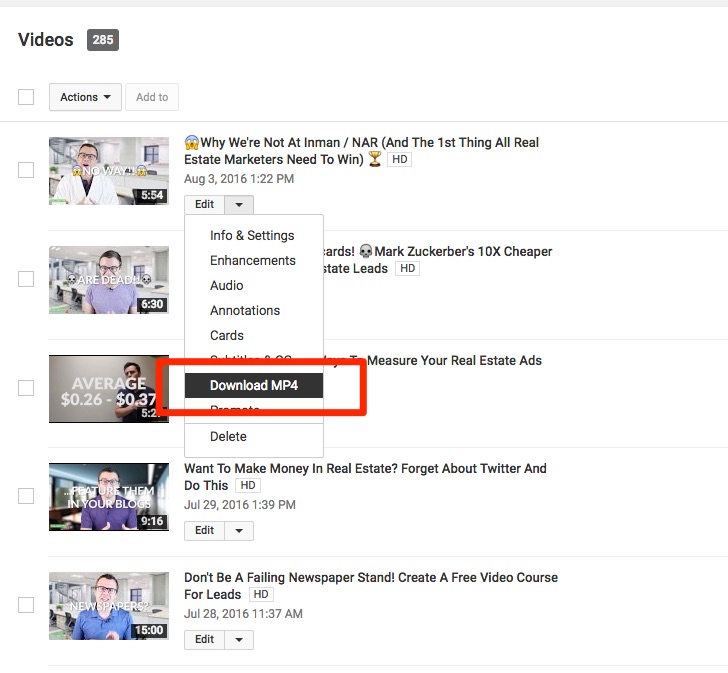
Then upload it to Facebook.
Now you can retarget it, run ads, share it in groups and generally create a super cohesive marketing plan.
I hope this helps you feel more confident as you continue to master video marketing.
This advice is super tactical and I hope you act on it today!