Does WordPress scare you?
Or are you a champion of using your WordPress site to grow your real estate business?
Whichever camp you’re in, I’m going to show you 9 awesome WordPress real estate hacks to amp up your business.
Wordpress is a powerful marketing tool that sites like NFL.com, TheNewYorker, and even Groupon use to make their business run.
We use it with our LeadSites to give Realtors powerful lead generating websites.
Today, I’m going to be pulling back the curtain and showing you cool tricks that we use to make LeadSites:
The 9 Awesome WordPress Real Estate Hacks To Get More Leads Using Themes, Plugins, And More

1) Lightening Fast Hosting Increases Traffic
We build all of our LeadSites on WP Engine.
Why?
Because they load your site incredibly fast.
Website speed is a key indicator for how well you will show up in search results. If you’re running a WordPress real estate website on something other than WPEngine, I’d be concerned.
Did you know that the majority of users will abandon a website if it loads longer than 3 seconds?
Google knows this and is starting to use site load speed data as a key indicator in their search results.
Don’t have WPEngine?
Here’s a free solution:
You can use CloudFlares Free Plan to speed up your website!
CloudFlare acts like a wall to your website. It blocks hackers, spam traffic, and uses a CDN to make sure your website stays fast.
And you can use it for free.
Here’s how:
1) Visit CloudFlare.com

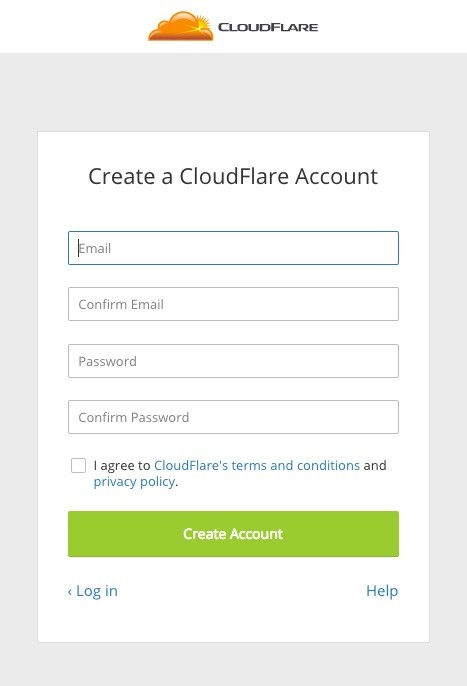
2) Signup for a free plan:

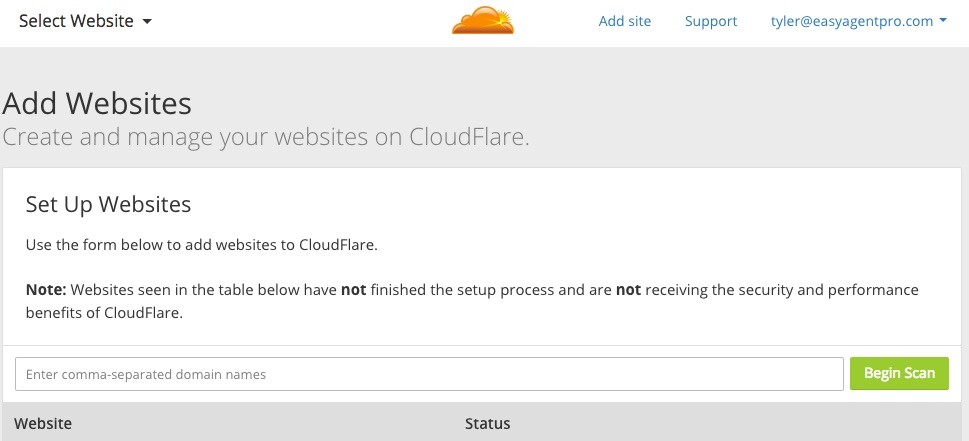
3) Enter your URL after clicking Add A Site

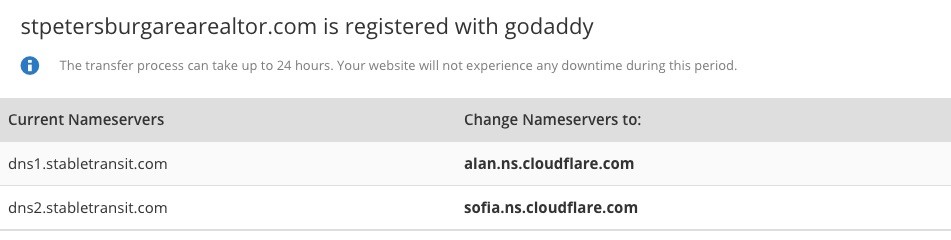
4) After the scan is complete, click continue, select the free plan, and then change your name servers in your Domain Register (Godaddy, etc…)

That’s it!
Now, CloudFlare will serve up a CDN version of your website to your visitors. This will make it faster. They also will make sure that your website is protected from bad traffic. You can also protect your website with their CloudFlare wordpress real estate plugin.
We do this for you and more with LeadSites. But this is a good measure to take if you have a real estate website hosted elsewhere.
2) Search Engine Friendly Community Pages
I simply cannot stress this enough.
You need to have properly SEO community pages on your website.
Whether these pages are for farming communities or local niches you specialize in, these pages are how you get found on search.
If you need help coming up with some keywords for your community pages, click here.
What you’ll want to do is create around 10 community pages on your website.
These pages need the following things:
- IDX Listings
- 500+ words of original text describing the location
- Your keyword used 1% of the time
- Your keyword in the domain: realtorsite.com/your-keyword-here
- And either videos or images
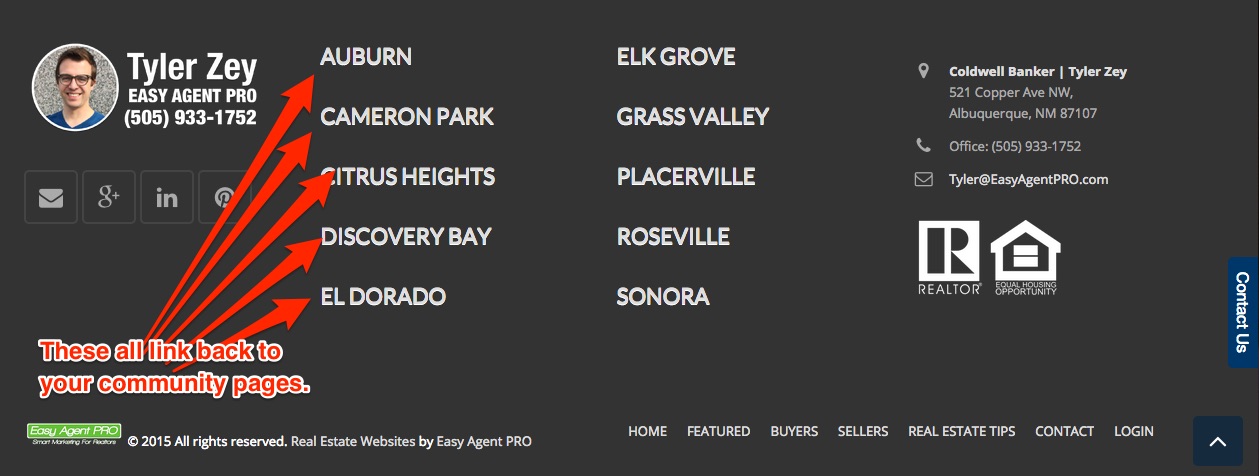
Finally, if you can include links in the footer of your website to all your community pages, you’ll see awesome results.
Here’s what that should look like (taken from our LeadSites):

3) LeadPages make Landing Pages Easy On WordPress Real Estate Websites
Landing pages are a necessity in real estate these days.
But not for the reasons you think!
When I talk to most Realtors, they think that landing pages will automatically get them leads.
That’s a misconception.
You need to first get traffic to your website. And then get that traffic to a landing page.
Here’s a great example of how to use landing pages:
1) Write real estate related blog content on your website: This content will get you found through search engines, social media, and more.
2) Link to your landing pages in the content of those blogs, through the sidebar, and more.
3) Then design your landing page in Leadpages
The key is to focus on traffic first. And then worry about the landing page. If you don’t have traffic, your landing page simply doesn’t stand a chance at converting.
4) Active Share Buttons On Your WordPress Real Estate Sites
There is a saying I live by when it comes to online marketing:
Social Media success indicates future SEO and PPC success
Why?
Well, if your website isn’t naturally successful on social media, there is a good chance Google won’t like it either.
And if people aren’t converting into leads for free from social media marketing, it’s going to be REALLY hard to make paid traffic profitable.
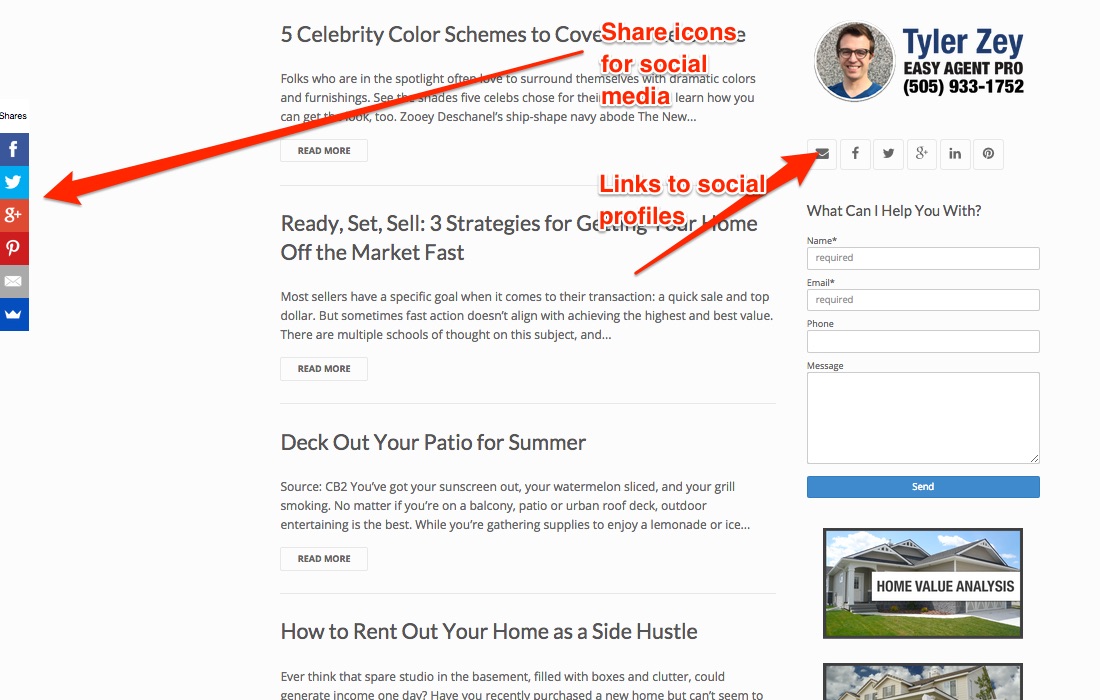
That being said, here are 3 things you can do to make your WordPress real estate website social friendly:
1) Have links to your profiles on the top of your website or in the footer:


3) Setup IFTTT Autosharer:
5) Blogging, Video Content, And Tours
Are you sick of having low-quality leads?
Try blogging.
Not only do Realtors who blog get around 67% more leads…
…those leads also trust the Realtors more.
For example, do you always give the same talk to potential clients outlining the selling process?
You can turn that into a blog post and highlight the advantages of doing business with you.
This will build more trust than you sharing that information verbally.
Why?
Because people want to do their research without talking to ‘sales people.’ And 81% of consumers trust information from blogs.
If you don’t like writing, try video blogging. The benefits are as concrete but also build more trust because people get to hear your voice. I firmly believe that blogging is one of the best investments of time realtors can make.
6) How To Showup #1 For Your Name
Want to get traffic without blogging?
I get it. Sometimes taking the time to write blog posts just doesn’t happen. We’re all busy.
So, here’s a really easy thing you can setup for your business. (Especially if you are new to real estate)
You’ll need to create a landing page for your WordPress real estate website. I suggest doing this in LeadPages or sending the traffic to one of your neighborhood pages.
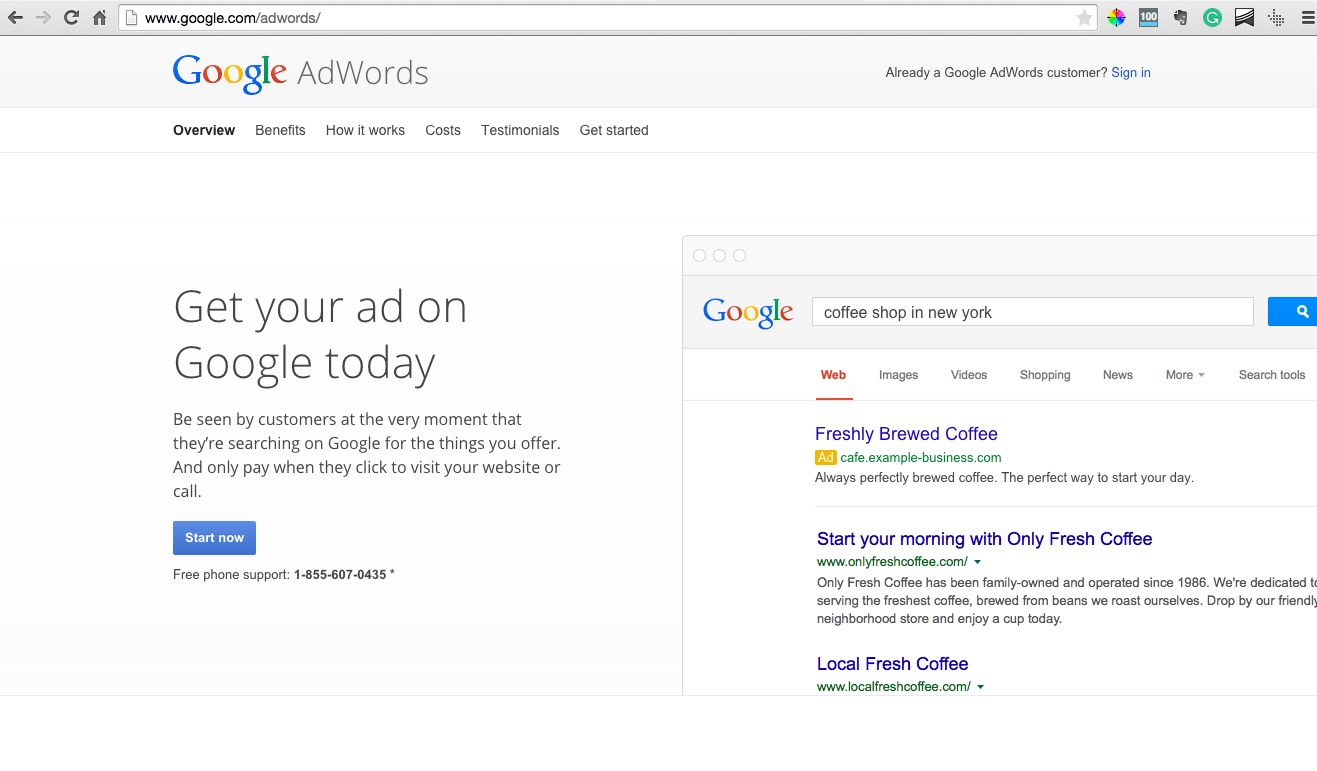
Next, you’re going to login to Google AdWords. We’re going to be setting up a simple ad for the best keyword of all. Your name!

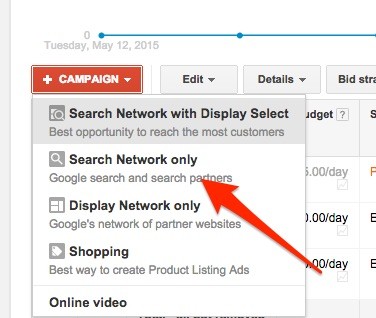
After logging into Google Adwords, click on create a campaign and “Search Network Only”:

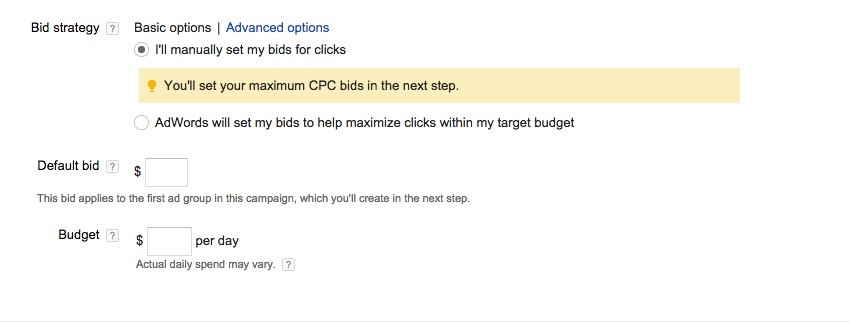
Then, you’re going to leave all the settings as they are and just enter a bid. You’re going to be bidding to show up on the first slot for your name. This will keep people searching for you away from sites like Trulia and Zillow. You should enter something around $.50-$1.00 for the bid.

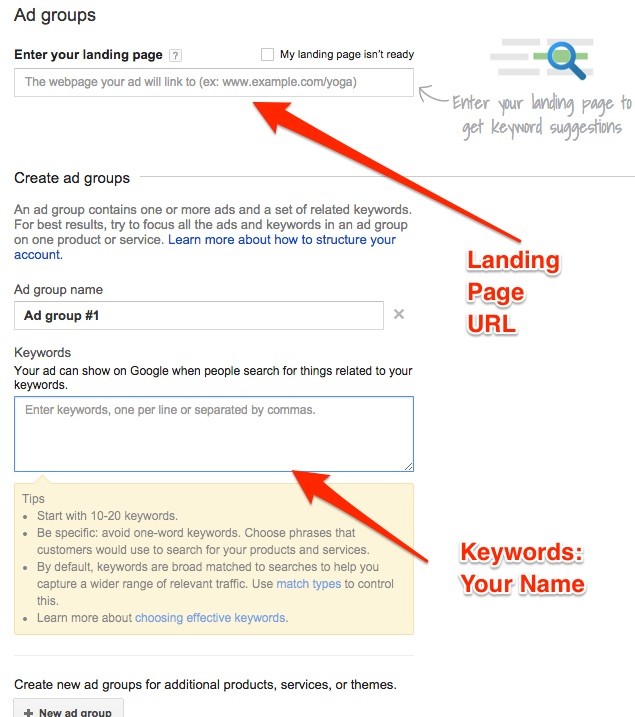
Finally, you’ll enter your landing page and keywords:

What will this do?
This means when a prospect Googles your name, they will find your landing page and website.
Most Realtors don’t show up when their name is Googled. Sites like Trulia, Zillow, and Realtor.com steal even your name as a keyword.
This simple setup in PPC prevents that traffic from finding other websites. And gets you more leads on your WordPress real estate website!
..the next tip is even better!
7) Got A Hard To Beat Competitor? Run Ads Against Their Name With Your WordPress Real Estate Site
Do you have several competitors in your markets that get lots of traffic?
Great! Here’s how you can easily compete:
You can setup PPC campaigns on Google for their name!
Simply, follow the steps above. But instead of putting your name as the keyword…
…you put your competitor’s page.
This means your ad will show up above their page when someone Googles their name.
It’s a timeless ad tactic used by lots of companies online. But I rarely see Realtors using it!
You can easily setup ads to your website today!
8) 3 Calls-To-Action You Need On Your SideBar
Do you not see results from your real estate website?
The biggest problem I see on most real estate websites is a lack of flow.
Realtors typically have decent branding, slogan, and logo. Need some help? Check out our branding guide here.
But, what’s missing is a call to action to the 3 types of landing pages that are standard across the industry.
I believe Realtors should use their sidebar to have calls to actions to 3 different types of landing pages.
Here’s what they are:
- Free Home Valuation
- Free Buyers Guide
- Free Sellers Guide
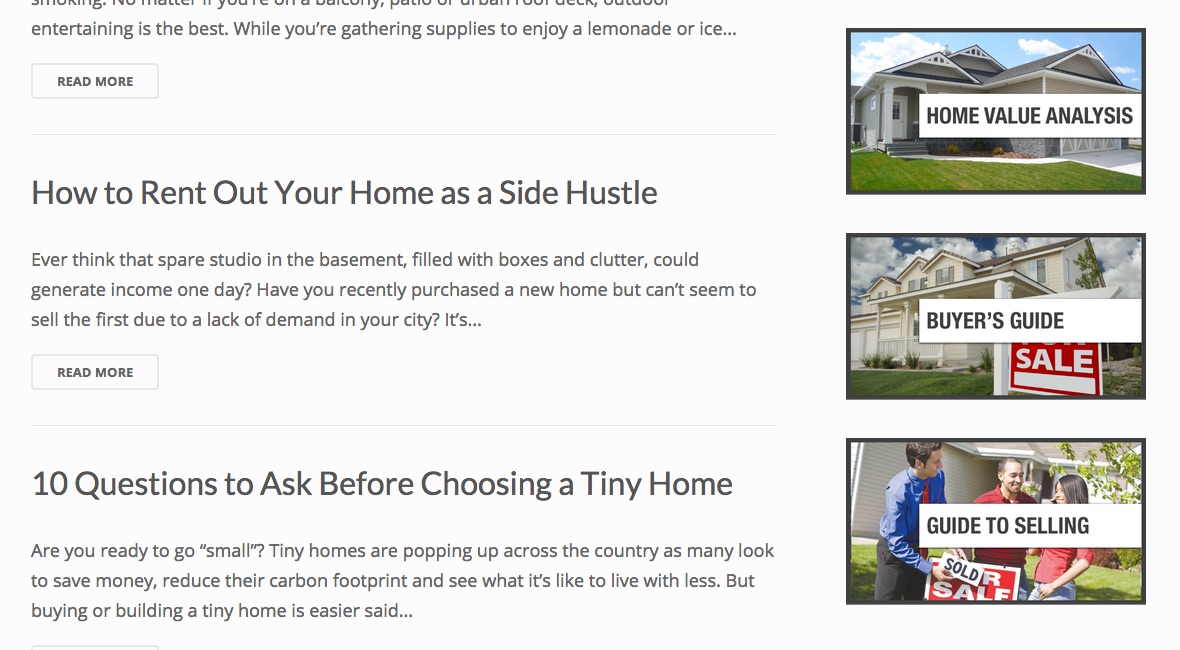
And you can easily create 3 graphics that link to these 3 different landing pages on your sidebar. Here’s an example:

Add these three calls to action on your sidebar and footer of your website today! You’ll see an increased amount of traffic to these lead converting pages. And then you’ll start to see the leads come in.
9) IFTTT Autoshare Creates An Automated Social Media Presence
Do you ever set goals and then not follow through with them?
I know I do…
For example, did you swear that you’d always share your content on Pinterest and Facebook.
But 2 weeks later find yourself not sharing it?
Of course that happens!
Here’s how to not let it happen again…
You can use IFTTT to auto share blog articles to various social media sites.
If you have a WordPress real estate website, you just have to find the RSS feed.
That typically is: yourwebsite.com/feed
Then, you can head over to IFTTT, give them the RSS feed, and setup your content to automatically share to social media!
What do you think about WordPress real esate sites?
WordPress is a super powerful tool. That’s why we use it to build LeadSites.
How do you use it to grow your business?
Let me know in the comment section below!