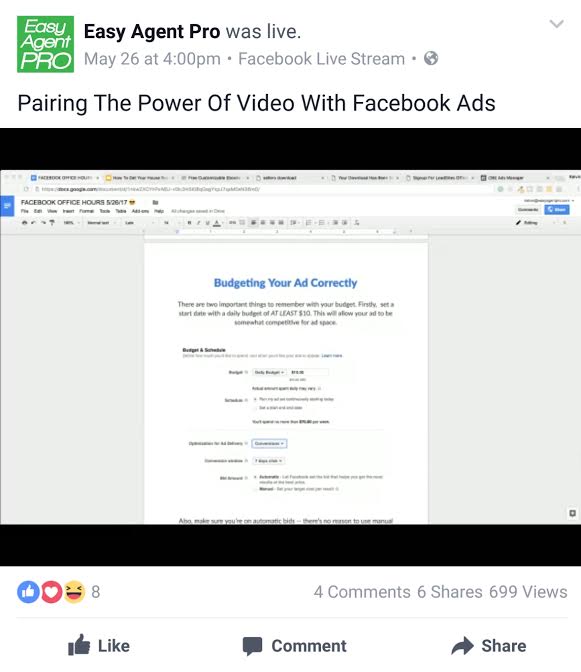
All posts by Tyler Zey

Hey! I'm Tyler with Easy Agent Pro! We provide top notch marketing content for realtors... And we do it for FREE! I get excited about sharing tactics and strategies that can be implemented TODAY.

The 4 Things Every Agent Should Be Doing Offline To Boost Your Online Reputation

As a real estate agent in the 21st Century, your online reputation is just as crucial to the success of your business as the reputation you foster offline.

Today, the two are nearly indistinguishable and one will most certainly influence and impact the other.

The leads you connect with locally or through a referral will search for you on Google, visit your website, and find you on social media to learn more about your company and expertise.

A strong, positive reputation is built like this:

Get Found ➡️ ➡️ ➡️ Establish Credibility ➡️ ➡️ ➡️ Become Trusted

While much of what you do directly through your real estate website can and will boost your online reputation, there are 4 powerful things you can take action on off-site to build confidence in your business and yourself.

Let’s get to it!

The OTHER SEO

There is no shortage of online resources available for you to take advantage of to fine-tune your on-page SEO.
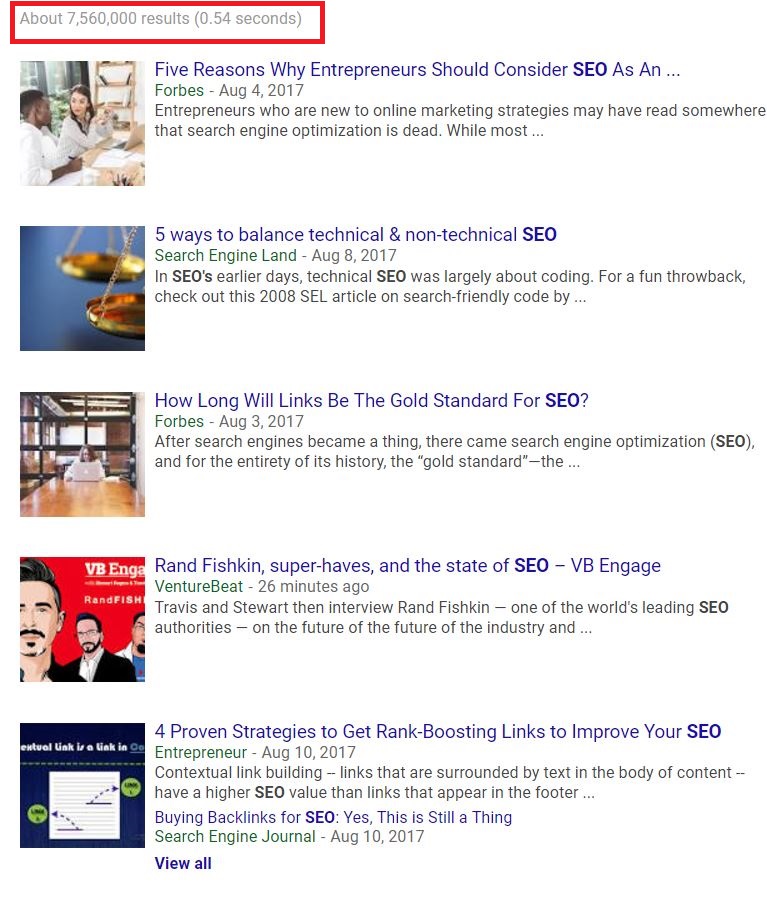
That said…

There’s another kind of SEO that doesn’t get discussed as much, but that can dramatically improve your online reputation and on-page SEO.

It’s called OFF-PAGE SEO.

What does that mean???

Off-page SEO actions optimize your presence via content, relationship-building, and links to improve search results.

To put it simply, the success of your off-page SEO efforts will inform Google of what people think of you – and this directly impacts your online reputation.

Google, and all search engines, reserve the highest-ranking results for the most credible and well-trusted brands. It’s time to make sure you’re one of them.

Over time, you can expect better search rankings, increased traffic, and ultimately more lead conversions.

Of course, on-page SEO should continue to be a central focus for you. However, it’s important that you understand how these two components work together to determine your overall SEO success.

Okay, so what’s the difference???


The pages you rank for will be determined by your on-page SEO efforts, while how high you rank will mostly depend on your off-page SEO efforts.

Some of the components that make up on-page, or on-site SEO, are:

  • Title tags
  • Headings
  • ALT text for images
  • Page load speed
  • Internal linking
  • Page content

Check out this one-sheet from marketing maven Neil Patel about on-page SEO.

It may come as a surprise that the actions you take off of your website matter as much to Google as the ones you conduct directly, but it’s the truth.

And your business cannot afford to neglect the power of off-page SEO.

Know Your Audience

Making a good impression starts with knowing the people you’re talking to.

You have as much to learn from them as they do to gain from you.

This knowledge will also greatly factor into the content you create and how you conduct yourself on social media.

To really understand your target demographic, you’ve got to do your research.

Think about who your ideal client is.

What does this person look like? Do they work full-time? Have kids? Are they single or married? Homeowners? Renters? How much money do they make? What does this person value? What are their goals?

Use this free worksheet from Digital Marketer to help you out and to get a clearer idea of who you’re advertising to.

As part of your research, it also doesn’t hurt to scope out the competition. Check out what your competitors are up to on social media.

What are they sharing? Who is responding? What need isn’t being met, or how can you enhance the conversation?

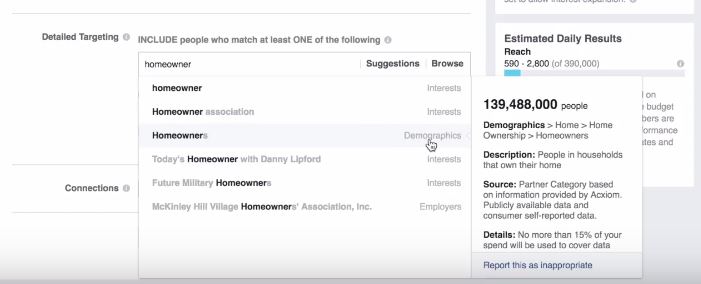
You can then use Facebook ad targeting to dig deeper and speak directly to the people who need your help the most.
Engage on Social Media

Your online reputation is essentially built upon your social media presence.

Whether you have 100 or 100,00 followers on any given network, the way in which they engage with you will help establish you as a credible source.

An easy way to get started on this, aside from making sure your actual profile is up-to-date with your location and services..etc., is to engage other local players.

Try searching “best burgers in (your area)” on Yelp and see what comes up.
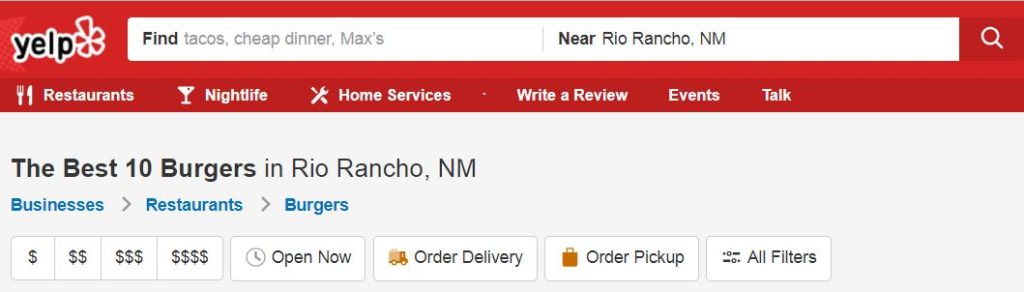
Choose the top 3 and then check out their social media profiles.
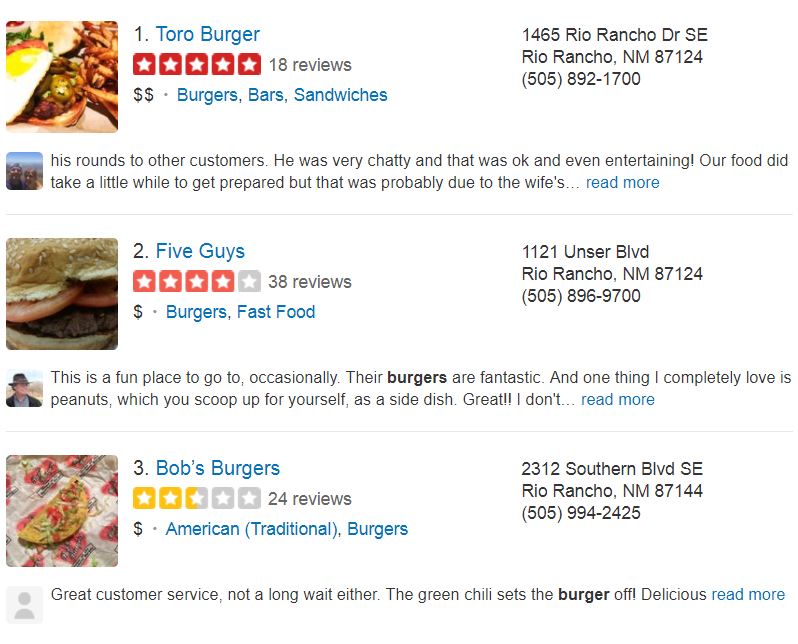
Try out each one for lunch or dinner over the next few weeks and write your own guide for newcomers.

You can then tag each place across social media and begin engaging them, and their local fans, on a more regular basis.

Just like you, companies and business owners in your farming areas are working everyday to build and maintain a positive online reputation.

You should focus on working with other professionals and local entities to deepen your relationship with the community and become a trusted, well-rounded resource.

You can use this Yelp approach to connect with any business or business pro.

Also keep an eye on the reviews that pop up during your search to continue to build your customer avatar and get a deeper sense of what they care about and value.

Content Creation

Finally, you’ve got to be a content creator.

Whether you work with a team or are a one-agent show, you are your brand.

The best way you can increase your brand awareness and authority is by publishing quality content regularly.

In addition to being responsive and proactive on social media, you’ve got to populate your page with awesome original thoughts.

This can come in the form of a written blog, youtube video, podcast…etc.

Choose your medium wisely. The most important thing here though is that you’re creating great content often and consistently.

Check out this video guide to get started writing quality, seo-optimized blogs right now.

Just as you tag and network with expertise on social media, you can also do this in your blog posts. This will make your content most trustworthy and share-worthy.

Your content is the best way you can help leads get to know your brand and communicate value to your audience.

You may already be performing these off-page SEO actions without even realizing it!

If that’s the case, keep going! And watch how your search results improve.

If not, get started today!

 

The Cost of Being An Agent: What You MUST Include In Your Real Estate Marketing Budget (Plus Free Download!)

There’s no shortage of advice about how you should be spending your real estate marketing budget. But it’s simply not possible to put your dollars towards all of these resources.

Before you read on, do a little brainstorming yourself.

Estimate your monthly real estate marketing budget and then answer this question:

If you could only invest in 3 marketing tools to grow your business, what would they be?

.

..

…

Have your answers?

Then it’s time to read on!

So, whether your monthly real estate marketing budget is $50 or $500…

Here are the top 3 marketing tools MUST-HAVES for any real estate marketing budget.

Let’s go!

Facebook Ads

One of the most powerful lead generation tools currently available for real estate agents is:

Facebook ads.

NOT posting to your business page.

NOT boosting your posts to get social engagement.

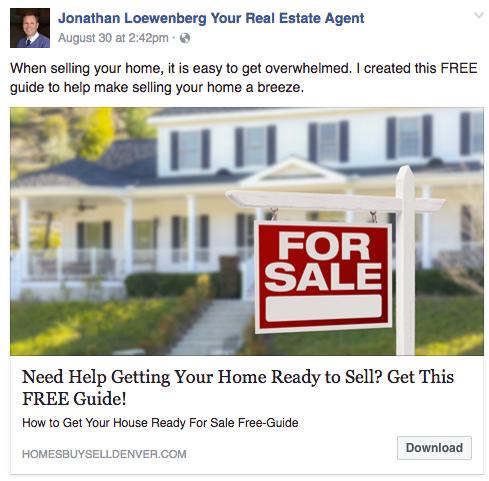
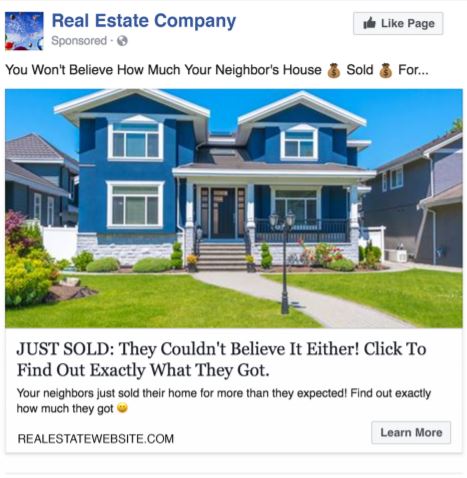
But going into the Ads Manager, and creating targeted conversion ads to generate real leads. Here’s an example:

Facebook gives you powerful targeting options like “likely to move” and “house hunting” that allow you to put relevant ads in front of people who are actively interested in buying or selling real estate.

If you’re not using Facebook ads to get more leads online, you’re missing a huge opportunity!

How much you invest in Facebook retargeting ads and campaigns is up to you, but no matter your budget this needs to be one of your top strategies.

Plus, the more you refine your ad and audience specifications, the less money you’ll need to invest each time to get leads.

Do you know how much it costs per view on one Facebook video ad?

$.02

TWO CENTS!

Yup, for two pennies someone will view your video, see your face, and now know what you can do for them.

Email Marketing

If you haven’t already, it’s time to invest in email marketing.

You need to start sending value-driven email sequences.

It’s common for agents to use the email tools provided by their brokerage to send leads updated lists of homes.

But does that equal value?

NO.

Your prospects can literally access that information anywhere.

And they probably are.

So, your email just becomes more junk clogging up their inbox.

Your emails, like your social and blog content, should set you apart from the competition.

To do this, you need to deliver in-depth knowledge about your local market.

Because this is the stuff that Zillow or any other large portal won’t have access to.

This is what distinguishes you as a neighborhood expert.

Sending regular emails that link to valuable and interesting content is one of the best ways to establish authority and build trust with leads over time.

Here is a list of ideas for your drip sequences:

Real Estate Email Blast Ideas

  • New Restaurant Reviews
  • Neighborhood Reviews
  • New Listings
  • Open House Schedules
  • Big Personal Family Events (Kids, etc)
  • Big Town Events

So, what email marketing tool should you use to create this value?

We did a full review of 6 of our favorites: 6 Real Estate Email Marketing Tools To Grow Your Production.

Our top recommendation to start out is Mailchimp.

When it comes to automating a few emails, Mailchimp is simply the easiest platform to use. And you’ll most likely fall into their free plan.

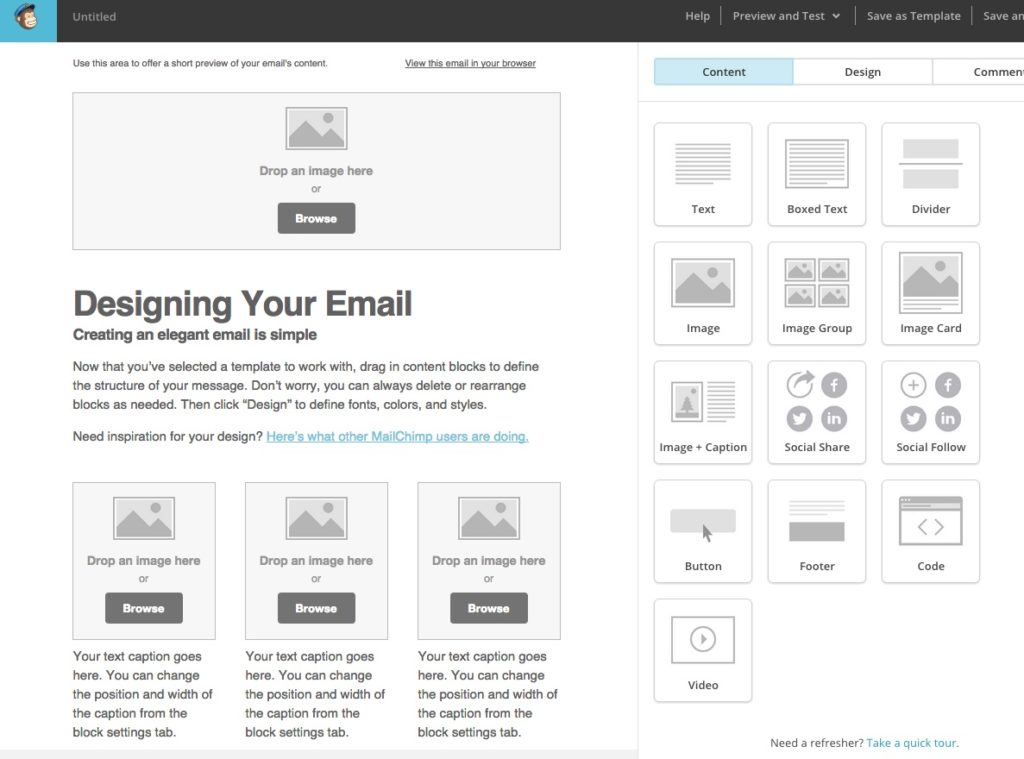
The best part about using Mailchimp is probably their drag-and-drop design platform. You’re simply able to create great-looking emails in just seconds.

Here’s what it looks like:

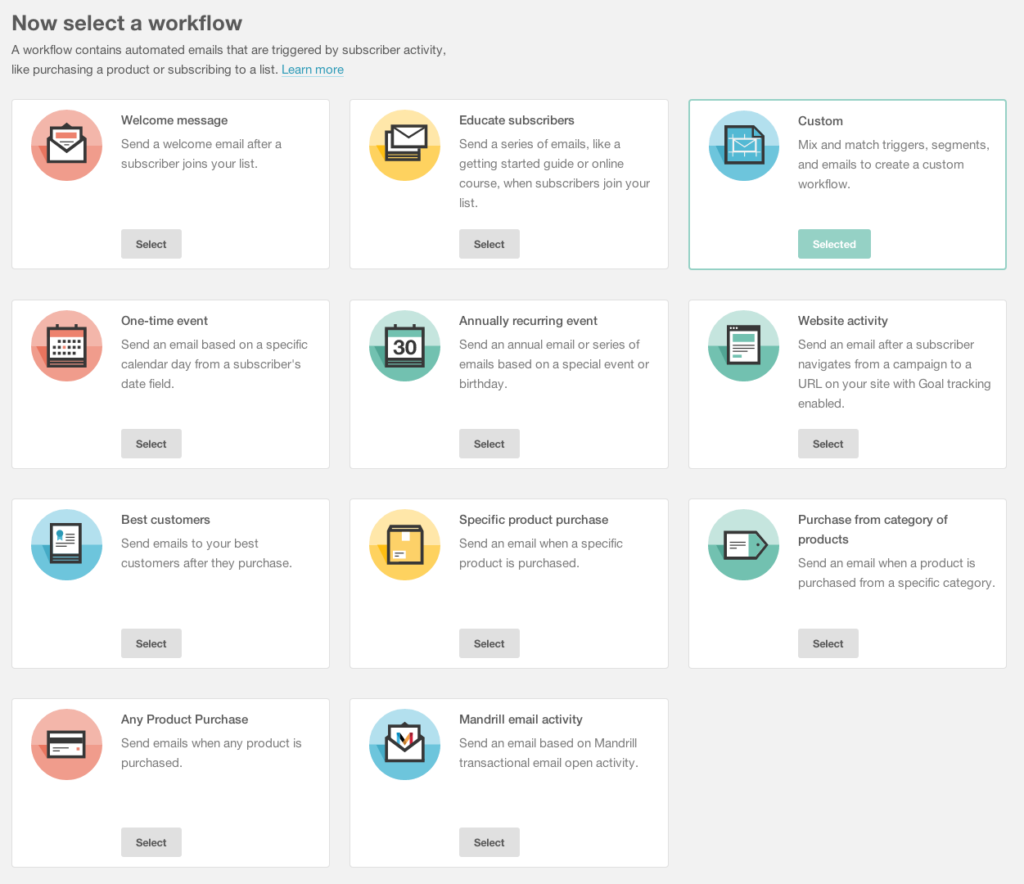
You’re also able to create really easy drip sequences with Mailchimp. Look at this menu for their automation program:

Overall, it should be really easy to integrate Mailchimp with your real estate marketing programs.  You can put people on to automated paths when they sign up on your website. Or you can manually move people around.

The nice thing about Mailchimp is that it has a lot of integrations. You can use them if you have a LeadSite. Or if you just have some landing pages. Almost every type of online lead capture integrates with their platform.

Here’s how to use Mailchimp with our Paths App

Webhosting

Finally, you MUST have a website!

You have to invest in a website to secure your future success.

And not just any site…

A kick-ass site that will attract traffic and get you qualified leads.

No matter what your real estate marketing budget is, this has to be a priority.

Otherwise, what good are the other tools?

All the social proof and traction you build on Facebook and leads you to capture via email are worthless if you’ve got nowhere to send them.

Now, without any offense intended, the site your brokerage provides is likely to be generic at best.

Generic does not get leads.

The design will be out of date and most likely lack the smart marketing tools that actually get you leads through your real estate website.

Your site needs tools like:

  • Landing pages
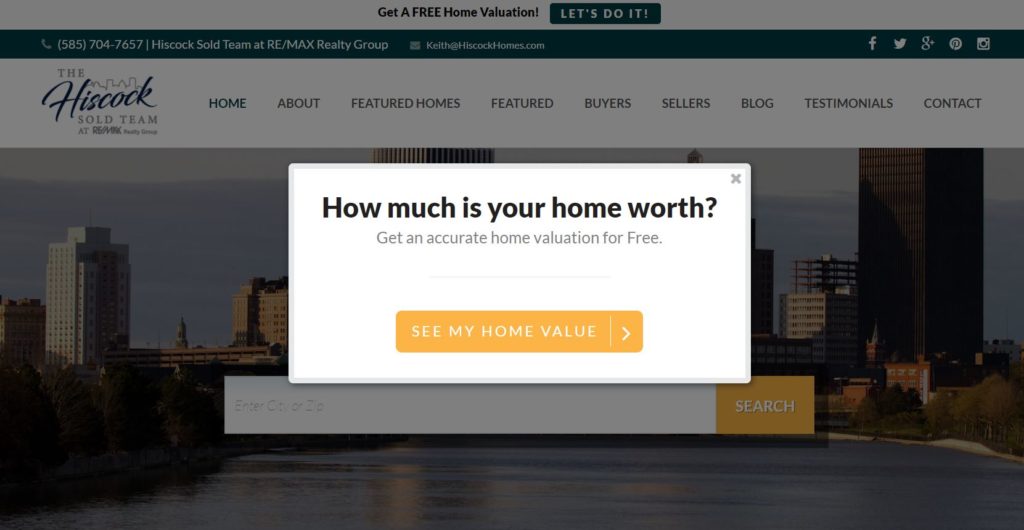
  • Pop-Ups
  • Blogging
  • Social Share Shortcuts
  • Automatic Text Message Followup
  • Smart Contact Forms

If your website isn’t equipped with these lead-generating tools, you’re already falling behind.

FREE Ways To Boost Your Rep And Get More Referrals

Once you’ve got these necessary tools locked into your real estate marketing budget, you can pad your resources with lots of free activities to increase your credibility and land more referrals.

Here are 4 tips from our main man, Tyler Zey, to build credibility in your niche for FREE!

1. Learn The Market

It’s really important to understand everything there is to know about your real estate market. Sure, you can fake it to a certain point. But eventually, a lack of cold-hard knowledge will get to you. You can do this by reading articles, keeping up with local news, watching trends in similar cities, and most importantly writing. Why writing you ask? Because it’s easy to ‘think’ you know something. But when you have to write about it, you gain a completely different level of understanding. Plus, you’ll have a blog that proves your knowledge to anyone online. The perfect win-win!

2. Find Your Opening

After several weeks of reading, you’ll start to find an opening or niche in the market.  This could be a specific area, neighborhood, type of property, or anything really.  The key here is to find something you love. And then pursue it with everything you know. My biggest mistake is always trying to go to wide with my opening. You really should try to pick an opening that is smaller than you are comfortable with.

3. Make Connections

Next, find the top influential people in that area. Make a list of 50 of them and start getting their contact information. Then, take them out for coffee and follow up with them similar to the 33-touch system. Finally, add them on LinkedIn and other social networks. Make these people realize your expertise in the area!

4. Be Everywhere People Look

Finally, the internet is full of information. There are tons of places to look for answers to your questions.  But there is one key feature. Most neighborhoods or cities have very specific areas where they post. You can find them through simple Google searches.  For example, if you find people in your city posting on Yelp. Go to Yelp and start a few posts.

Keeping your eyes peeled and posting useful information is a great way to outshine other Realtors everywhere. You can easily become a dominant player in the market and be trusted by many people through just a few posts a week.

Check out Tyler’s full guide to Outshine The Competition: Real Estate Marketing With Zero Budget.

Are you a LeadSite user? Join our Facebook group to connect with agents like you. You can also post your questions there and you might just see one answered on EAP TV!

Turn Leads Into Real Estate Clients With These Facebook Ads (Full Setup Included!)

Get More Seller Leads with “Just Sold!” Ads on Facebook!

Download our free 1-page CHEAT SHEET!
 

Every agent wants to turn more quality leads into happy real estate clients.

Of course, the easiest and most effective way to reach new real estate clients is through Facebook ads.

The problem is…EVERYONE is doing it!

That means you need to stand out on Facebook so you can generate more real estate clients for your business.

And today I’m going to show you how to do just that.

In this post we’ll go through the complete ad setup you can use to promote your just sold listings and just listed properties.

Let’s get started!


Attention Over Impressions

Real estate agents know they need to leverage their just sold listings…they’re just not doing it as well as they could be.

And when it comes to converting your leads into your real estate clients, this is a huge problem.

First thing’s first, it’s time to adjust your perspective.

We’ve become a lead-centric industry.

So much so that our focus is often on the quantity of leads instead of the quality of real estate clients.

And while you need leads to convert to clients, make sure to keep the end goal in sight throughout your daily efforts and marketing activities.

Keep this in mind:

Clients = Attention 


What you can count on to increase your lead-to-client ratio, is the way in which you capture the lead’s attention.

Get more attention, get more leads.

Gary V also agrees that more value should be placed on getting a lead’s attention rather than relying on impressions to measure success -or wondering why those often large numbers aren’t converting to real estate clients.

Here are a few things he had to say on the topic:

We need to be talking about attention, not impressions.

The entire marketing world is obsessed with impressions. You might hear someone say “40,000 people saw this video.” But the truth is, they didn’t. They didn’t because as soon as the ad came up in video form, they clicked away to a new tab to look at something they actually wanted to see. But they count as an impression. They count as “seeing it.”

On TV, it’s the same problem. Nielsen sees how many people watch a TV show and they count those impressions against the ads that ran during the show. But as soon as commercials came up, people picked up their phones. They opened Facebook or Instagram. They aren’t engaged with the TV.

The pre-roll ad views. Commercial breaks. These are the impressions marketers are focusing on. Why?

Because the truth is this: for a consumer to get excited about something, to be compelled by something, it comes down to attention. Attention, not impressions. They need to really consume it. That is the game.

You can read the full post on his blog here: WHEN WILL MARKETERS TALK ABOUT ATTENTION, NOT IMPRESSIONS?

Are you ready to really engage future clients through Facebook?

Here’s how –

The Final Destination

Before you can serve a Just Sold/Listed ad to your Facebook audience, you need to decide where you want to direct them after they take action and click your ad.

You’re going to want to take them to a landing page on your website to show them the specific property.

Not the homepage of your website.

Not your latest blog.

Not a page on your site that houses all your featured properties.

And not a property valuation page.

You want to give them exactly what was promised in the ad.

This will keep their attention and start to build your agent-client trust.

Remember, no matter how hard you’re playing the advertising game real estate is a relationship-based field.

If you only provide the bare-minimum for your future real estate clients, they’re likely to never completely follow through and become the other half of that valued partnership.

But it doesn’t end here.

Your landing page should also focus on keeping the attention of your lead and even further piquing their curiosity.

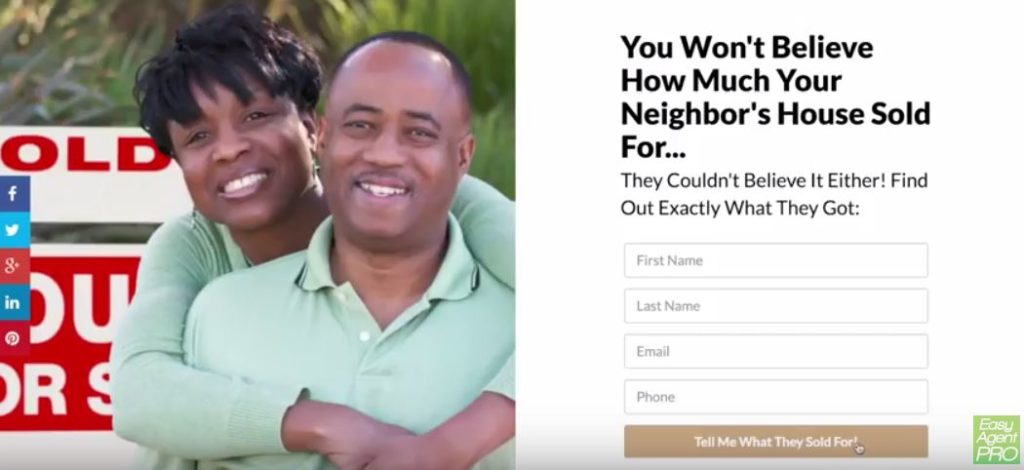
Check out this one we made, as an example.

Now, let’s go through exactly what makes a page like this successful for a Just Sold landing page:

The Title and Subtitle

It can be easy to default to a typical title, but that won’t get the lead’s attention or encourage them to follow through with the action.

Really, there are several steps you’re asking them to take here to opt-in so make sure to give them something catchy to guide them and encourage that next step.

It’s not click-bait either. You’re just positioning your value in a fun and unique way.

The Call To Action

Instead of writing “Click Here” or “Submit” keep the excitement going.

“Tell Me What They Sold For!” is inline with the message so there’s no chance for a disconnect from the content.

Take this same formula into consideration when creating a landing page for a Just Listed ad.

Here’s a Squeeze Page template we offer that can put you on the right track.

All you have to do is customize it!

Instead of focusing on the headline or creating an in-depth Call To Action (which you totally can do as well), let your past real estate client experiences speak for you!

So, not only are you taking your lead to the featured listing from your Facebook ad, but they’re also seeing on-the-spot testimonials.

Now, it’s time to create your Facebook ad.

How To Get More Real Estate Clients On Facebook

Your landing page is good to go, so let’s setup your ad!

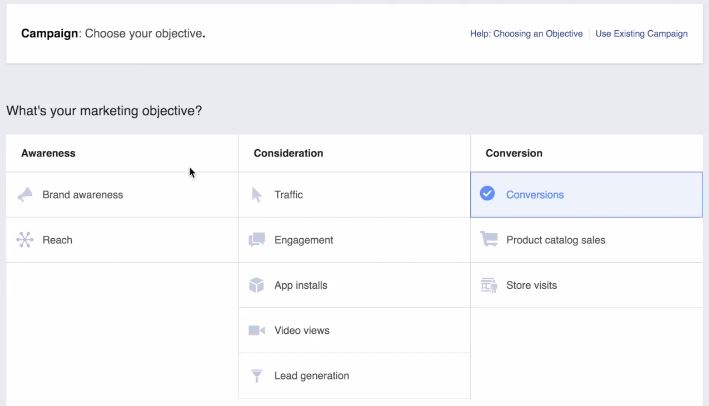
Head over to your Facebook Ads Manager and select your campaign objective.

For your Just Sold/Listed campaign, choose Conversions.

With a conversion ad, you’ll be sending people to your custom landing page. The action only counts as a success if they perform a designated conversion action.

Plus, Facebook will only deliver the ad to those most likely to take action and opt-in on your page.

Kind of sounds like the best of both worlds, right?

Whether you’re setting up a Just Sold or Just Listed ad, try out this campaign objective for both to get the best results.

You can also select Traffic as a marketing objective, but it’s not nearly as actionable or trackable as a conversion campaign.

Next, click Continue and now it’s time to create your target audience.

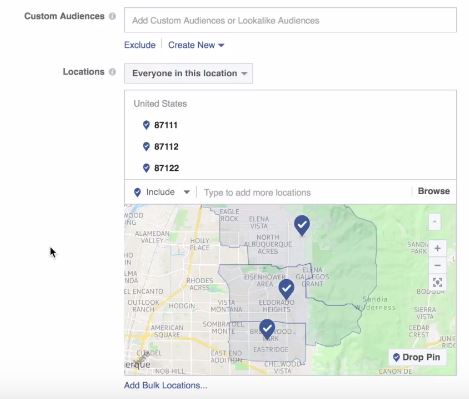
The best way to directly target buyers or sellers in your area(s) is to narrow your audience by specific zip codes.

You’ll want to first use the zip code for your Just Sold or Just Listed property.

You can then expand from there.

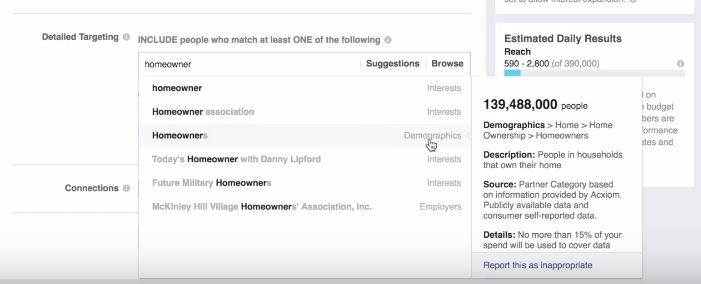
You can further pinpoint your perfect future clients by narrowing down the demographics.

If you’re targeting homeowners looking to buy through a Just Listed ad, make sure you let Facebook know!

It’s important to make sure you select Homeowners as a demographic and not an interest.

Then, you’re ready to setup your ad!

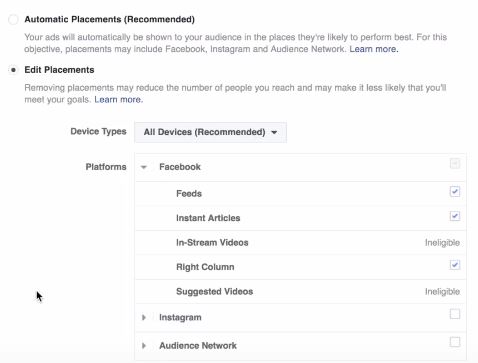
Facebook will automatically suggest placement specifications for you, but you can also edit them and select your own.

Even with such detailed targeting, you’re still going to be reaching a great deal of leads.

Device Types

You want your ad to be viewable on all devices as buyers and sellers will be using Facebook and searching for an agent just like you on both their smartphone and laptop.

Platforms

You can choose to expand your ad to run on Instagram and you’ll have even more options if you upload a video ad, but for this campaign we’re just going to choose the ad to be shown in Facebook newsfeeds.

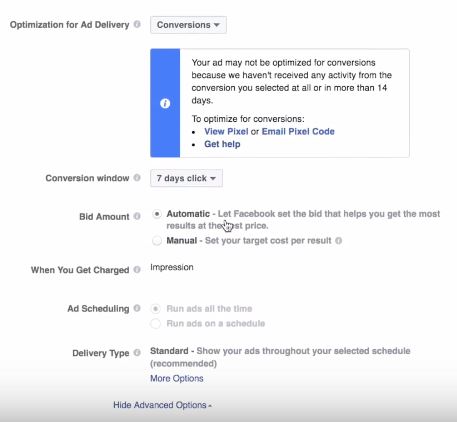
Finally, it’s time to move on to optimizing your ad delivery.

You can customize or change the length of time your ad will run or the bid amount.

Now, your ad is almost ready!
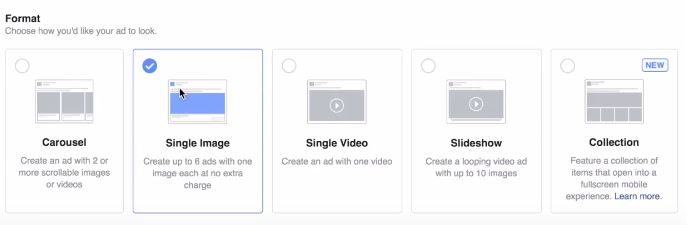
The next step is to select the format.

Get More Seller Leads with “Just Sold!” Ads on Facebook!
Download our free 1-page CHEAT SHEET!
 

It’s easy to get real creative with your ad type. Carousals and video ads are great, but a simple visual will do for this one.

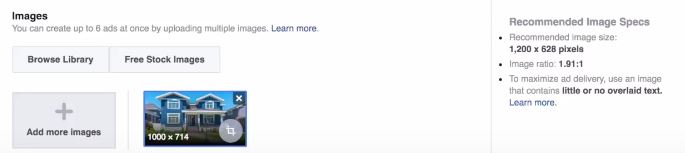
For your image, it’s best to use an actual photo of homes in your area.

Facebook will give you the recommended image specs – 1,200 x 628 pixels – and will also let you choose a photo from your library or free stock images they provide.

It may be tempting to just use a stock photo, but your ad will go further with an actual picture of the area.

And it will certainly be more attention grabbing.

Even if you can’t get an image of the exact place that sold or that you’re listing, a clean image of the neighborhood works great too.

Buyers and sellers are not only going to be looking at the property they’ll be investing in, but also the neighborhood in which they’ll soon be living.

After they opt-in to the form on your landing page, you can then send them a neighborhood guide or more information about the area.

But let’s not get too far ahead of ourselves.

We’ve got an ad to publish!

It’s All In The Details

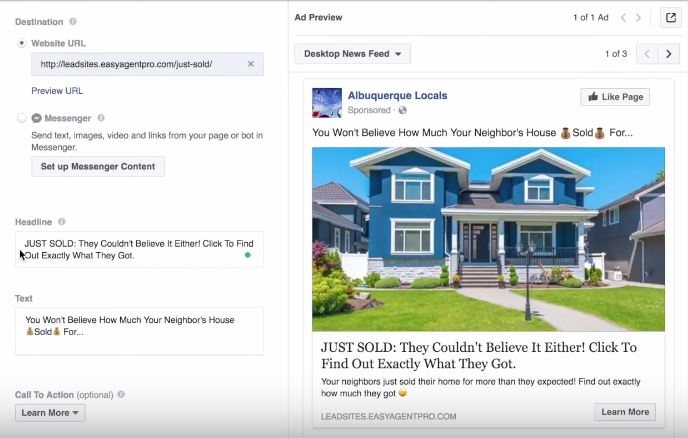
First, make sure you update the website URL and set the ad to link back to your landing page.

Then, it’s time to add text.

You can reuse your title and subtitle from your landing page as the ad Headline and Text.

This way, when they click through to the page, they’re reminded of exactly what they’re getting and who’s providing the service.

Keep the text positive, unique and uplifting.

Saying “Just Listed nearby in Fullerton” or “Just Sold – 4 bedroom 2 bathroom condo in Historic St. Louis Park” doesn’t exactly scream attention.

From Zillow to Craigslist, this information can be found anywhere.

Give them something MORE.

You can also add little emojis in your ad text to make it that much more captivating.

When people are scrolling through and being bombarded with text and image ads, a friendly little icon can be just the thing to break up the monotony and appeal to their curiosity.

Or at least make them take a closer look.

If you’re building out your ad from a laptop or desktop, check out emojipedia for all kinds of fun. Just search for the emoji you want and copy/paste it into the ad text box.

💰

🏡

☺️

What I’m really trying to drive home here, is that you need to give your ad a bit of an edge.

Test this out for yourself. It can only help you to get to know your audience better.

Take that extra step to make it more appealing or relevant to your unique audience.

All you have to do now is place your order and your ad is good to go!


You’re Done!

And there you have it!

Your complete Facebook ad setup to land more real estate clients!

Give these campaigns a try and let us know how they work for you!

Get More Seller Leads with “Just Sold!” Ads on Facebook!

Download our free 1-page CHEAT SHEET!
 

Real Estate Website Images: Everything You Ever Wanted To Know (Includes Free Social Media Cheat Sheet)

As agents, we can all agree on this one thing when it comes to marketing:

Content is STILL king.

No matter what.

In order to turn visitors into leads, you’ve got to be able to keep their attention on your page.

A sure way to do this is through valuable content and captivating real estate website images.

We’ve covered A LOT of ground when it comes to how you use images and where you get them from.

Check out Real estate photography tips: 4 ways to get free leads from your MLS photos

But an ongoing concern we at Easy Agent Pro continue to hear from agents is more about formatting and resizing images on their real estate websites and blogs.

I can clear this up for you right now, but you aren’t going to like it…

The truth is THERE ARE NO RULES when it comes to your creativity!

via GIPHY

The hard and fast guidelines that dictate writing and grammar just don’t apply here.

You can crop, filter, and size your pictures and graphics to your liking – though, of course, there are optimal dimensions for each web platform to take into consideration.

To clear things up, I’ve created a full breakdown of image file types, a size and shape guide, and lots of other fun tidbits you probably didn’t even think you needed to know about.

Ready to have your site loading fast and looking great?

Let’s do it!

Adding Media to Your Blog Posts

To get started with adding media to your Blog Post, hover your mouse in between paragraphs.

A “plus” button will appear to the left which gives you the options of:
a) Photo: Insert a photo/image/picture to your post.
b) Video: Add a YouTube URL to embed a video.
c) Listings: Insert the shortcode of your IDX Listing you’d like to showcase.

Click on the type of Media you’d like to add, then select what you’d like added to your post!

Blogging at Easy Agent Pro just got a lot more exciting!

We’ve got 5 new blog templates for you to use!

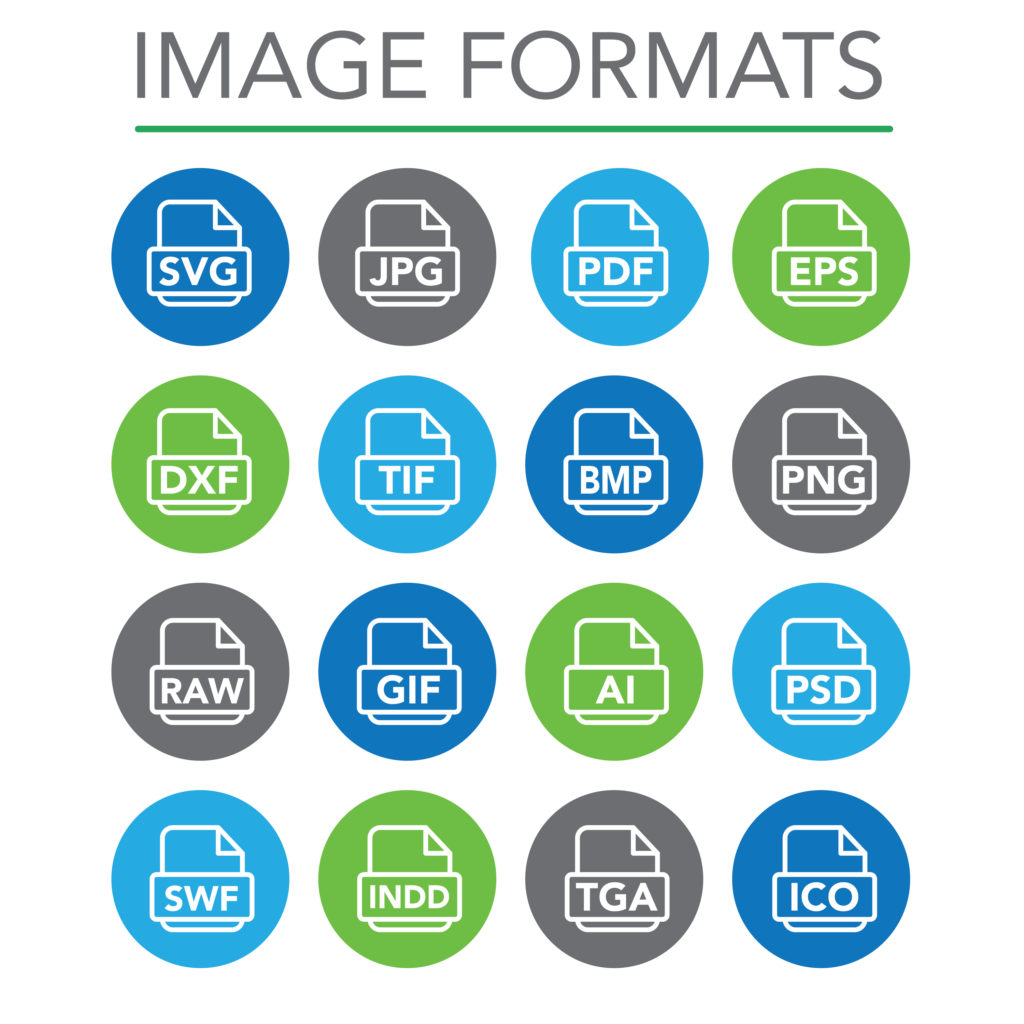
An Overview Of Online Image File Types + Preferred Formats

There are a ton of file types you can spend your time getting acquainted with, but for today we’re going to break down the 4 major types of real estate website images to see how they work and when you should be using them.

JPG/JPEG

You’ve heard of this before and probably use this digital image file type for almost all photos. JPEG stands for Joint Photographic Experts Group and these files are saved as .jpg. 

When you save an image as JPG some of the details of the photo will be removed because of compression.

This can be a good thing though because you can compress high-quality images into more manageable sizes without totally compromising the integrity of the the picture.

JPG files that are under 100kb should be your go-to for image files and sizes. Especially when considering how they’ll look and load on mobile devices.

We’ll talk a bit more about this in a second.

PNG

One challenge with JPG images is that the quality can diminish over time after the photos are saved and re-saved. Each time, more detail will be removed and this can cause the image to degrade and become blurry.

However, they’re still great to use for your real estate website images as long as you’re not using an image that you pulled from Facebook that has been saved, re-saved, compressed for social media…etc.

PNG or Portable Network Graphics are good for pictures as well as graphics. It compresses images without removing details and retains color qualities. However, the photo files will be larger, but most all current browsers will support these files.

GIF

GIF stands for Graphics Interchangeable Formats.

When you think of a GIF, you’re probably picturing something like this –

via GIPHY

GIFs are lower quality than JPGs and are best suited for decorative images or simple icons.

Of course, they also support animation is perhaps most useful for this purpose.

SVG

Of these 4 file types, this is the least of your worries. Though we’d definitely still suggest familiarizing yourself with Scaleable Vector Graphics.

Vector files are becoming a popular choice among both designers and marketers.

Vector images can be sized up or down to virtually any size without altering or distorting the quality.

Optimizing Your Real Estate Website Images

Name Your Images

Of course, finding the perfect picture or graphic and file format is just the first step for publishing the best real estate website images.

Just as you use keywords throughout your blog posts and pages, creating keyword-rich file names can also greatly help to optimize your images and get you higher up in search engine rankings.

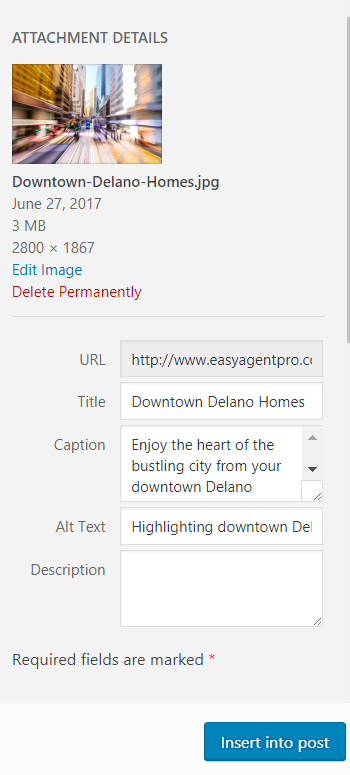
So, if the keyword phrase you’re using is Downtown Delano Homes, save or rename your file under this as well.

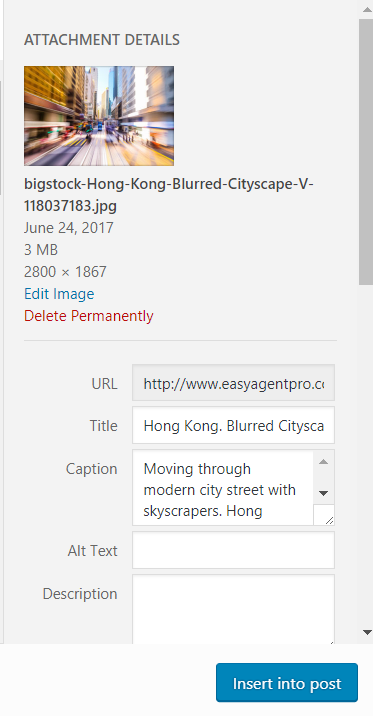
Take this image, for example.

I downloaded it from Bigstock.

If I were to upload directly to WordPress without changing any details, here’s what information I would be presenting.

None of these words or subjects likely have anything to do with the post.

So, at the very least you want to make sure that your image has a descriptive title that includes your keyword or phrase.

You can then move on to further optimizing the image by filling in the other sections.

Adjust The Size And Shape

The resolution of an image dictates its overall quality and clarity.

You may have to make a few compromises here though to get the best results.

Why?

The higher the resolution, the bigger the file size.

Have you ever visited a website that seemed like it was taking FOREVER to load?

via GIPHY

Consider this:

  • On average, viewers will wait 1-3 seconds for a website to load on a laptop or desktop.
  • This jumps up to 5 seconds for mobile devices
  • Amazon recently discovered that if their pages are slowed by even 1 second, they lose $1.6 billion a year.
  • Google takes page load time into account when ranking sites and search results.

Cropping

We pulled this side-by-side screenshot from blogger and avid WordPress user Tom Ewer.

Read the full article here:

https://premium.wpmudev.org/blog/image-optimization-guide/?utm_expid=3606929-106.UePdqd0XSL687behGg-9FA.0&utm_referrer=https%3A%2F%2Fwww.google.com%2F

We’ve got the same subject being depicted in both images, but what a difference the crop makes!

You want your subject to really POP and grab the attention of your leads.

Aspect Ratio

This one’s pretty simple. The aspect ratio refers to the relationship between the image’s width and height.

The aspect ratio really comes into play more with video.

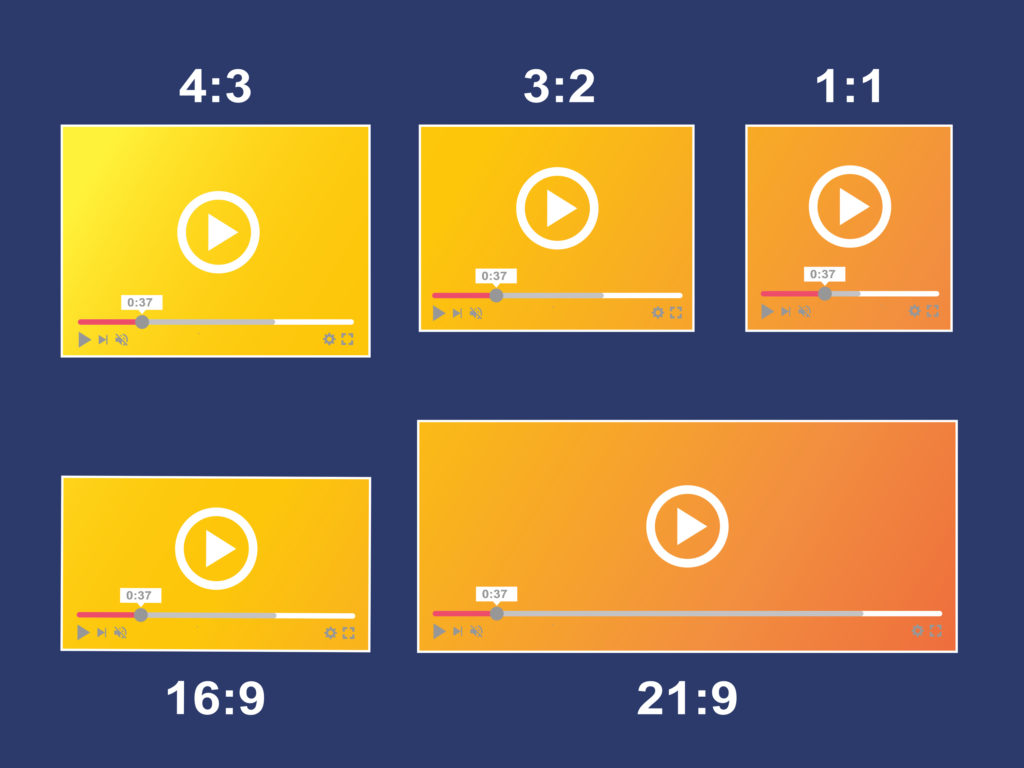
The most common aspect ratios for still-camera photos are 4:3, 3:2, and 16:9.

If you’re a LeadSite user, your real estate website images and the site itself are mobile responsive so your images will be scaled to fit perfectly across a variety of screens and devices.

Social Media Best Practices

You may also be wondering what you need to know to get the most out of the images you share and advertise across social media.

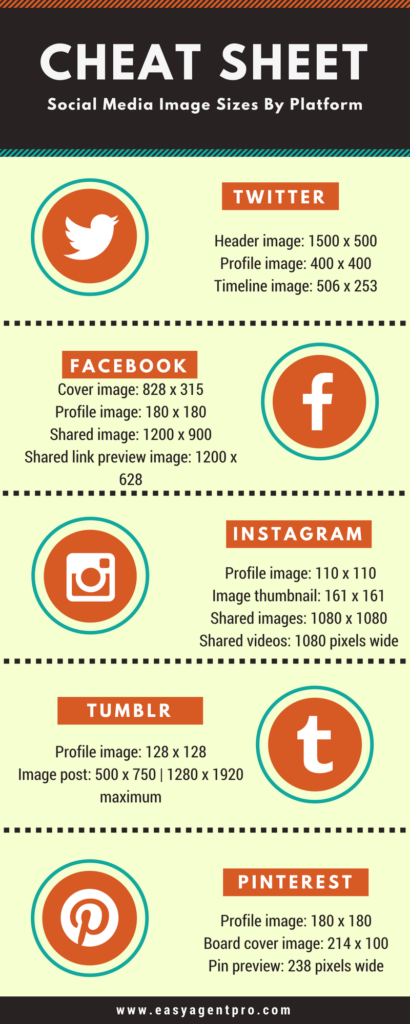
Save this cheat sheet as a quick reference!

You can also use already-made free templates on Canva for just about any social, digital, or print format.

This will stop you from ever having to second-guess your real estate website images again!

I hope this was helpful for you!

Leave any questions in the comments and we’ll get right back with you!

Get Leads From Blogging In Real Estate. Here’s How. (Almost-Too-Easy Secret)

This is so well established and proven that it’s no longer even up for debate: Blogging works. It’s one of the best ways to get free, organic traffic to your site from search engines. Thing is… You still need a way to turn that traffic into real leads. That’s what today’s post is all about: How to get leads from blogging.

Let’s dive in.

Get Leads From Blogging, Step #1: Get Traffic To Your Blog

The first step required to get leads from blogging is to create blog posts that your target client will actually want to read.

This will help you get organic traffic through search engines, and help you get more clicks when you share your blog posts on social media.

To build any kind of following on your blog, you’ll need to create blog posts that go beyond “the steps to buying your first home” or “The July Real Estate Market Report.”

You need to create JUICY articles that get people’s attention, even if they’re not ready to buy a house right now.

The best way to do this is with community news and creative listicles.

Because one of the biggest challenges in real estate is that there are so many bad agents out there, and the average person doesn’t know how to spot the good ones.

So it’s not enough to say you know the area, or say you’re a “trusted” agent in the community.

You need to prove it.

And offering good blog content is a great way to do that.

So first, community news. Here are some examples:

“The Downtown Expansion Controversy: Why The Expansion Is Good, And How You Can Support It”

“Top 5 New Spokane Businesses: Say Hello To These New Local Entrepreneurs”

“Farmington Public Schools Just Took a Major Hit – Will Your Kids’ School Be Affected?”

The goal with these articles is to establish yourself as a credible authority for what’s going in the community. Because people buy an area or neighborhood before they choose a specific home. If they trust YOU when it comes to all things local, chances are good that they’ll reach out to you when they’re ready to buy or sell a house.

The next category of article is “Listicles”

A listicle is, according to Google, “a piece of writing or other content presented wholly or partly in the form of a list.”

People LOVE to skim through lists about interesting topics. Check out sites like BuzzFeed.com and almost all of their articles are in listicle format (“21 Pictures That Will Restore Your Faith in Humanity”).

These are the types of articles that get clicked and shared like crazy on Facebook. Examples you might consider creating are:

“27 Shady Grove Interior Designs That Will Make Your Jaw Drop”

“14 Dallas Kitchens That Make Foodies Crazy Jealous”

“12 Historical Places You Didn’t Know Existed In Salt Lake City”

The possibilities with listicles are endless. People love clicking them, reading them, and sharing them.

Plus, they’re easy and fun to write.

So…

START MAKING LISTICLES!

After you create a few, share them to Facebook, and see which ones get a positive response, you’ll get a feel for what kinds of content your followers like the most.

The fastest way to get more traffic is to make stuff people actually want to read!

Get Leads From Blogging, Step #2: Hook Your Blog Traffic With A “Lead Magnet”

Okay. So you’ve started creating some juicy content that your ideal client would like to read. That solves the first challenge: Getting traffic to your site.

The second challenge that must be solved to get leads from blogging is to capture the information of your blog readers with something marketers call a “lead magnet.”

You can experiment with a variety of lead magnets, but they are typically some kind of ebook download.

Don’t have an ebook? Download a free, customizable ebook here:

FREE EBOOKS!

To keep it simple, it’s often best to pick one squeeze page and link to it in all of your relevant blogs.

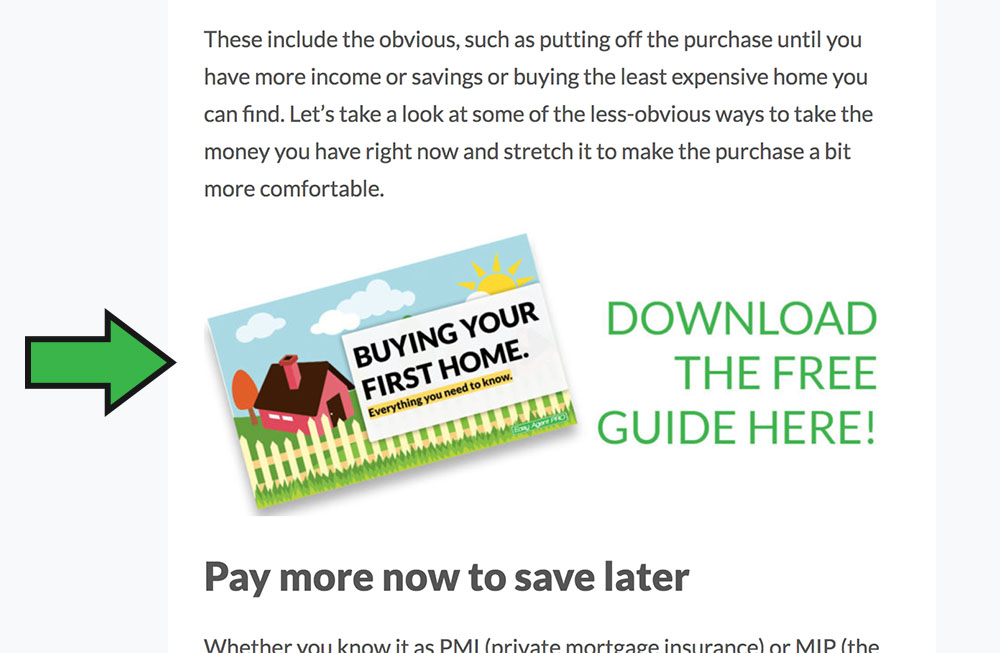
For example, if you focus more on first time buyers, you may want to try the “Buying Your First Home” ebook.

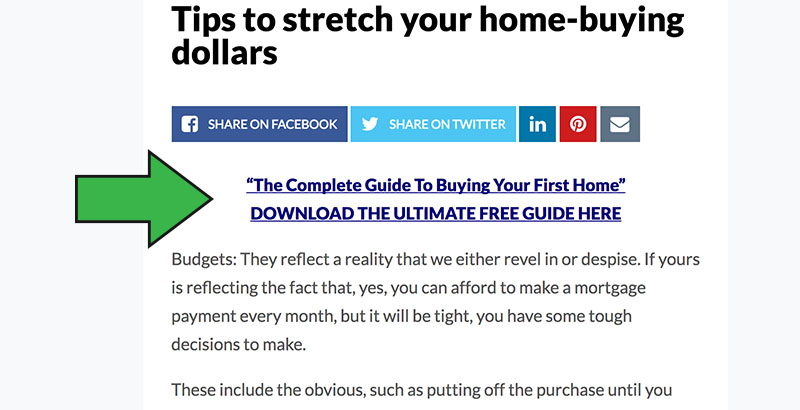
In any of your blogs that are relevant to first time home buyers, you can insert a simple text link at the top of your blog post, like this:

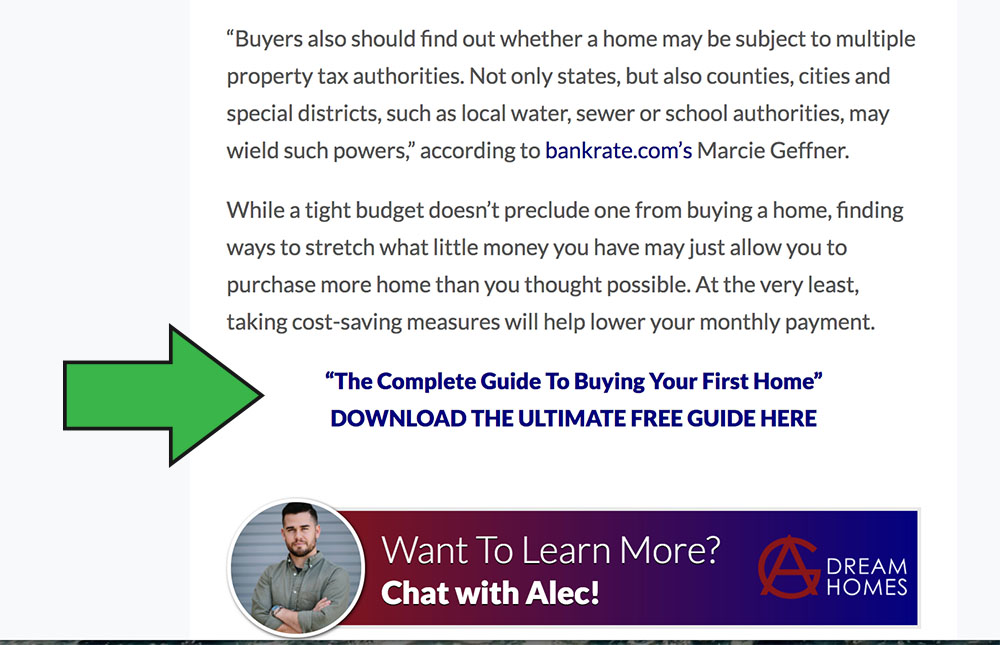
And at the bottom of your blog post, like this:

Or if you have some graphic design ability, or know someone who does, or you don’t mind paying for it, you can also try inserting a “banner ad” into these posts. Like this:

Think about it. There are ads on most articles people read online. Those are there to capture some of the traffic that flows to that article…

You can (and should) do the exact same thing to get leads from blogging!

If you’re not using “ads” on your own articles to get leads from blogging, you are missing out on free leads!

Get Leads From Blogging, Step #3: Use a Squeeze Page to Capture Leads

Once someone clicks one of the “ads” you’ve placed in your blog post, where do they go?

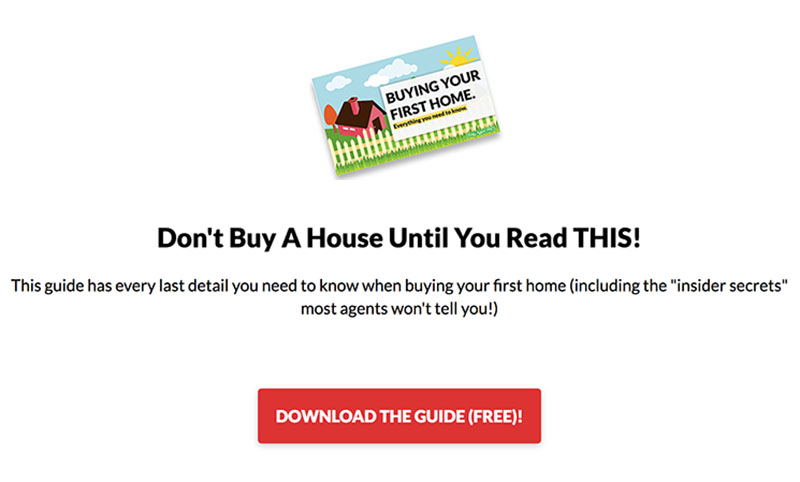
The best thing to do to get leads from blogging is send them to a squeeze page dedicated to capturing their information. Like this:

The nice part about this is that you only have to make ONE landing page.

You can then use the same link across any of your blog posts that would be relevant to first-time home buyers.

Just point all of your “ad” links to this same landing page.

Get Leads From Blogging, Step #4: Convert Your Leads With Automatic Email Sequences

We won’t go too deeply into this topic here because this has already been covered in depth…

HERE

and…

HERE

But the basic gist is that once someone gives you their information in exchange for the download, the easiest thing to do is put them into an automatic email sequence.

This strategy sparks conversations with leads who are ready to talk now, and nurtures those leads who aren’t ready to talk to an agent just yet.

An Important Reminder…

This simple strategy will help transform your website from a passive traffic generator into a lead capturing machine.

As your site traffic grows, using Calls To Action and Lead Magnets will capture a certain percentage of that traffic.

BUT…

It’s important to keep in mind that blogging is a long-term strategy. The longer you do it, the better it works.

So don’t publish one blog with a link to a squeeze page and expect leads to start flooding in.

This is a strategy you execute over time with your regular blogging schedule and, over time, you’ll start to capture a steady flow of leads.

Not the sexiest strategy ever. Agreed.

But if you’re consistent with it, this strategy gives you a steady flow of leads… without cold calling… and without spending money on paid ads.

That’s powerful.

But if you need leads NOW, then the best course of action…

Is to pair this long-term lead generation strategy with a more immediate lead generation strategy like running Facebook ads.

MASSIVE Shortcut…

If you don’t have the time or interest to blog yourself, check out LeadSites.

We give you two blog posts per week that post automatically to your site. With the blogs done for you, all you have to do is add your custom links to your Squeeze page.

It really couldn’t be easier.

More Good News:

When you do create your own blog posts, LeadSites give you options. Choose from 6 beautiful, responsive, easy-to-use templates that your website visitor will love.

6 New Real Estate Blog Templates To Get You More Opt-Ins

So many exciting updates have been hitting Leadsites lately!

And this is no exception!

.

..

…

We couldn’t be more thrilled to bring you 6 new real estate blog templates for Leadsites that you’ll love!

Now you can control and customize the look and feel of each blog you write.

No HTML or CSS knowledge required.

All you have to do is pick which one to use first!

Let’s check them out!

The Freedom To Choose

It can feel overwhelming to commit to a single theme for your blog.

Which is why we’re giving you options!

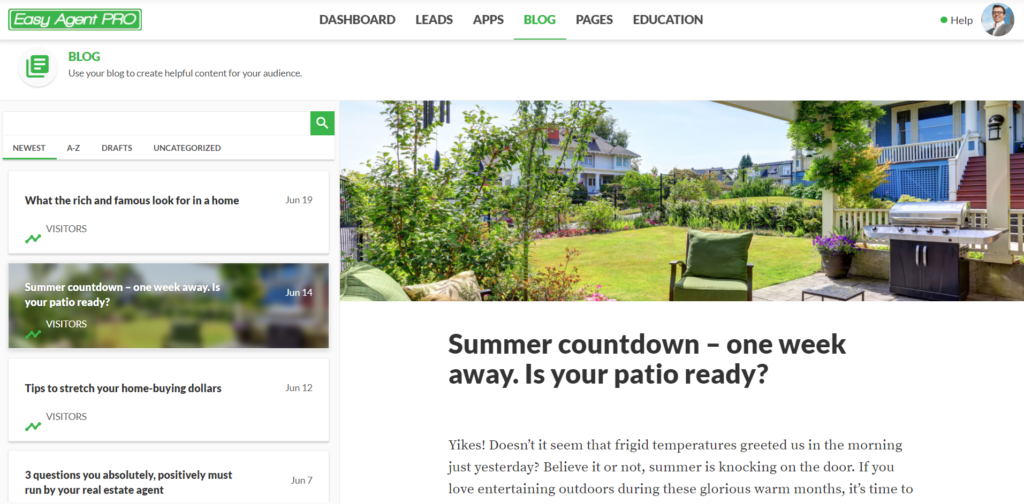
First, when you navigate to the Blog section of your LeadSites dashboard, you’ll still see this –

And you’ll still be able to create blog posts as usual.

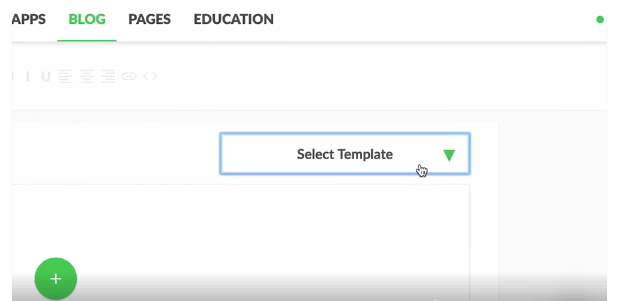
Only now when you’re ready to start a new post, you’ll also see this –

From here, you can select what template you want to use.

All of these real estate blog templates have been modernized and optimized and are ready to go.

And of course all template designs are mobile responsive so you can be sure that your visitors are getting the best experience possible on any device.

They can access your blog posts from a desktop, laptop, tablets and smartphones.

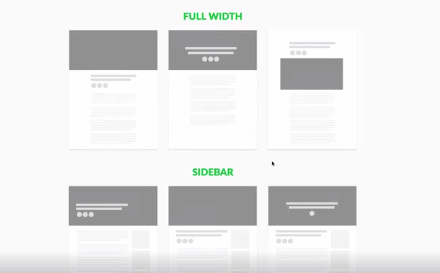
Choose from three versatile real estate blog templates that display a sidebar or three no-sidebar options for full width.

Even with all these templates to choose from though, simplicity is still key in each.

Making your content simple to navigate and even easier to read.

The emphasis will continue to be on written content and a captivating featured image, but you get to decide how your blogs look on the page.

Design Matters

Your real estate blog templates are important.

Any design or theme you use should support your goal.

And your goal for each post should always include usability and simplicity.

So, ready to get started? 

We can’t wait to see what awesome blogs you publish with these new real estate blog templates.

Feel free to share your posts in the comments or with us on Facebook!

Get Going or Get Left Behind: What Every Agent Should Know About Buyers and Sellers In 2017

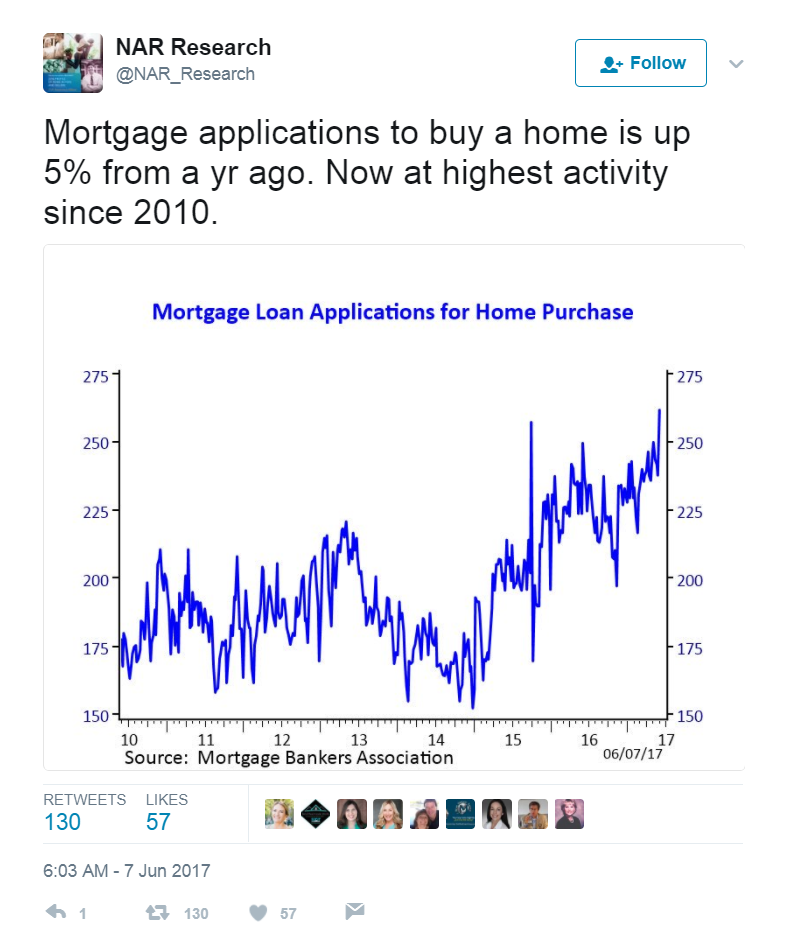
I was catching up with National Association of Realtors on Twitter and came across this stat they recently twitted.

We see tons of real estate stat roundups and trends come out at the beginning and end of each year.

But how easy is it to turn them into usable data to buff up your lead generation and marketing strategies for the coming months?

To get you ahead of the game, I dug up 5 real estate buyers and sellers stats that you can use to empower your daily efforts and future-proof your business.

No agent left behind!

Let’s check them out –

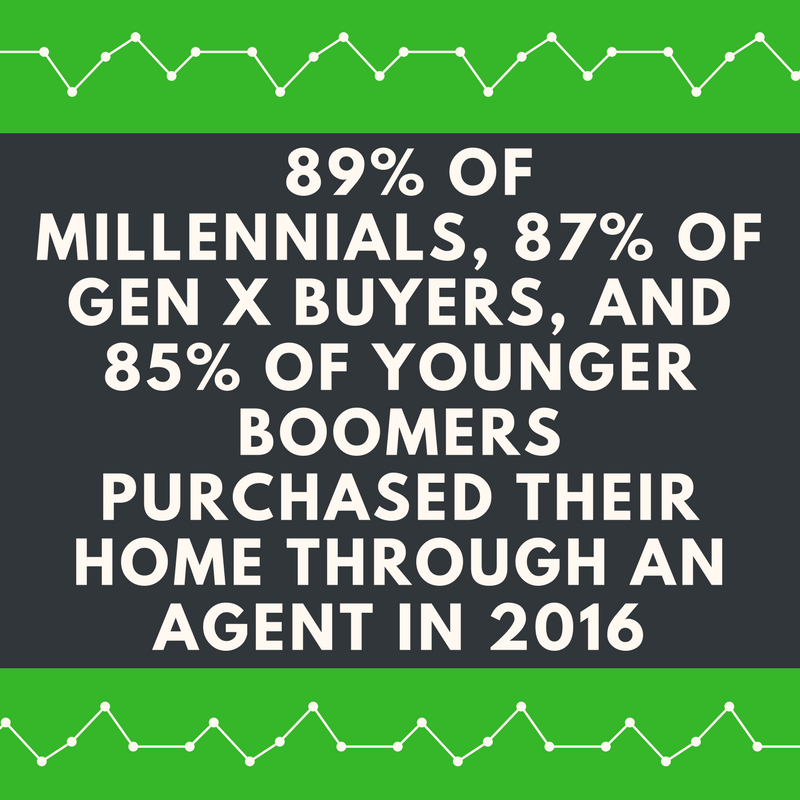
2016 Young – Buyer Stats

Let’s break these numbers down.

Nearly ALL young-buyers enlisted the help of a real estate pro like you to complete the home-buying process.

We millennials may be young and entitled, but we’re not dumb!

This stat clearly proves that people of all buying generations are still investing in the help of agents.

And this isn’t going to change this year or the next.

In fact, Gen. Y accounts for 68% of all first time home buyers.

Also, it’s 35% cheaper to buy than rent in America. #JustSaying

Why do you need to know this numbers?

via GIPHY

Well, you need to know who your leads are and you you’re talking to online.

Making yourself available to subsets like these is only going to make your services all the more valuable.

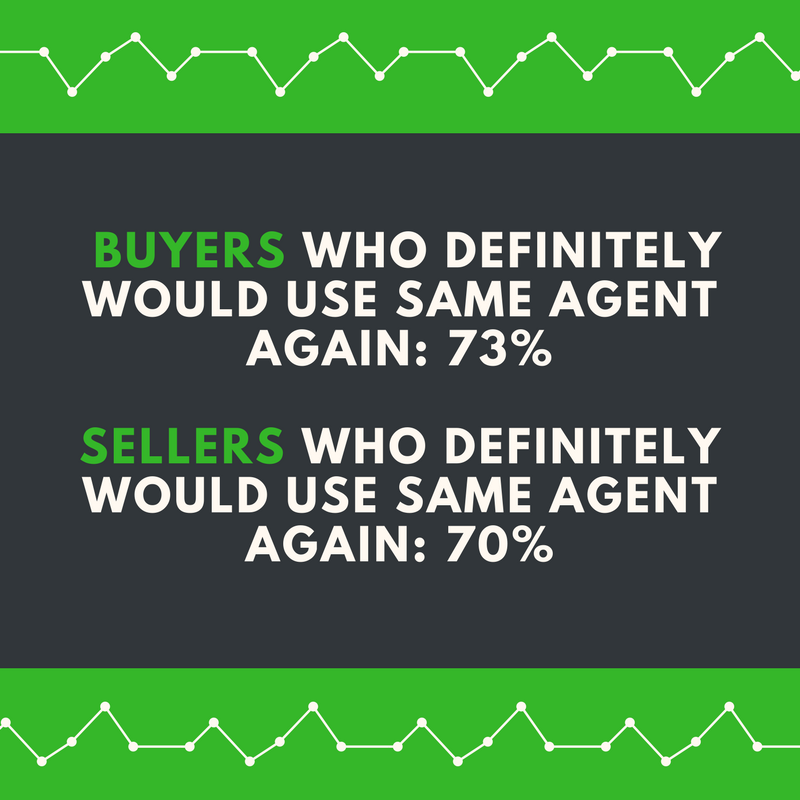
Buyers and Sellers Agent Retention

Not too bad, eh?

My first question to you as a real estate agent ready this, is: Are you surprised by these stats? If so, did you expect those numbers to be higher or lower?

Really, 70% is good.

My next question is that when comparing the buyers and sellers numbers here, did you expect them to be so close?

These stats matter.

A lot.

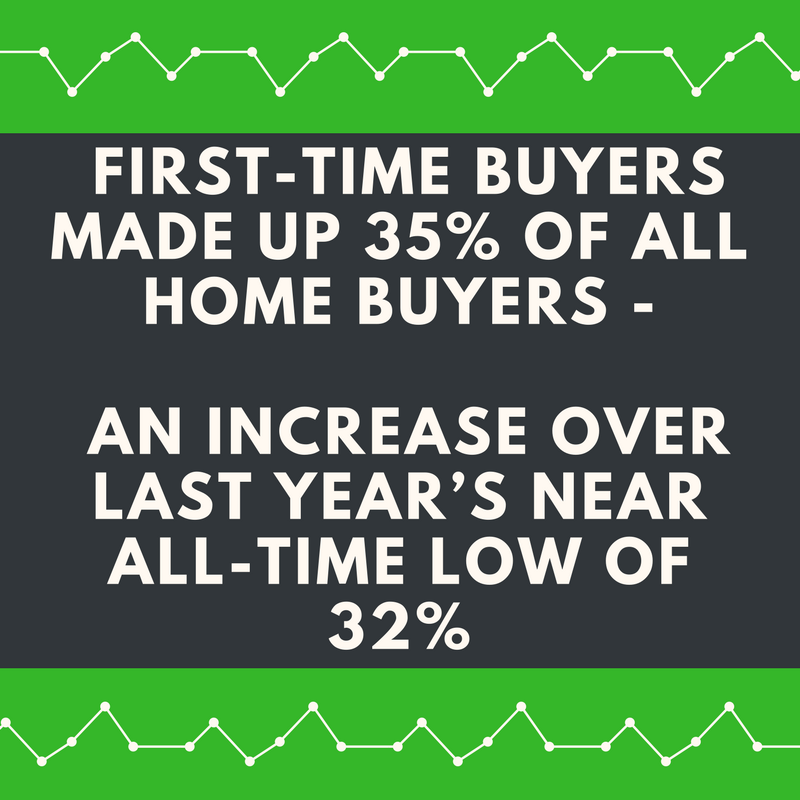
Especially considering how much of the market first-time buyers are making up.

Your happy clients are your hottest leads.

Sellers Weigh-In

When it comes to being a seller’s agent, they need that personal touch.

Sure, this is true for any real estate transaction, but selling a home can be a stressful, scary and overall emotionally-daunting process.

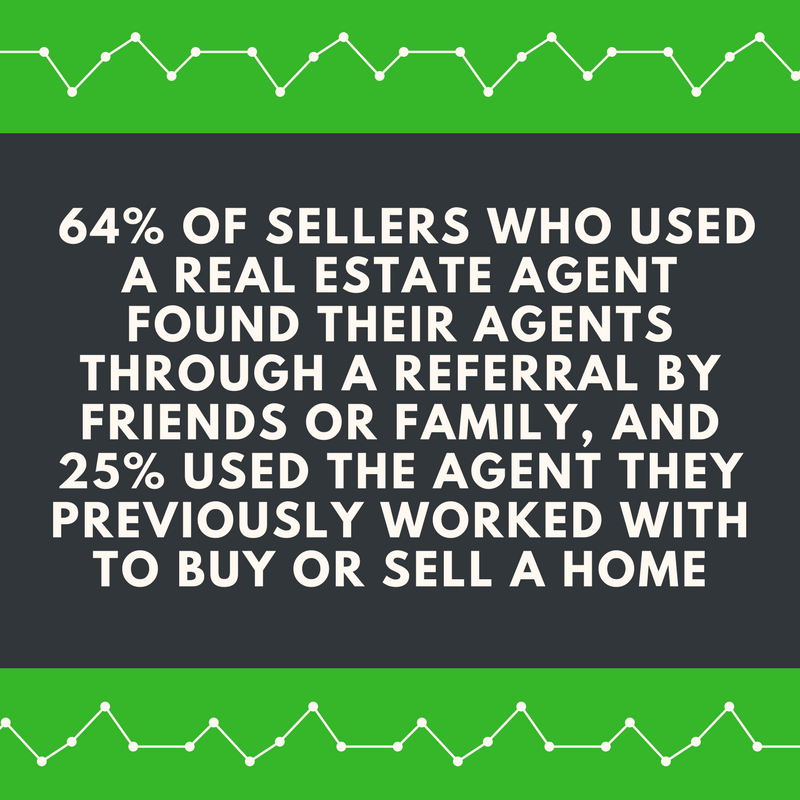
It makes perfect sense that the majority of sellers found their agent through a personal referral.

This is as close to a promise as they can most likely get.

So, does this mean that you’ve been wasting your time targeting sellers on Facebook?

Absolutely not!

If anything, you’ve got another leg up.

Especially if your testimonials are shining nicely on your real estate website.

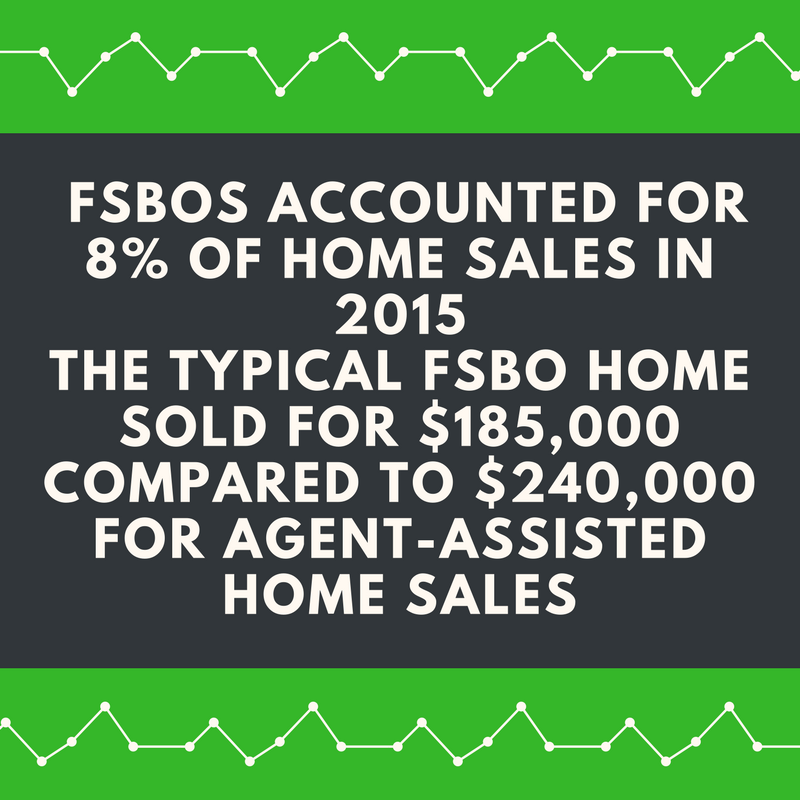
FSBOs Are Still Here…Just Barely

Good news, right?

Here are the methods The National Association of Realtors found FSBOs use to market properties:

    • Yard sign: 33%
    • Friends, relatives, or neighbors: 21%
    • Online classified advertisements: 10%
    • Open house: 21%
    • For-sale-by-owner websites: 7%
    • Social networking websites (e.g. Facebook, Twitter, etc.): 9%
    • Multiple Listing Service (MLS) website: 13%
    • Print newspaper advertisement: 3%
    • Direct mail (flyers, postcards, etc.): 2%
    • Video: 1%
    • None: Did not actively market home: 41%

And here’s what they find most difficult:

Getting the right price: 18%.

via GIPHY

Remember that FSBOs are not a lost cause.

Many of them will eventually sign on with an agent.

They just may need a nudge in the right direction.

Knowing these stats can definitely help you get the conversation started with them.

Here’s a few more things they struggle with during the process:

  • Preparing/fixing up home for sale: 13%
  • Understanding and performing paperwork: 12%
  • Selling within the planned length of time: 3%
  • Having enough time to devote to all aspects of the sale: 3%

First-Time Buyers Dominate

We’ve pretty much drove this home in every stat.

And it’s really the most important takeaway from this buyers and sellers roundup.

Buyers, and sellers, are particularly cautious in today’s market. And it really is completely up to you to see them through the transaction relatively unscathed.

You’ve now also got a more clear understanding of the type of content that is going to be more valuable to your leads.

Have you made a guide for first-time home buyers that you can giveaway on your site?

If not, use this one: CLICK HERE

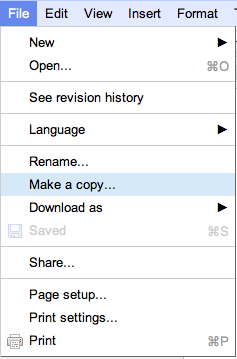
Just click file, copy, save it to your own drive and you can swap our our sample info for your own.

Before we finish up here, I have two more staggering statistics for you that will make a huge impact on how you reach these audiences.

BONUS ROUND

91% of realtors use social media to some extent

“to some extent”

Why isn’t this at 100%???

Social media is

FREE

MARKETING

While some traditional marketing strategies may still be of use to you, they’ll never compare to what you can achieve in the digital world.

But, this isn’t the statistic that left my jaw on the floor.

It’s this revelation –

Only 9% of Realtors use social media to market their listings

More questions…

Why is this number so low?

AND what the heck are the other 91% doing online?

via GIPHY

While you shouldn’t rely on your social networks alone to promote your listings, you should definitely be marketing them on these platforms.

You know…

These

FREE

MARKETING

sites.

It couldn’t hurt is all I’m saying.

Plus, with 52% of all home buyers using an iPhone in their home search, you can be they’re going to be swiping through Facebook.

Wrapping Up

What stats would you add to this list?

I hope these have been helpful for you!

This should give you enough information to start your own hyper-localized research so you can get a better idea of who you’re serving in your community and what kind of clients are making up the current market.

Feel free to share these stats on your own blog as well!

Real Estate Lead Automation: How To Convert More Leads Without Breaking a Sweat

One of the most important reasons you should be leveraging online technology is not just that everyone is online… But that it can make your day-to-day business life WAY easier. By implementing some simple real estate lead automation, you can set yourself free to close more deals.

Here’s How:

Real Estate Lead Automation, Step #1: “Collect Lots of Emails”


Real estate isn’t an easy business, but it is a simple one. You basically have two kinds of customers:

• People who want to sell a house.

• People who want to buy a house.

Duh, right? Obvious.

But what’s less obvious is that if you’re dropping all of your leads onto the same generic email list right away…

You might be throwing away your biggest chance to engage and covert those leads.

Someone who’s primarily interested in selling is going to respond better to different messages than someone who’s primarily interest in buying.

So you need a system that puts your leads into different “buckets” (more on this below) based on where and why they opted in.

These leads should then get a short sequence of emails specific to their needs BEFORE they go to your general email newsletter list.

BUYER SQUEEZE PAGES >>> BUYER EMAIL SEQUENCE

SELLER SQUEEZE PAGES >>> SELLER EMAIL SEQUENCE

Now, brace yourself. Here comes a brain melter:

A lot of agents run one squeeze page and Facebook ad and get a few leads, or even a few dozen.

And this is totally fine for beginners.

But if you’ve had a few successes with Squeeze pages and Facebook ads…

It’s time to step up your game.

This is actually exactly how we do it at Easy Agent Pro.

We run lots of ads and landing pages, we capture emails, and we put people into different email sequences that spark conversations and get people to take next steps.

You can, and should, do the same thing.

Run ads and landing pages that capture buyer information.

LIKE THESE

or THIS

And run ads and landing pages that capture seller information.

LIKE THIS

or THIS

or THIS

Remember: The goal is to capture as many emails as you can and to put as many leads as possible through your email funnel.

Then…

Real Estate Lead Automation, Step #2: “Put Your Leads in Buckets”

If you’re a LeadSite user, this is dead simple. With the new Paths app you can easily send buyer leads to a buyer email sequence and seller leads to a seller email sequence.


Learn More About That HERE

Basically, you can set up your landing pages and website lead capture to automatically export to specific lists.

Once people are on the right list, they will then get an automated sequence of emails.

Think about how powerful that is.

All you do is set up the ad and landing page…

Then your leads automatically get contacted and nurtured for however long your email sequence is.

Real Estate Lead Automation, Step #3: “Start With a Personal Email That Expects a Response”

When someone first opts into your email list, the best thing to do is send a simple, personal email that expects a response.

Try something like this for buyers:

INTRO EMAIL (version 1)

Subject: Your goal?


Hi <<first name>>,


Glad you signed up.


Over the coming days I’ll be sending you some things that will really help you on your home buying journey.


But first, will you do me a favor?


Send me an email back letting me know what your #1 concern is in your home search.


Are you more concerned with price?

Or is it more important to be in the right neighborhood?


Sincerely,


Jane Agent

And something like this for sellers:

INTRO EMAIL (version 2)

Subject: Your goal?


Hi <<first name>>,


Glad you signed up.


Over the coming days I’ll be sending you some things that will really help you make sure you sell your home fast and for more.


But first, will you do me a favor?


Send me an email back letting me know what your #1 concern is in selling your home.


When would you like to have the home sold by?


Sincerely,


Jane Agent

As you read those emails you might think: “Meh. Nothing special.”

And that’s exactly what makes them work.

Because they don’t look like a sales message. They just look like a real email from a real person.

And we’ve actually tested that email… And people respond to it like crazy.

The goal isn’t to book an appointment right away, it’s to spark a meaningful conversation.

And when people reply, it allows you to offer more value to these leads and build trust…

Which will then lead to setting an appointment.

But your the first emails in each of your automated sequences should be a personal introduction that expects a response.

Real Estate Lead Automation, Step #4: “Value-Value-Ask”

After you send an intro email, you’ll want to schedule a sequence of 10 or so automated emails that come after, spaced 1-2 days apart. (that’s 20 emails total, 10 for sellers and 10 for buyers)

This is what most agents miss:

On average, a lead needs to contacted 5-12 times before they’ll feel comfortable responding to you.

Let that sink in…

Most agents give up and lose leads they could have converted with smart drip systems and persistent follow-up.

Moving on.

So the next question is: How do you come up with 10 emails to send?

It’s easier than you might think. There’s a formula.

It’s a 2/1 ratio of giving value vs. asking for an appointment.

Now, if you’re a LeadSites user, we give you two blog posts per week. So creating value emails is easy.

All you have to do is pick out the blog posts that fit either buyer or seller and create an email that links to it.

Those emails look like this:

THE VALUE EMAIL

Subject: Get more. Faster.


Hi <<First Name>>,


All of the fears and concerns about selling your house usually come down to 2 things:


Will I get the price I want?


Will it sell quickly?


The good news is, there are certain things you can do to help your house sell faster and for more.


Wanna know what they are?


That’s what today’s blog post is all about. Check it out:


[How To Sell Faster And For More] (LINK)


Jane Agent

See? Simple simple simple. Don’t overthink.

Promise an immediate benefit that your reader will be interested, then link to the blog.

By offering valuable, helpful information and NOT asking for an appointment every single time, you will build trust with these leads and increase your chances of converting them.

(If you’re not a LeadSite user… First of all, check them out HERE. But you can still do the same thing. You’ll just need to create the original blog content yourself and then link to it in your email.)

So you sparked a conversation with your lead with the first email…

Then sent two VALUE emails…

NOW it’s time to push them to a next step.

Here’s what an ASK email might look like for someone on your buyer list:

THE ASK EMAIL

Subject: Poof! Gone 😮


Hi <<First Name>>,


It’s no secret that we’re in one of the hottest sellers markets in a decade.


That’s why so many of the best homes in your price range are getting bought up immediately — sometimes even before they get publicly listed.


And that’s one of the things my clients love about working with me.


I hunt down the best houses that fit your wish list to make sure you get your dream home before someone else does.


Are you free this week to talk about finding your dream home?


Jane Agent

See the difference between a VALUE email and a ASK email?

The ASK email goes for the appointment.

If you captured this lead’s phone number too, it’s a good idea to call after this email goes out. Just keep it simple and conversational.

“Hey HomeBuyer, this is Jane Agent from Jane Agent Realty. I just sent you an email but I also wanted to follow up and see if you were free this week to get together…”

If you start with offering VALUE in your first few emails, you’ll notice a BIG difference in the quality of response you get from these leads when you do ask for the appointment.

It’s a night-and-day difference from trying to set an appointment with a cold lead.

(You can also try following up with Text Messages!)

Want more awesome templates for e-mails, text messages, Facebook ads, and much more? Check out:

GET THE GUIDE HERE

WRAP-UP

• Use a wide variety of buyer and seller squeeze pages to generate as many emails as possible.

• Feed those emails into automated drip sequences.

• Your first automated email should be a simple, personal email that sparks a conversation.

• The rest of your automated emails should follow a Value-Value-Ask format. Lead with value and service before asking for the appointment.

• If you capture the leads phone number, try following up your ASK emails with a phone call as well.

Control What Happens After You Get a Lead With Paths 😎

It’s time to control your real estate leads with Paths!

The long-awaited arrival is finally here!

We have finished rolling out Paths to our current LeadSites users.

This feature will be available to all future members of the EAP family.

You now have complete control over what happens to your leads!


For example:

– Buyers should be taken to your buyer newsletter… BUT they should also go into your favorite CRM… AND email your assistant… You can do that now!
– Sellers should go into your “Seller Drip”…. AND notify your seller’s agent via text… AND get tagged on the landing page they opted in on… You can do that now!
– Newsletter subscribers should go into your MailChimp monthly content newsletter campaign… AND they should also be marked “Subscribed To Newsletter” in your CRM…


You can do that now!


We’ll give you a minute to take all that in…


A Whole New Way To Interact With Your Apps


We’re adding more features to LeadSites, as well as improving current ones.

That includes re-imagining the way you interact with all your apps.


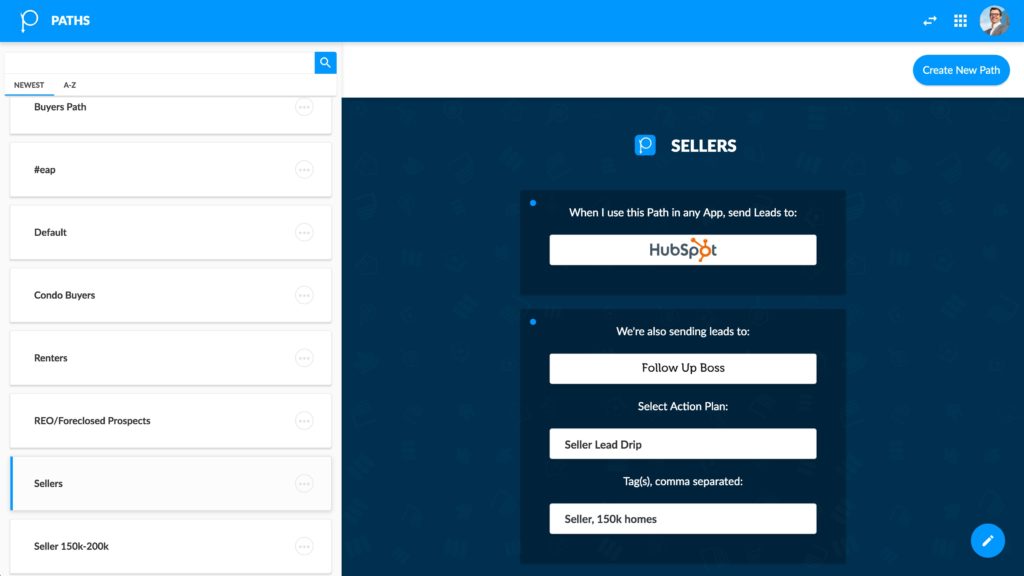
On the left side of the screen, you can see all the paths you’ve created.

In the top right you can create a brand new path!


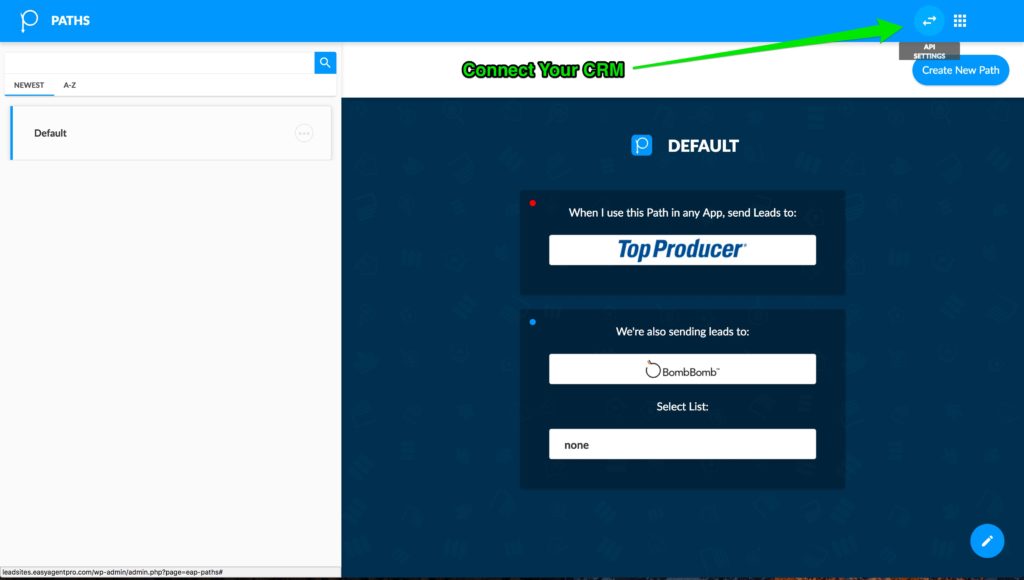
Connecting Your CRM To Paths


Before we can create a path we need to connect our CRM!

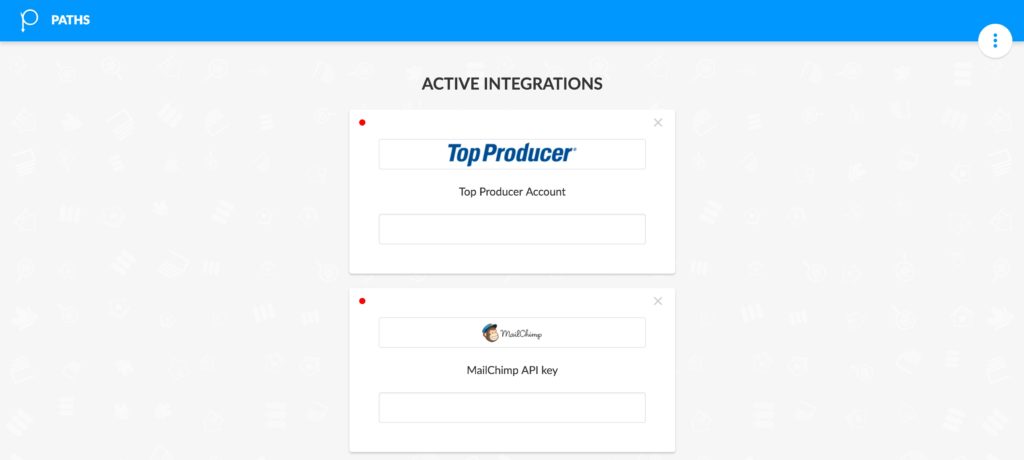
So in the top right-hand corner, you’ll see the “API Settings” button.


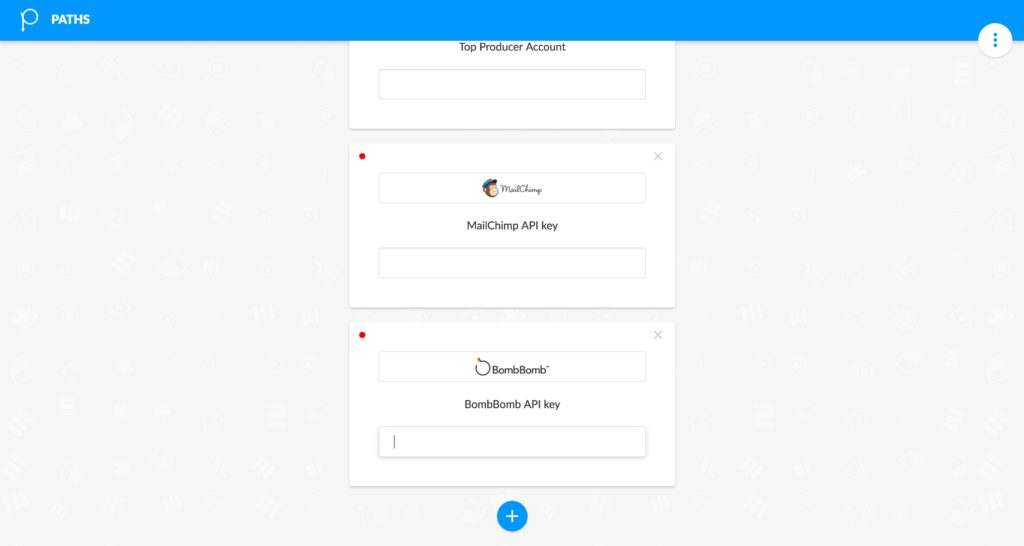
From there you’ll see any current integrations you have connected to your LeadSite.


control your real estate leads


As well as a plus icon where you can add additional integrations from the available list!


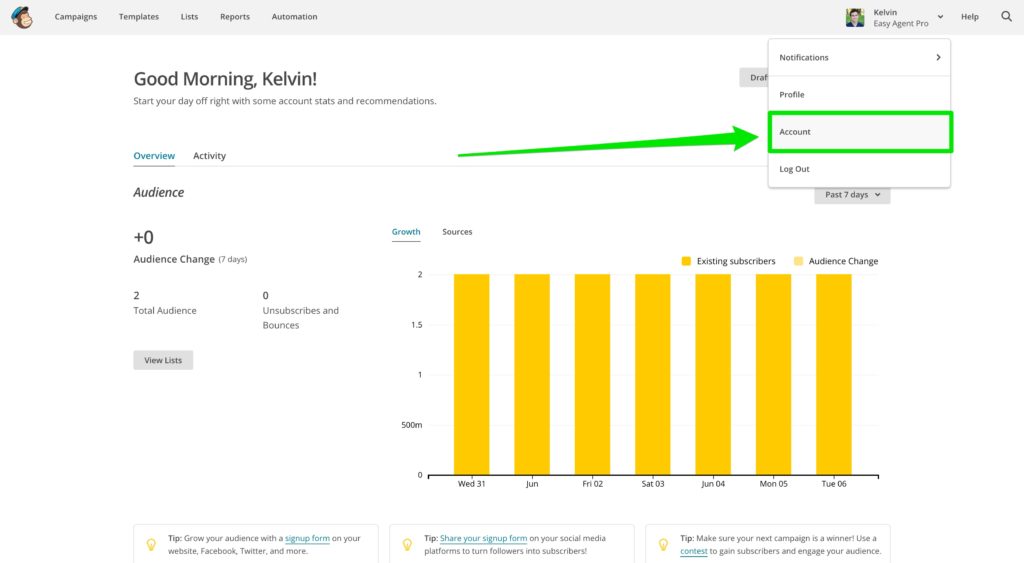
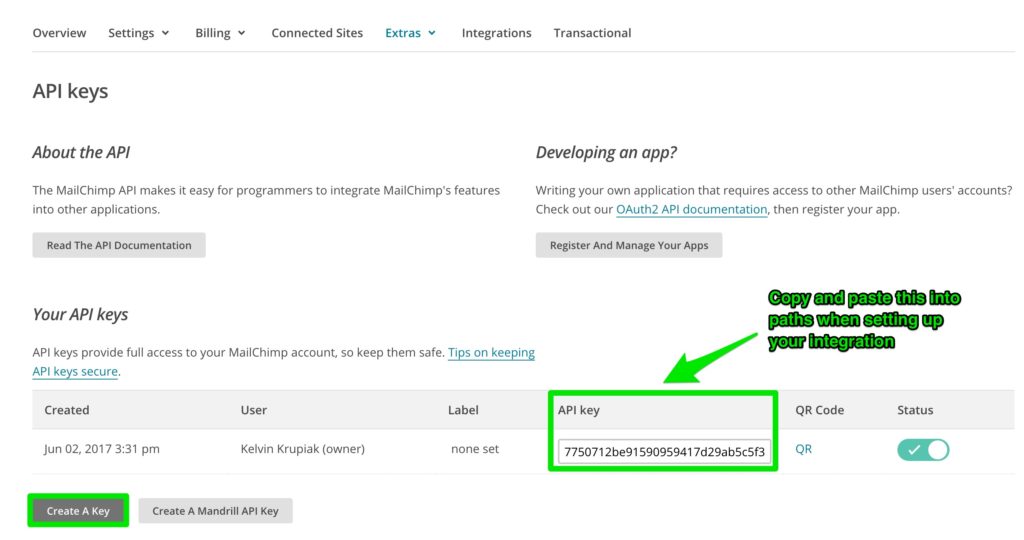
If you’re not familiar yet with how to create and copy your API key…

I’ll show you how to do that right now!

The process is similar for most CRM’s (See Lion Desk Below)


control your real estate leads


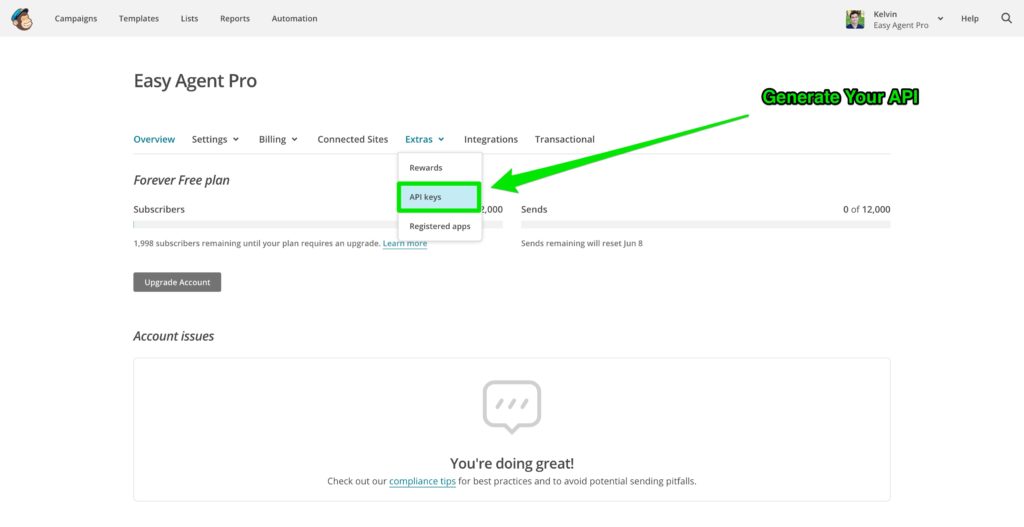
Make your way to your account settings and then select “Extras”.


Then just create your API!


control your real estate leads


Which stands for “application programming interface”…in case you were wondering.

You probably weren’t though…


Now if you’re relatively new to the world of CRM’s we’ve got a quiz that might help you!

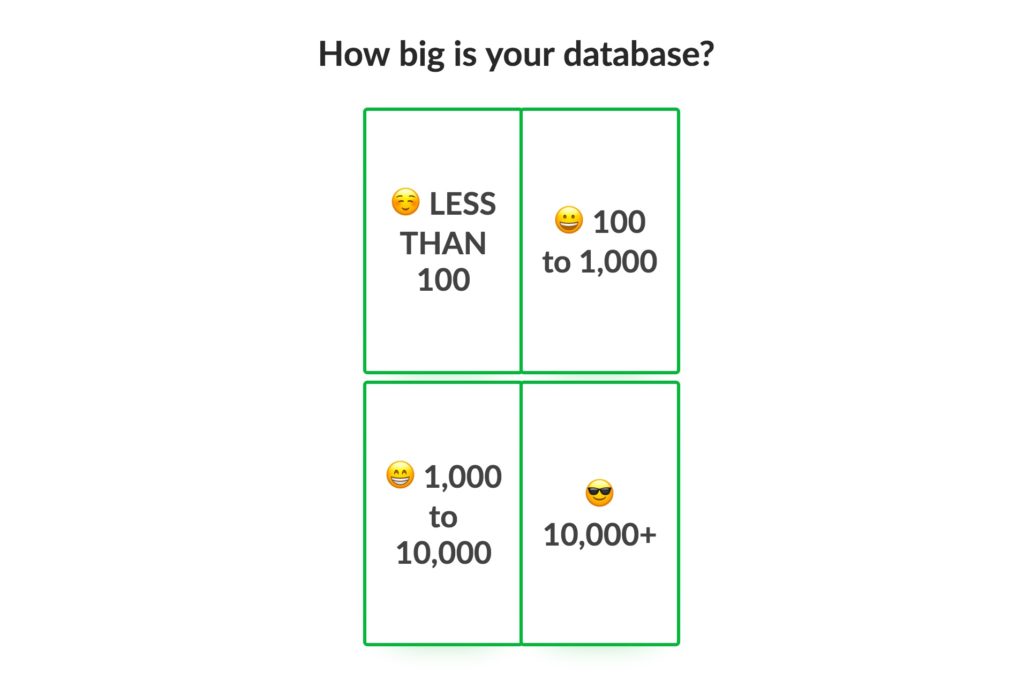
Which CRM you use is largely dependent on the size of your team, your goals, current database…


What Real Estate CRM Should I Use?


Make your way over to that quiz and find out which CRM to use…

Then come back here and finish connecting Paths!


Creating Your First Path  


Alright, you’ve connected your CRM and you’re ready to setup your first path!

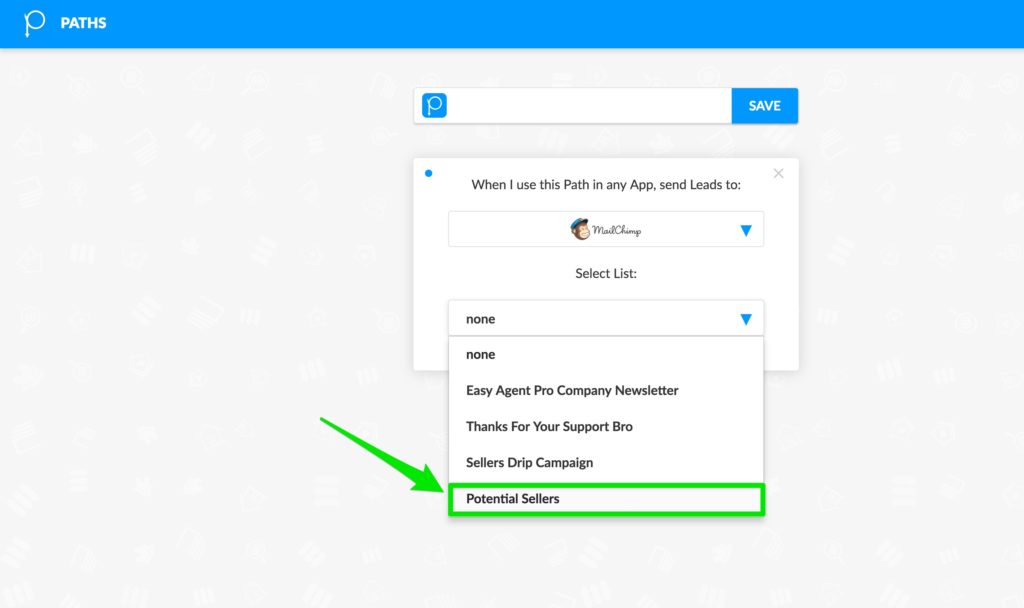
We’re going to be creating this path for sellers coming in directly from a Facebook ad.

I’ve connected my Paths app to MailChimp which is what I use for my email campaigns.


control your real estate leads


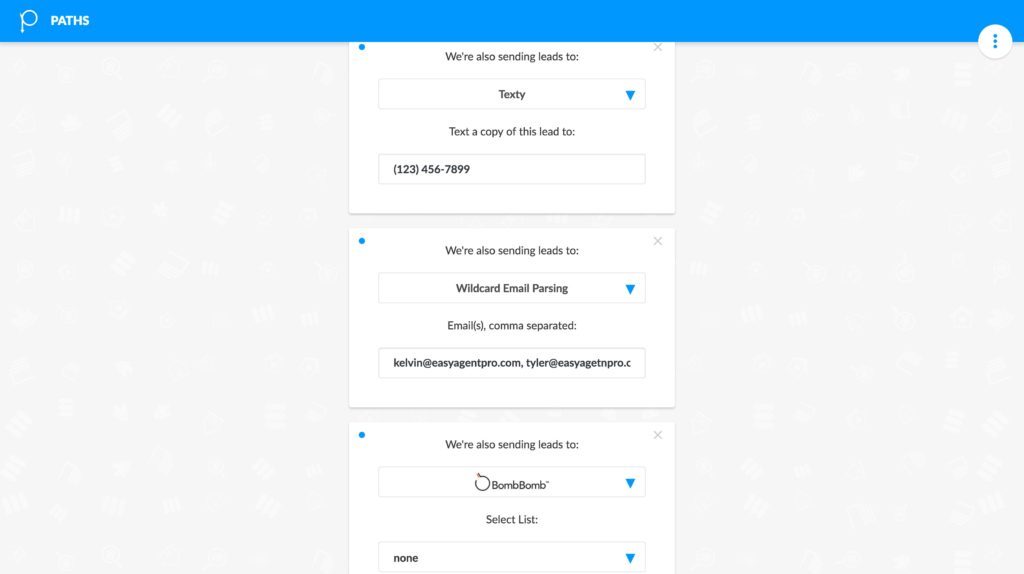
I’ve also designated that I want a text to be sent to myself and Tyler.

An email with all the lead info to be sent to both of us…

And I want the contact info stored in my other CRM as well.


control your real estate leads

Would you look at that….👀


Activating your path on your Squeeze Page


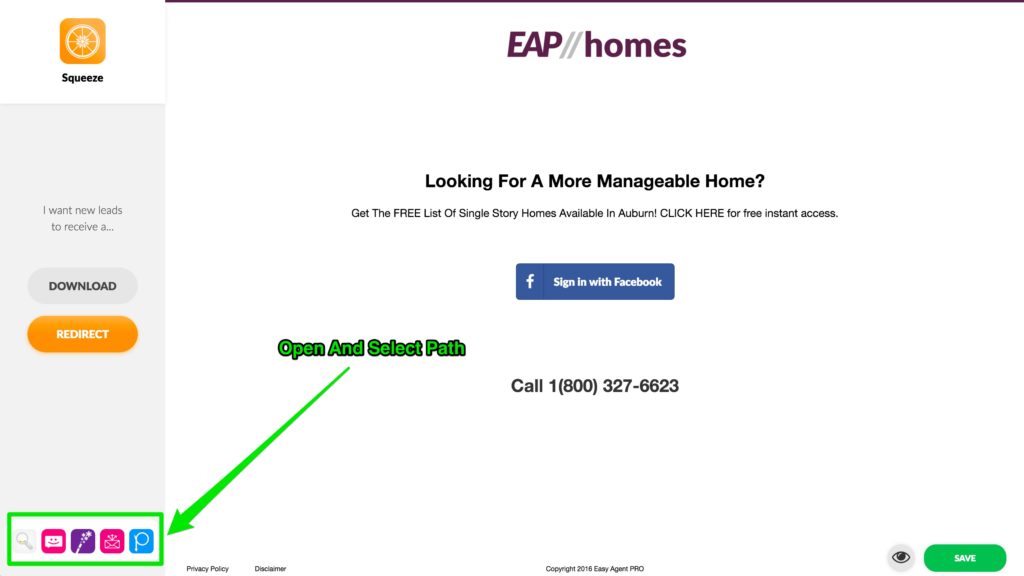
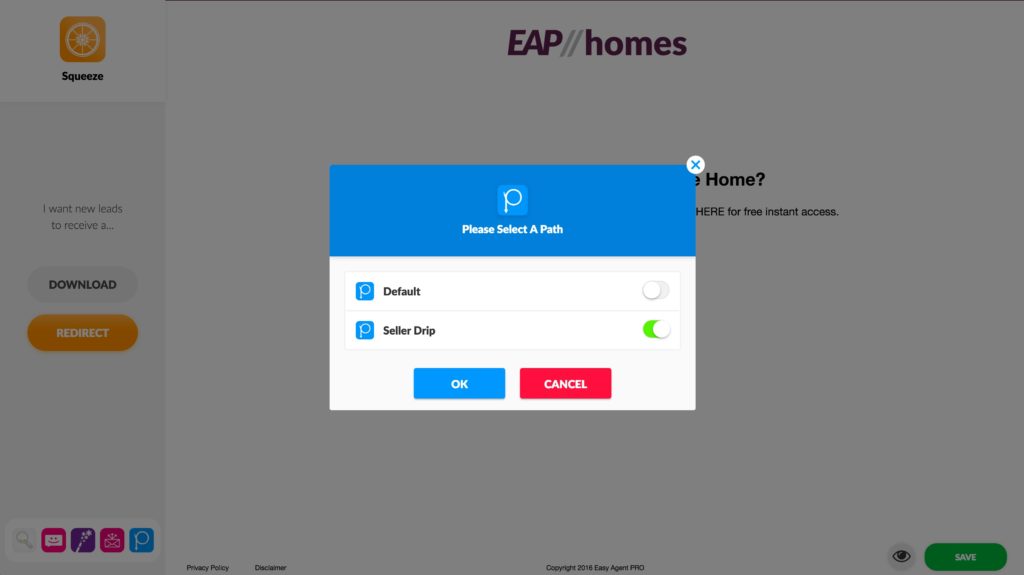
Now what we want to do is make sure we have this path active on our Squeeze page.


What’s the next step you ask?…..

THERE ISN’T ONE!

For All Lion Desk Users


I know for a fact there are a number of LeadSites users who love Lion Desk.

We upgraded our email parsing integration to API for more sophisticated lead handling.

You can now add your own API code from LionDesk into Paths.

Also, you’ll notice that “Auto-Pilot Campaigns” are currently missing from Paths…

We’re working with Lion Desk right now to expand their own API functions to allow this!


control your real estate leads


The beautifully bearded Christopher Tenerowicz put together a fantastic help article on the subject.

To read the full post CLICK HERE 

What’s Next?

It’s a very exciting time at EAP and LeadSites just got a whole lot more powerful.

But we’re not even close to finished! We got more coming out this month.

So stay tuned for those!


Thanks Guys!

Unlock The Power Of Emojis For Real Estate Facebook Marketing 💣💥

Take a look at your last few Messenger exchanges or text conversations.

I bet there are at least a few emojis in there.

😎

But there’s so much more you can use them for!

Whether or not you’re part of the millennial generation.

There’s no escaping them.

Emojis are officially a thing.

And it’s time for you to unleash the power of emojis for real estate.

What better place to start mastering the wordless language than on Facebook?

This post will take you through emoji etiquette and how you can use them in your Facebook posts and campaigns to better connect with your audience.

Ready for a real estate website that works as hard as you do? Be sure to check out LeadSites!

Let’s get started! 💗

Do You Speak Emoji?

Emojis have evolved rapidly.

In order to join the conversation, you’ve got to speak the language.

Connect to social media with LeadSites, so you can share listings, blogs, even emojis 😎 at the push of a button. Learn more.

Let’s take a look at how some big-name brands are using emojis to talk to customers and take their marketing to the next level.

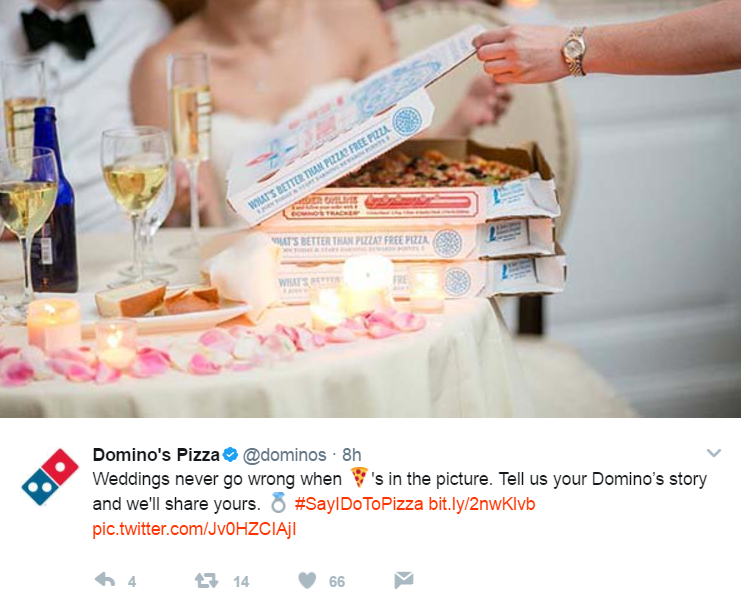
Domino’s

To help themselves stand out from the competition, Domino’s released Domino’s Anyware to let customers order a pizza from literally any app or device. Well, almost any.

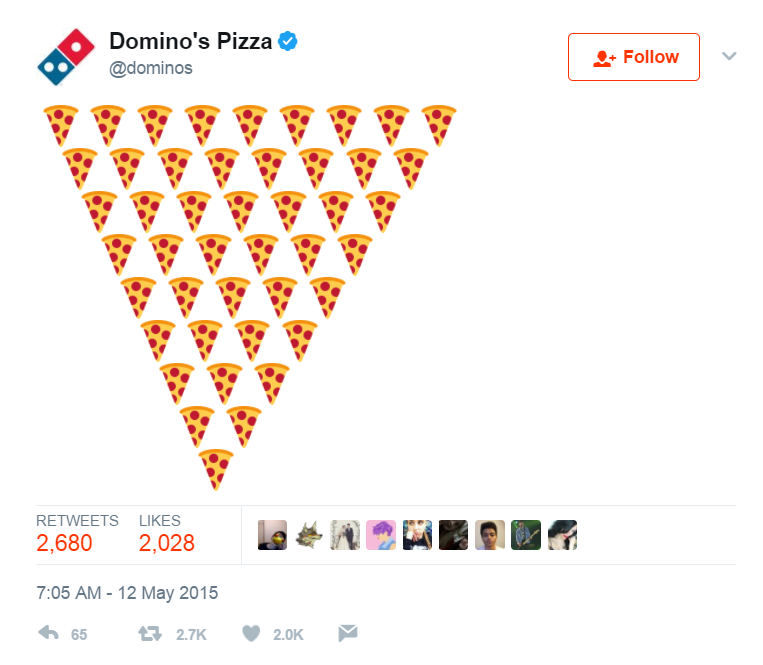
And one of the ways you can order is to simply text a pizza emoji to them.

They too continue to use emojis on Twitter and beyond to reach fans.

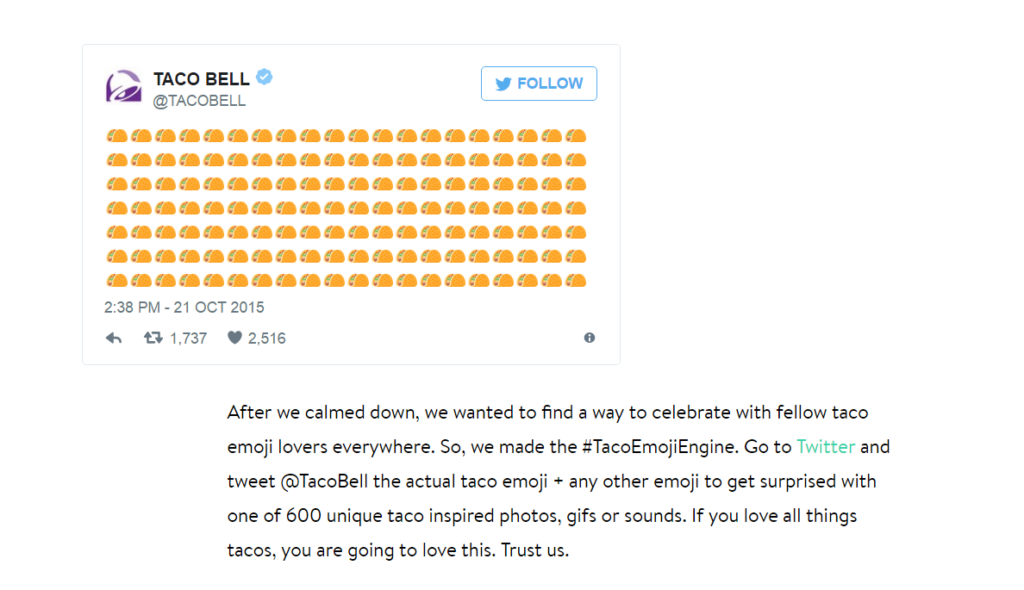
Taco Bell

Taco Bell took a slightly different approach.

After seeing fans campaigning for a taco emoji, The Bell hopped on the bandwagon and ended up getting the new emoji approved for both iOS and Android.

Okay, let’s also look at some non-food companies.

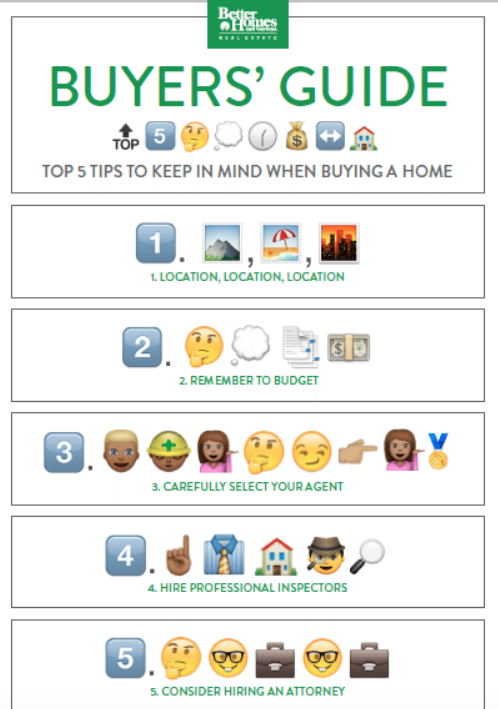
Better Homes and Gardens

Better Homes and Gardens literally published an emoji guide for homebuyers.

Still convinced emojis are for kids?

Really, they’re for everyone.

It just depends on how you use them.

Bill Nye

Just ask Bill Nye.

The Science Guy developed a web series on YouTube with The National Science Foundation on Emoji Science.

Ready to make emojis work for you?

Read on! 👍

Ready…Set…Go! 🏁

Although it may seem that emojis are mobile-only, that’s not the case.

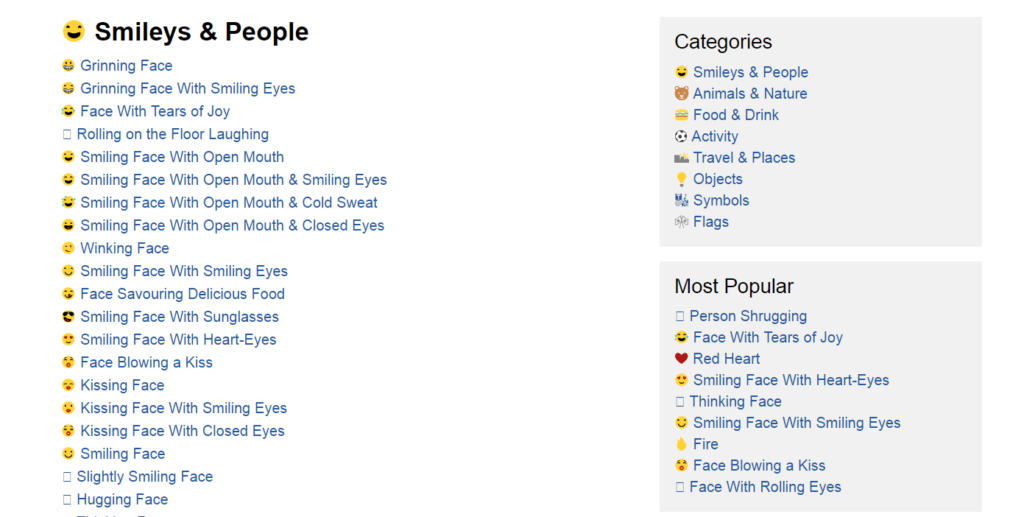
You can easily access most all symbols through Emojipedia.

Just find the one you want.

And copy/paste it into your content.

No coding or embedding.

Just copy, and paste and you’re done.

Now, it’s time to head over to

Facebook

If you’re on Facebook at all, then you probably remember when they rolled out 5 additional reactions to the Like button.

Adespresso recently published an article about emojis and quoted a linguistics professor who has studied them extensively saying,

Nearly 70 percent of meaning derived from spoken language comes from nonverbal cues like body language and facial expression. The stratospheric rise of emoji, in text messaging, on Facebook, and elsewhere is essential, is fulfilling the function of nonverbal cues in spoken communication.

It makes sense, really.

Since so much of our communication nowadays takes place digitally, we lose the nonverbal cues that we so often, even subconsciously, rely on for meaning and understanding.

Emojis return these cues to us.

So let’s start using them!

On our own Facebook page, we use emojis for real estate in pretty much all of our posts.

They’re a great way to guide your audience through content and to a point of action.

In the above post, we really just wanted them to watch our latest video.

The first sentence gives some context and then we get straight to the point.

Here’s another example:

There’s no guarantee that you’ll get more leads simply by including one or two emojis in your text, but there are some definite benefits.

For one, it helps capture your brand personality with very little effort.

No pressure, but the emojis you use reflect on your brand and can even help folks form a first impression.

This is a good thing though!

Let’s check out how to use emojis for real estate when creating a

Facebook Ad

Does this ad look familiar?

If so, chances are it either popped up for you on Facebook or you’ve seen the screenshot used in a previous blog post.

Why?

Because Kasie’s ad has been really freakin’ successful!

Sure, there’s more to it than just the emojis, but let’s spend a second looking at the part they play.

First of all…

They add some color to the text and break up all those letters.

This makes the ad more readable, which means it’s more actionable.

It’s also attention-grabbing.

Look at those money bags!

💰💰💰

🤑

You can also use emojis to emphasize your message and value.

Or, to be more approachable when warming up leads.

It’s not as easy to read between the lines when you’re talking to a screen.

Dropping in a quick smiley face can be just the trick to better communicating with your network.

Our comments above instantly have more personality and can even help build credibility.

Ultimately, using an emoji means you care.

You’re taking an extra step to attribute an emotion to your words.

And your leads will take notice.

According to Adweek, emojis are becoming a preferred communication tool across demographics.

But does that mean they’ll resonate with your audience?

There are a few questions you can ask yourself before you post:

  • What emojis best support my brand?
  • How do they add value to my message?
  • Where are the best places to use them?

If you’re unsure which ones to use, these questions can help point you in the right direction.

You don’t need permission to communicate through emojis.

You have it. And it can totally benefit your brand.

Just make sure you decide which ones you and your leads/clients will appreciate the most.

You can even spend some time selecting the best ones and copy them into a note-taking app or similar program on your desktop.

That way, you can refer back to them whenever you’re ready to post.

Where Does It End? 🤷

Truthfully, emojis know no bounds.

You can include them in blog titles.

In the body of your text.

Put them in email headers.

Even in your YouTube video titles.

As long as you’re thoughtful about the placement, there are no limits!

What’s your favorite emoji?

Copy/paste it in the comments below!

✌️

Need more real estate marketing ideas? How does 200+ sound?

The 2017 Must-Have Apps For Agents You Didn’t Know You Needed (And What To Do With Them)

There are hundreds of apps for agents that can help you to work smarter.

If you’re a LeadSite user, then you’ve already seen how powerful apps can be for lead generation, nurturing and streamlining your daily tasks and appointments.

We’ve got even more amazing apps for agents to roll out this year, so stay tuned for that!

But, moving on…

As much as we love LeadSite apps, we’ve rounded up a few more mobile  apps for agents that you should probably already be using.

Through your favorite apps for agents, you can complete all your job-specific tasks on the go.

Whenever.

Wherever.

View data, assist clients, schedule showings, and keep yourself on track.

Check out these five free apps for agents!

City Maps

Originally developed for avid travelers, CityMaps is an app for agents with tons of benefits.

Do you ever find yourself fretting over where the best place is to meet a lead or new client?

Or that you had all of your top Yelp picks in one place?

What about how great it would be if you had a map of all your favorite local places that you could make available to clients and leads?

With CityMap, that’s all possible.

You can send your clients maps that you customize for them to fit their interests and itinerary.

This can be especially helpful if you’ve got clients that are relocating to your area or are looking to move into a new neighborhood.

You can map schools, the best family-friendly parks, grocery stores, coffee shops…etc.

This is a great app to instantly show your clients and prospects that you truly are the neighborhood expert.


Periscope

You’ve all heard of Periscope, but have you considered what it can do for you as an agent?

Periscope rules live video streaming in 2017.

However, there are a lot more options – including YouNow, Facebook Live, and Instagram.

With Periscope, you’ll broadcast live via Twitter.

So, what makes Periscope superior and how can you find and connect with your audience?

For one, you can save videos you record and then share them to other platforms. You can boost it on Facebook, upload it to Youtube, or post teasers on Instagram to gain interest.

So, even if you’re not big on Twitter, you’ll be able to repurpose your stream across networks.

All this said, if you prefer a different live-streaming service to Periscope, we encourage you to test out this technology on whatever platform you’re most comfortable using.

Our recommendation after Periscope would be to try out Facebook’s live video.

Like Periscope, these videos too can be saved and viewed later.

Instagram, on the other hand, ends the livestream as soon as you’re done so it’s a one-off game.

The greatest value livestreaming offers for agents is the ability to reach prospects and start building relationships before you’ve even had your first sit-down.

Key.Me

It’s entirely possible that you’ll never need to use this app, but if you do…

It can be a life and client-saver.

That is, if it’s available in your area.

Key.me lets you make a copy of a key just by taking a photo of it.

You don’t have to borrow a key from the owner’s of the house you’re showing or worry about losing it.

After you take your picture, simply head to a local Key.me kiosk, make a copy and you’re set.

Even if you lose your copy, all you’ll need is that image you snapped to get a new one.

This is a great resource to share with your network as well.

After all, how many times have you or your neighbor locked yourselves out of your home or car?

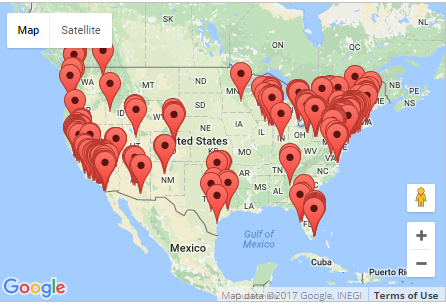
Find the closest kiosk to you HERE.

Dotloop

We can always use more options for file storage.

Particularly when it comes to compiling and organizing the paperwork needed to complete any real estate transaction.

No matter how smooth the deal goes, chances are you’re going to need to triple check that those t’s and i’s are crossed and dotted.

Dotloop helps you create custom templates, store documents securely, collaborate with your team, revise and send out forms for esignature as needed.

There is a free plan available for agents as well as a paid option for teams and premium access.

Whether or not Dotloop specifically works for your workflow and day-to-day needs, we highly recommend having an application like this available to you. Even as just a backup.

Take a look at these similar accounting and financing apps for agents if you’re looking for an alternative:

Docusign

For a more straight-forward approach to transaction management, try Docusign.

It makes contract exchanges and signing documents electronically a breeze.

NetSuite

If you’re working with a team, NetSuite can be a great option. Really, it’s an entire financial management system.

There are also several features just for real estate to assist with work order and contract management.

RPR Mobile

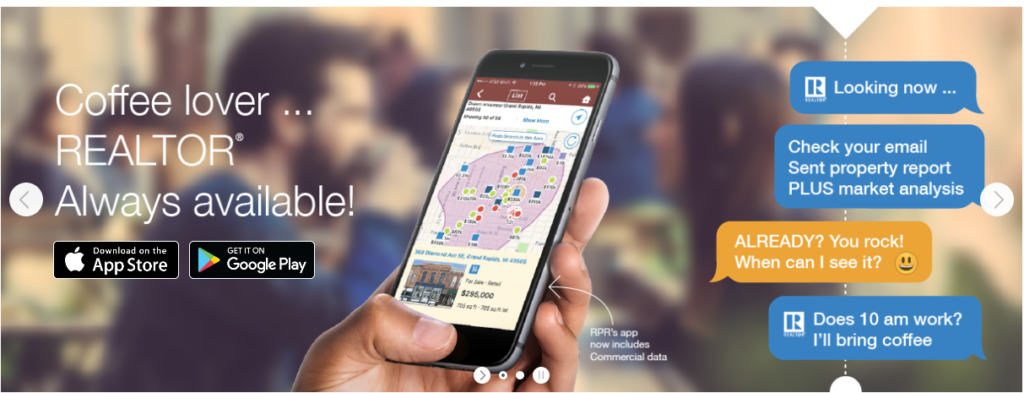
RPR (Realtors Property Resources) Mobile may already be on your phone, but in the case that you’re not already using it, here’s your chance to get on board.

This app is designed for agents and lets you search for properties and any additional details you may need. Such as tax and mortgage data.

You can generate your own unique reports to share with clients and brand them with your logo.

You can also find out local market statistics and other information that is specific to your area. This can come in handy for creating quality blog content to share with your network and will also help you to stay on the cutting-edge of tech in the real estate industry and related fields.

It’s easy to add photos to the properties you’re researching and sync them to your devices.

The only catch is that your MLS needs to be partnered with RPR.

What’s your favorite app? 

We want to know what apps for agents you use daily!

And what makes them so awesome.

Tell us in the comments or, better yet, write your own version of this post and drop us a link when it’s up!


Wondering what CRM is right for you?

Take our Quiz! CLICK HERE

Foreclosure Buyer Leads: Double Your Real Estate Buyer Leads w/ This Done-For-You Ad Setup

Offering a list of foreclosures is a great way to attract real estate investors, wannabe investors, and home buyers looking for a deal. In this article, I’ll give the exact copy-paste templates for the ad to run, the landing page to use, and even give you a free ebook template that you can use to sweeten the deal and get more foreclosure buyer leads.

IMPORTANT NOTE #1: Marketing foreclosures, and offering or giving a list of foreclosures, is not legal in every state. Check your local, state, and MLS board regulations before using this ad setup.

IMPORTANT NOTE #2: Some people find the idea of marketing foreclosures… Distasteful. They see it as “preying on others’ misfortune.” And look: You have to decide for yourself what kind of homes you want to sell. And, YES, it’s sad that the homeowner has gone through such a difficult financial time. No one with a heart and a conscience would disagree with that.

But the real estate reality of that is that… That home has been foreclosed. Nothing will change that. And the agent who gets the foreclosed home sold and occupied as quickly as possible is doing a valuable service to the neighborhood. No one wants a foreclosure sitting vacant on their street for a long period of time.

Still with me? Still want to generate more foreclosure buyer leads?

Okay. Here’s the done-for-you ad formula that will help you generate more foreclosure buyer leads:

FORECLOSURE BUYER LEADS, STEP #1 — THE AD SETUP

Targeting potential buyers of foreclosures is easy on Facebook. I suggest setting up two separate ads: One for investors and one for home owners looking for a deal.

You’ll be able to use the same landing page for both ads (more on that next). But when you’re targeting different interests, it’s best to use different ads that speak directly to those interests.

A person looking for a deal on a home they plan to live in, for example, is in a different frame of mind than someone who is buying a foreclosure as a rental property or a flip.

So, here are two ads

1. Target Deal-Hunters Who Are Likely To Move

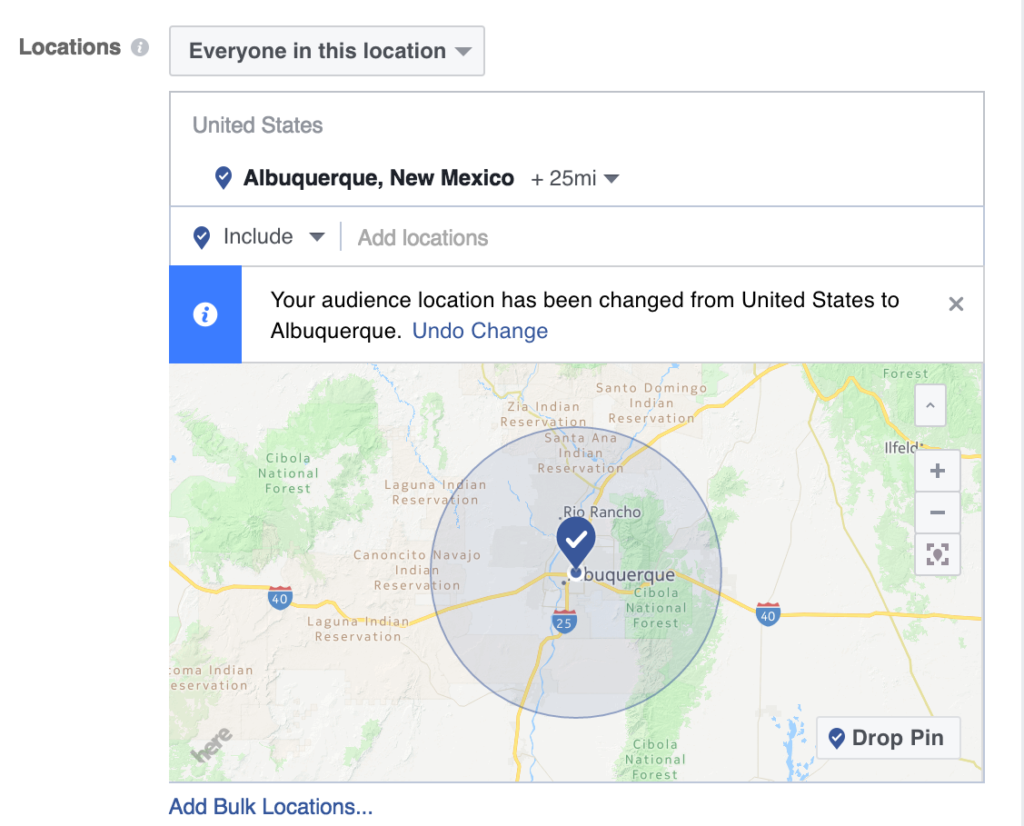
You’ll start by selecting your target area, like this:

locations

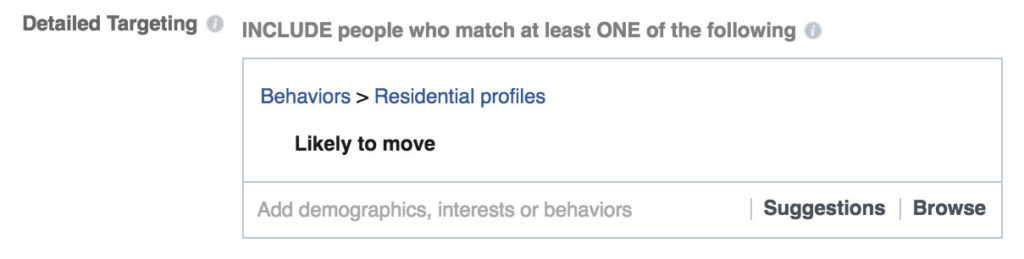
And then target those who are “likely to move”:

likelytomove

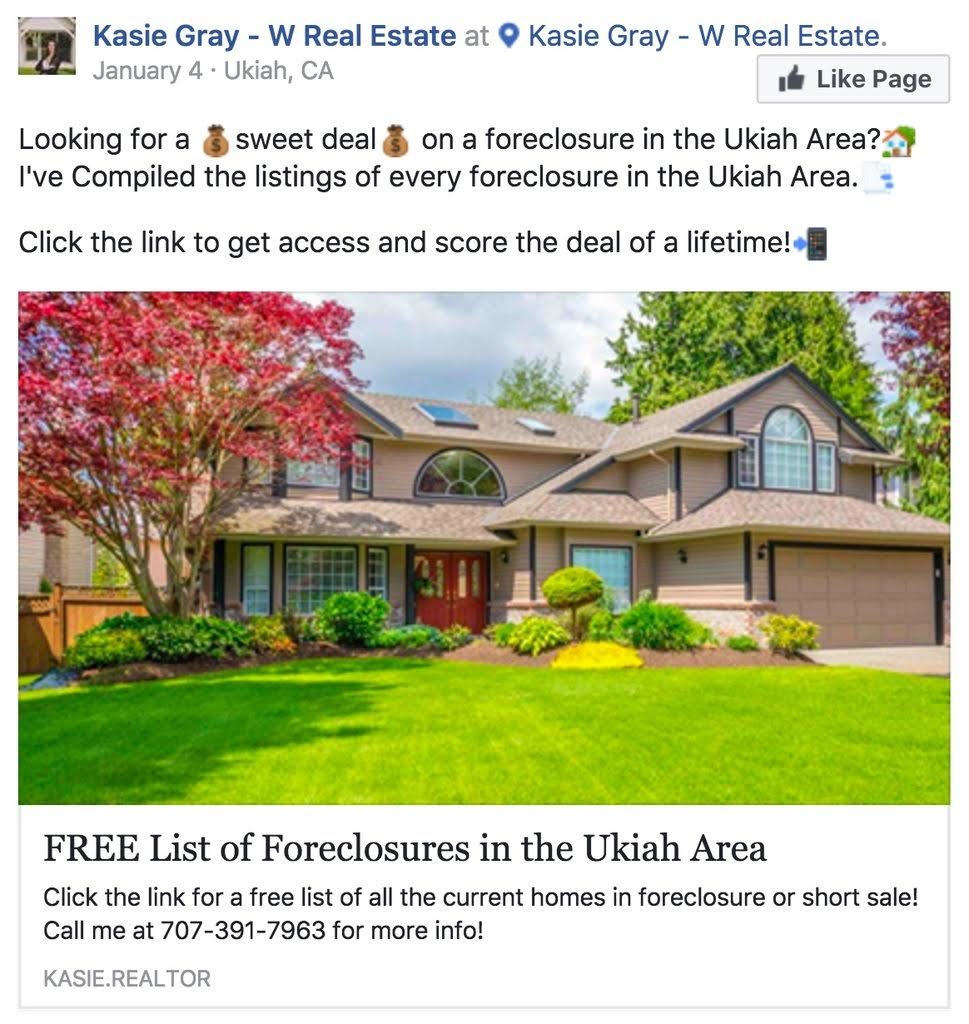
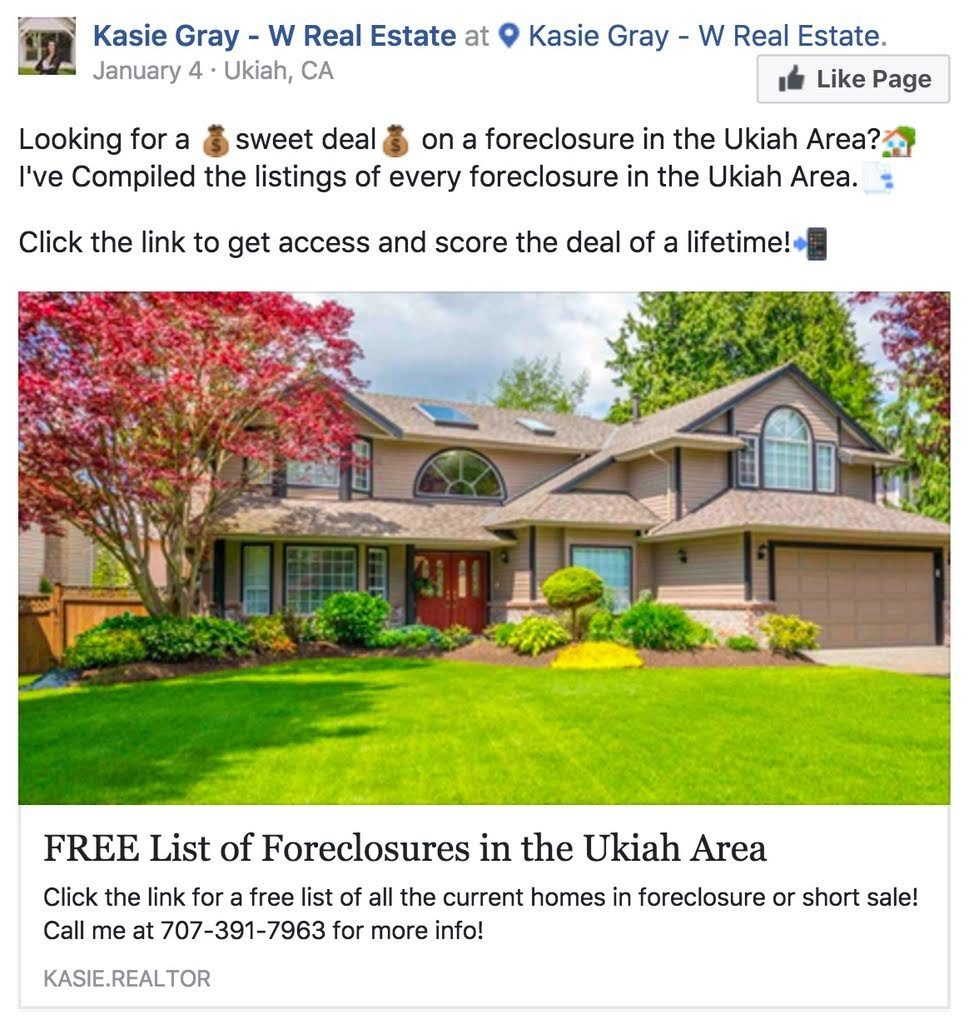
And then you’ll want to run an ad that speaks to this particular audience. Here is a proven ad that has generated leads for this particular agent:

real estate facebook

Kasie Gray also generated leads for FREE on Facebook with the above ad. Want to know how? Check out this video:

2. Target Real Estate Investors

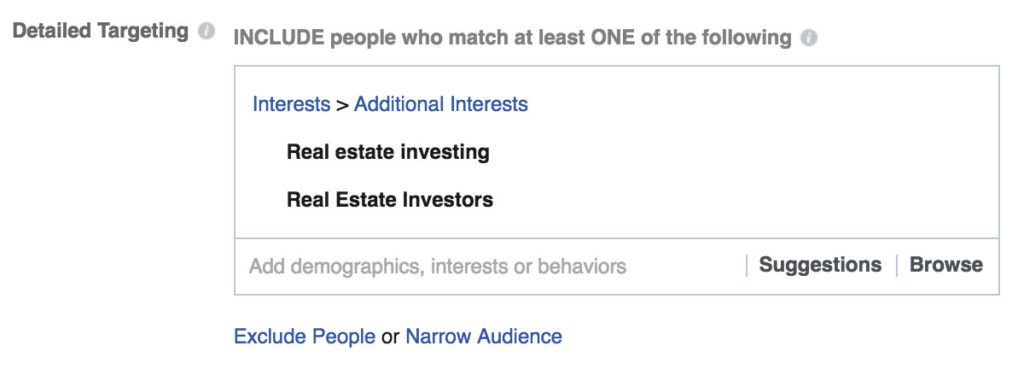
To target investors, you’ll start by targeting your area (as shown above) and then targeting those interested in real estate investing. Here’s what that look like on Facebook:

investors

This targeting will put your ad in front of people in your area who have expressed an active interest in real estate investing. This crowd is perfect for building of list of people interested in buying a foreclosure.

Here is a great example of an ad for this crowd:

investorsad

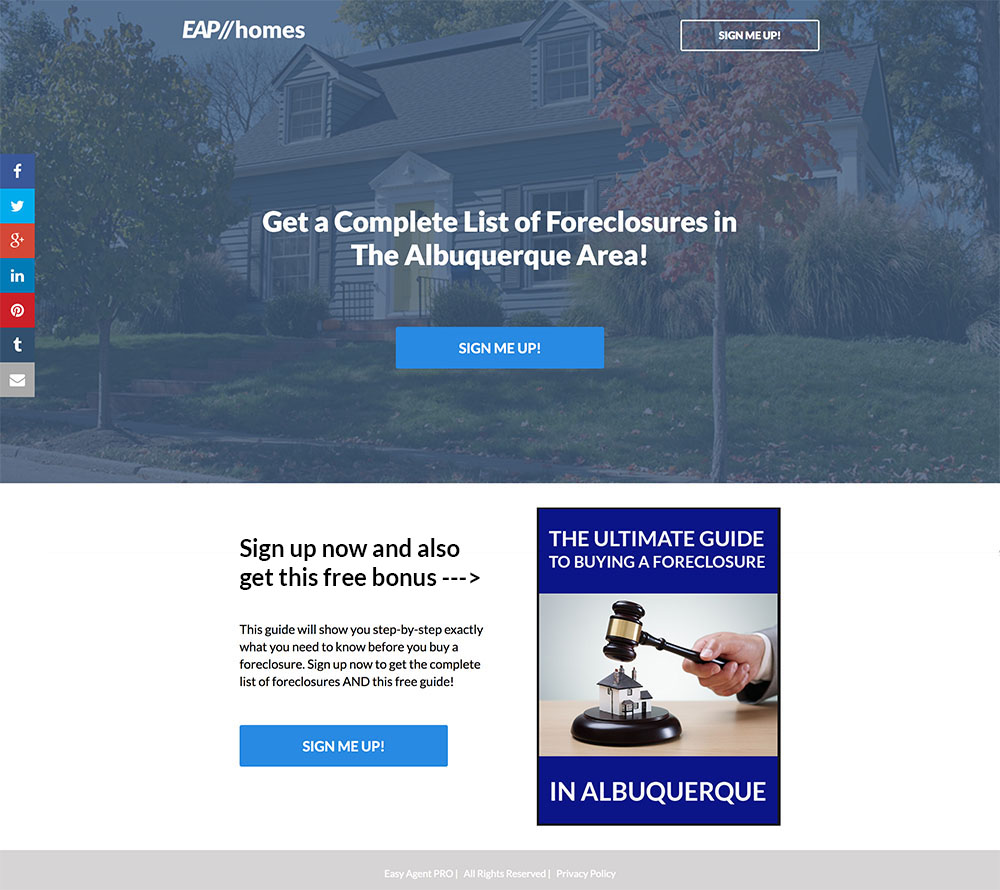
FORECLOSURE BUYER LEADS, STEP #2 — THE LANDING PAGE

When someone clicks your ad, the best thing to do is send them to a landing page dedicated to offering value and capturing their information.

In some areas, lists of foreclosures have been used quite a bit and might not be a strong enough offer to set you apart from other agents. I recommend using both a complete list of foreclosures in your area AND a PDF download of helpful information. Like this:

foreclosurelanding

FORECLOSURE BUYER LEADS, STEP #3 — DELIVER BIG VALUE

And finally, you need to provide BIG value and deliver on all of the promises you made in your ads and on your landing page.

So once someone opts in, you’ll want to point them to a page where they can view all of the current foreclosure listings in your area.

I also recommend offering a guide to buying a foreclosure. Offering helpful information AND giving people a complete list of foreclosures is a strong proposition that will help you get more opt-ins.

The trouble is… You may not have the time to write an ebook from scratch to offer people.

Well, we’ve got you covered.

Here is a free, customizable ebook you can customize to your specific market:

Guide To Buying a Foreclosure

So what this setup look like is:

  1. People will click your ad.
  2. Then they’ll give you their information on your landing page.
  3. Then your landing page will redirect them to a page like this:

ThankYouPage

99% of real estate agents are not offering or delivering value like this on their website or through their online advertising. By going the extra step in offering not only listings but also helpful information that fits your leads’ interests you will generate and convert more leads.

So, let’s say this works for you and you generate leads with this ad set-up. Let’s go one step further with this. What do you do with your list of foreclosure buyer leads?

NOTE: Do not add this page to your site navigation. You don’t want random visitors to be able to find this page, just people who have opted in through your landing page.

FORECLOSURE BUYER LEADS, STEP #4 — SEND FOLLOW-UP DRIP EMAILS

Now, some of the leads you generate may be interested in buying a foreclosure in the very near future…

But most of the leads you generate with these ads will not buy a foreclosure with you immediately…

And that’s totally normal.


These are not dead leads or low quality leads. They may just need to be nurtured over time.

The best thing to do with these leads is to put them into a drip email sequence.

YES, you want to send them a weekly updated list of foreclosures.

But you also want to send more helpful information that builds on the free guide you gave them. You can send them links to blog posts or YouTube videos that would be relevant and interesting to this audience.

For example:

The home buyers who sign up from your ads about getting a deal might also be interested in more general home buying tips.

And people who sign up from your investing ads might be interested in a monthly local restate market report.

Continuing to send helpful information will establish trust and build a meaningful relationship so that, when they are ready to buy a foreclosure, you are the agent they trust and reach out to.

Want to learn more about drip email campaigns? Check out THIS ARTICLE.

Ready To Start? Here’s The Step-By-Step Workflow:

  1. Check your local, state, and MLS regulations about marketing foreclosures in your area.
  2. If marketing foreclosures in your area is fair game, download the free ebook template and customize it to your business.
  3. Create your Thank You page that allows people to download the ebook and provides the list of foreclosures.
  4. Publish your Landing Page and set it up to redirect to your Thank You page after someone opts in.
  5. Launch the Facebook Ads that will send the right target audience to your landing page.
  6. As leads come in, follow up and sort! Work with those who are ready to do business in the near future, and put everyone else into an email drip campaign.